About the Course

Microsoft 365 Copilot Training in India
Your team already works in Microsoft apps, but access to Copilot alone does not create a reliable way of working. This Microsoft 365 Copilot training in India connects prompts to familiar tasks: preparing a brief, reviewing a workbook, drafting an email and shaping a presentation. Start with your approved environment, identify the features participants can use, and practise checking outputs before colleagues or customers rely on them.
Who this programme is for
Indian corporate teams using Microsoft 365, including business managers, sales teams, HR professionals, finance analysts, executive assistants and internal Copilot champions.
Your practical takeaways
Match the task to the right experience
Understand which Copilot experience your organisation provides and select a suitable workflow. Avoid assuming every participant has identical app features, connected data or permissions.
Produce better working drafts
Use a clear goal, relevant source material and an explicit format to create documents, email drafts and presentation outlines that a colleague can review efficiently.
Check data and control access
Validate workbook logic, important figures and source references. Understand that existing permissions matter, and involve your IT team when access or information sharing needs attention.
Six programme modules and exercises
1. Confirm readiness and account access
Review the accounts, apps and features available to the cohort. Distinguish general chat tasks from work grounded in organisational content and agree which examples are appropriate.
Practical exercise: Complete a readiness checklist and select one achievable department use case.
2. Write prompts colleagues can reuse
Specify the goal, context, sources and expected output. Include the intended audience, Indian business terminology and any required date or currency conventions rather than leaving them implicit.
Practical exercise: Build a reusable prompt for a weekly management update.
3. Draft and improve Word documents
Move from approved source notes to a brief or proposal draft. Request headings, unresolved questions and concise language, then edit for accuracy, tone and the organisation's document standard.
Practical exercise: Prepare a project brief from synthetic discovery notes and review it.
4. Ask useful questions of Excel data
Start with clean headers, consistent dates and an understood business question. Explore supported Copilot assistance, then inspect formulas, totals, filters and assumptions instead of accepting a confident explanation alone.
Practical exercise: Analyse a sample regional sales table and independently verify the headline figures.
5. Communicate through slides and email
Turn an agreed brief into a presentation storyline and a concise email draft. Where relevant features are enabled, practise app-based assistance while retaining responsibility for design, recipients and commitments.
Practical exercise: Create a five-slide outline and a stakeholder update from the same source pack.
6. Pilot adoption with the business owner
Choose a small set of repeatable tasks and define a review routine. Record time spent, editing effort and errors found; use those observations to decide the next training priority.
Practical exercise: Create a department pilot plan with an owner, baseline and weekly review.
Workplace examples for Indian teams
Sales manager
Starting material: A synthetic opportunity table, meeting notes and an approved update format. Practice output: A pipeline commentary and follow-up email draft with open questions. Review: Reconcile values to the table and confirm commitments before sending.
Finance analyst
Starting material: A sample monthly workbook with labelled actual and budget columns. Practice output: An initial variance explanation and suggested areas for investigation. Review: Recalculate material variances and separate evidence from possible causes.
Department head
Starting material: Approved project notes, status fields and the last review's actions. Practice output: A structured management brief and presentation outline. Review: Confirm access, document versions and whether actions are completed or proposed.
Preparation and account access
Ask IT to confirm the relevant Microsoft accounts, subscriptions, app versions and administrative settings before the session. Participants need laptops and approved sample files. Excel exercises work best with structured data and clear headers. Agree the delivery scope after checking the cohort's access and experience.
Delivery across India
Live online in IST, or onsite by written proposal. Discuss Delhi NCR, Mumbai, Bengaluru, Hyderabad, Pune, Chennai, Kolkata, Ahmedabad, Jaipur or another Indian city. Dates, venue, participant numbers, duration, fees and travel are confirmed before booking. Corporate formats can focus on a three-hour foundation, a six-hour applied workshop or an agreed learning series; private sessions are scoped individually.
Selected client portfolio — completed corporate programmes
Emami Ltd | October 2026 | Claude. Claude workshops for Legal & Compliance, Internal Audit, Finance & Accounts, and Finance & Commercial teams.
Godrej Properties | August–September 2026 | Microsoft Copilot. Microsoft Copilot enablement and prototype support for the INNOV8-NZ programme.
CP PLUS | October 2026 | Microsoft Copilot. AI and Microsoft Copilot workshops for CP PLUS teams in Noida.
INOX India / INOXCVA | August 2026 | Claude, ChatGPT. GenAI workshops for HR, production, marketing, IT and management teams, covering ChatGPT prompting and Claude for documents, data and dashboards.
RMZ Real Assets | July 2026 | Claude, ChatGPT, Microsoft Copilot. Two-day GenAI workshop covering leadership, revenue and leasing, asset management, finance and ESG applications with Claude, ChatGPT and Microsoft Copilot.
Delhi Duty Free / GMR Airports | September 2026 | Microsoft 365 Copilot Chat. Microsoft 365 Copilot Chat workshop for the Delhi Duty Free team, with practical prompts, document exercises and safe-use guidance.
Homeland Group | July 2026 | Claude. Practical Claude training for HR, administration, procurement, vendor management, planning and operations.
Rocket Learning | September 2026 | Claude. Working With Claude workshop for the Education and Content team, covering structured prompts, Projects and team planning.
Padmini VNA Mechatronics | October 2026 | Microsoft 365 Copilot. AI foundations, generative AI and Microsoft 365 Copilot workshop for Padmini VNA teams.
AON Consulting | June 2026 | Microsoft Copilot. GenAI and Microsoft Copilot training for the FP&A team, delivered through Imarticus.
About Parikshit Khanna
Corporate AI trainer, prompt engineer, TEDx speaker, Visiting Faculty at GL Bajaj Institute of Management & Research and founder of Digital Training Jet, established in 2020. Parikshit reports cumulative reach of 3,50,000+ professionals across direct sessions and the Digital Training Jet network. This is self-reported reach, not an independently audited count of unique professionals directly trained. Explore the profile and original session portfolio at https://www.parikshitkhanna.com/about-8.
Frequently asked questions
Is Copilot Chat the same as every app's Copilot feature?
Experiences and available capabilities differ. The readiness discussion checks your actual access so the agenda matches what participants can practise in their work environment.
Can Copilot see all company documents?
Microsoft states that organisational data access follows the user's underlying permissions. Your organisation should still review sharing practices and decide which material is suitable for exercises.
Is the workshop suitable for Excel beginners?
Basic spreadsheet familiarity helps. Tell us the team's level so the examples focus on useful questions and checking results, with advanced analysis scoped separately.
Can we focus on Word, Excel or PowerPoint only?
Yes, request an app-focused agenda. A narrow programme provides more practice on relevant tasks than trying to cover every Microsoft application in one session.
What should HR or IT share for a proposal?
Send participant roles, available Copilot access, preferred apps, location and representative tasks. A scoped proposal can then outline exercises, requirements and delivery options for India.
Request your tailored training proposal
Share your team roles, size, city, approved tools, two recurring tasks and preferred dates. Enquire at https://www.parikshitkhanna.com/contact or WhatsApp +91 99972 13177. Individual options are listed at https://topmate.io/parikshit_khanna. Product names belong to their respective owners. This is independent professional training. Graphics are AI-generated concept illustrations.
Original photographs from earlier teaching sessions
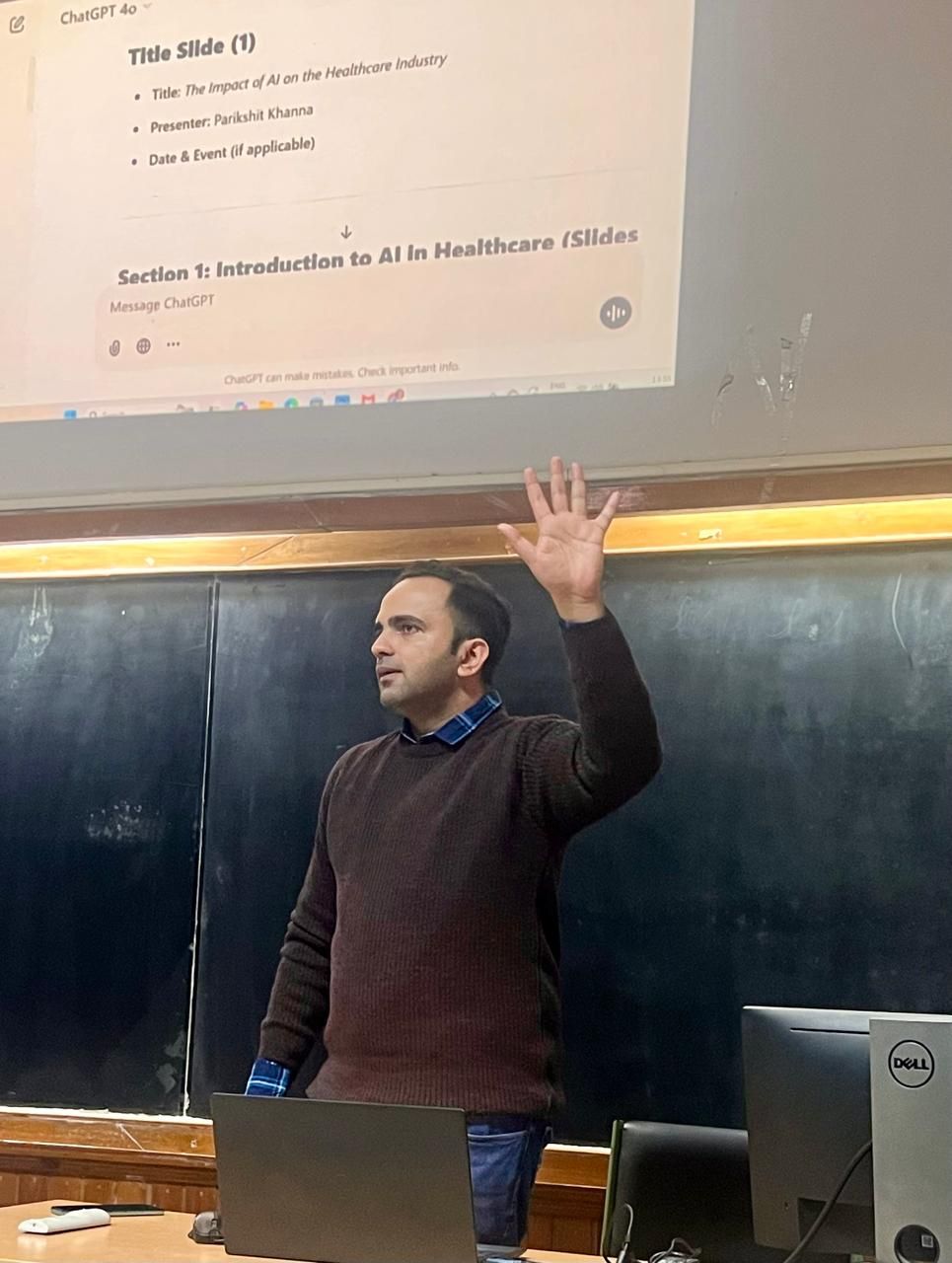
Original photographs from Parikshit’s wider teaching portfolio. Each caption identifies the tool or setting shown.


Explore Parikshit’s trainer profile and session portfolio
Learner feedback on Parikshit’s Topmate profile
Feedback from earlier sessions, published on Parikshit’s Topmate profile.
“Gained valuable practical tips along with complete knowledge of AI tools”
Deep Shikha · January 2025 · Public Topmate review
“Indeed it was enriching experience.”
Mohd Aarif · November 2024 · Public Topmate review
“It was a wonderful session”
Shalini Rajesh · February 2026 · Public Topmate review
Choose your learning format
For a company workshop, start with a discovery call or a tailored proposal. Individual sessions and self-paced resources have their own scope on Topmate. Check the current listing for availability, inclusions and pricing.
Optional self-paced resource: Microsoft Copilot at Work. This is a separate Topmate product; the listing defines its coverage.
Email parikshitkhanna@digitaltrainingjet.com or WhatsApp +91 99972 13177 with your team roles, group size, location, preferred dates and two recurring tasks.
Your Instructor
Parikshit Khanna
Parikshit Khanna is a corporate AI trainer, TEDx speaker, Visiting Faculty at GLBIMR and founder of Digital Training Jet, established in 2020. Practical workshops connect approved tools with workplace exercises and human review.