Microsoft Copilot Training in the UK: 10 Buyer Checks for 2026

Updated: 2 hours ago

Updated 16 October 2026 | For UK teams
When you compare Microsoft Copilot training, ask what your people will be able to do in your own working environment after the session. A programme can look impressive while demonstrating features your attendees cannot access. This buyer's guide replaces a promotional ranking with ten useful checks. You can use them to compare a private workshop, official self-paced learning or an internal programme against the same practical requirements.

New research, October 2026
UK AI skills drive: in January 2026 the UK government set a goal to upskill 10 million workers over the next decade through its free AI Skills Hub, which had already delivered one million courses. Holyrood, 28 January 2026
Copilot adoption: Microsoft reported more than 30 million paid Microsoft 365 Copilot seats for the quarter ended 30 June 2026. Unite.AI, August 2026
Copilot in SharePoint: began rolling out as generally available on 30 September 2026. Microsoft Tech Community, October 2026
Latest Copilot sessions and portfolio: October 2026
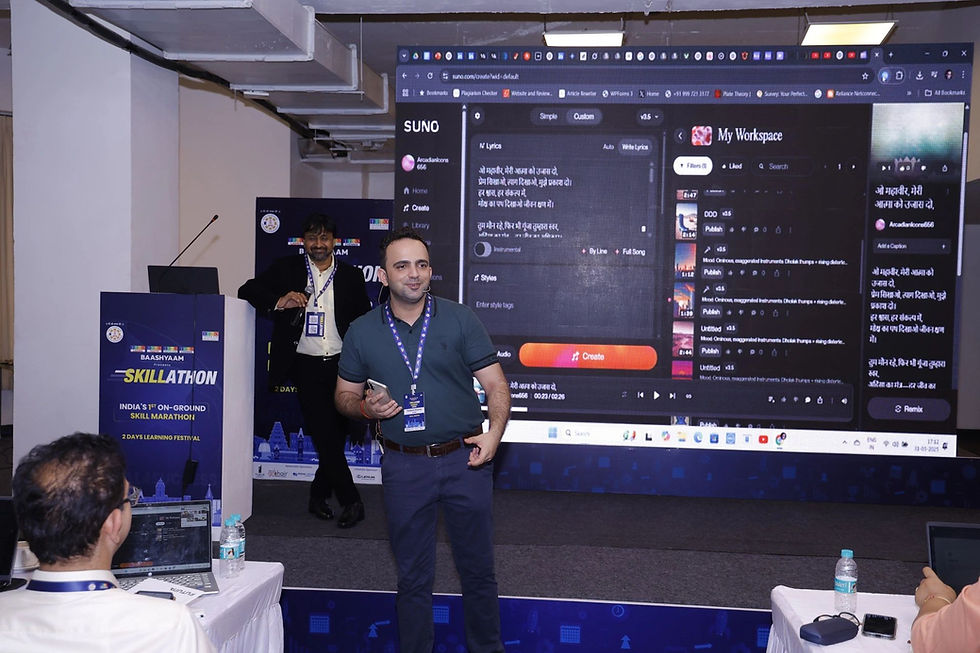
Fresh photos from Parikshit Khanna's sessions this month, with his updated portfolio. Every programme below can be run for teams in the UK, live online or onsite on request. Each Copilot session starts with a licence check: in app Copilot in Word, Excel, PowerPoint, Outlook and Teams needs a Microsoft 365 Copilot licence, while Copilot Chat is available more widely, so exercises are matched to what your team can actually use.
Session content is refreshed against Microsoft's monthly What's New in Microsoft 365 Copilot updates, so participants practise on features that are live in their tenant.


Updated portfolio, October 2026
Microsoft 365 Copilot, Gurugram (October 2026): an onsite Generative AI and Microsoft 365 Copilot programme for an automotive components manufacturer, covering Copilot Chat and Copilot in Word, PowerPoint and Excel.
GMR Airports, Delhi Duty Free (September 2026): a Microsoft Copilot programme delivered onsite at IGI Airport, New Delhi.
Godrej Properties, INNOV8 (August and September 2026): an AI Enablement Sprint on Microsoft 365 Copilot Chat for about 155 participants, followed by one to one prototype support.
vivo India (September 2026): a practical AI workshop on ChatGPT and Copilot for the online business team in Gurugram.
Malabar Group, Dubai (July 2026): Phase 1, Microsoft 365 Copilot foundations for Finance, Accounts, Audit and MIS teams, 60 participants, delivered live online.
Princeton Academy (September 2026): AI for Accounts and Finance, an open programme at Crowne Plaza Okhla, New Delhi.
AI in Finance, LBSIM Delhi (25 and 26 October 2026): guest speaker for a two day workshop for 57 PGDM finance participants at Lal Bahadur Shastri Institute of Management.
IIMC New Delhi (September and October 2026): AI workshops for students on AI and autonomous workflows.
Credentials: TEDx speaker with the talk Redesigning Work with Artificial Intelligence (August 2026), Anthropic Claude Academy badges, and co author of two published books.
Reach: more than 3,50,000 professionals reached across Digital Training Jet programmes, delivered directly and with a specialist co trainer network.
Watch the TEDx talk: Redesigning Work with Artificial Intelligence.


To book a Copilot session like these, message Parikshit on WhatsApp at +91 99972 13177 or email pkhanna123@gmail.com.
Live online scheduling across time zones
Location | Time difference from India (IST) | Typical live slot |
|---|---|---|
New York (Eastern Time) | IST is 9.5 hours ahead in summer, 10.5 in winter | US morning, Indian evening |
London (UK time) | IST is 4.5 hours ahead in summer, 5.5 in winter | UK morning or early afternoon |
Johannesburg (SAST) | IST is 3.5 hours ahead | Any business hour |
Moscow (MSK) | IST is 2.5 hours ahead | Any business hour |
Planning a session for your team? Start with Microsoft 365 Copilot training in the UK and share the task you want to improve. The final agenda, tools and delivery arrangements are agreed with you before booking.
Checks 1 to 2: Confirm the licence and the actual app experience
Ask the provider to identify the Copilot experience used in every exercise. Microsoft distinguishes experiences by licensing, data access and integration. Copilot Chat and licensed work features should not be treated as interchangeable. Have your administrator confirm the exact account, tenant settings and available applications before booking. Request a short access check with a representative learner rather than assuming everyone has the same capabilities.
Checks 3 to 4: Match roles and use suitable practice files
A finance colleague checking a table needs a different exercise from a manager preparing a briefing. Ask for role-specific examples and the intended learning outcome. Confirm who supplies the files and whether those files may be used in the approved environment. Synthetic or public material makes a sensible starting point. Realistic practice should include imperfect inputs, not only demonstrations prepared to produce a smooth answer.
If your team also needs a different tool, compare Claude AI training in the UK with the programme above. Choose the option that matches your approved accounts and everyday work.

Checks 5 to 6: Review permissions and teach verification
Your technical team should review access before participants connect work content. A training provider should explain how attendees check source material, numbers and missing context. In a document exercise, include one unsupported statement; in a spreadsheet exercise, include a misleading total. Ask learners to identify and correct these issues. For personal information, involve your privacy team and use applicable UK guidance to shape the approved exercise.
Checks 7 to 8: Test the work and plan for unavailable features
Ask how the programme measures a learner's ability to complete a task without following a demonstration step by step. A practical assessment might compare two versions of a management brief against the same evidence. Also ask what happens when access is restricted, an app differs or a service is unavailable. The alternative should still teach the task and review method, with clear limits on what was practised.
Checks 9 to 10: Agree handover and total cost
Request the final materials, example prompts, review checklist and a defined support arrangement. Clarify licence costs, preparation, participant limits and any follow-up work in the proposal. Your buying decision should compare the complete learning experience rather than the longest tool list. For a pilot, select one team, run an access check and judge the work produced before committing to a wider programme.

Exercises your team can practise
Your task | Workshop exercise | What you will review |
Management brief | Use an approved document to draft an update, then locate every material claim in its source. | A reviewed briefing and a record of corrections. |
Spreadsheet explanation | Use an available licensed app to explain a synthetic table and inspect the calculations separately. | A checked narrative that does not replace formula verification. |
Email drafting | Draft a reply from a supplied scenario, leaving missing commitments as questions. | A useful draft with a clear human approval step before sending. |
A prompt you can adapt
Replace the brackets with your own approved or fictional practice material. Check the answer against the source before using it.
Use the approved material provided to draft [output] for [audience]. Include only facts supported by that material. Separate confirmed actions from suggestions and list missing information. Preserve dates, amounts and ownership accurately. Provide a short review checklist showing what a colleague must verify before use. If you cannot access a source or a required feature is unavailable in this account, say so clearly instead of implying you checked it.

Choose your next training step
Programme page | How to use it |
Read the current course scope and ask how it can fit your team’s work. | |
Read the current course scope and ask how it can fit your team’s work. | |
Discuss a tailored agenda for your departments, tools and starting skill level. |
Meet Parikshit Khanna
Parikshit Khanna is the founder of Digital Training Jet, a corporate AI trainer, TEDx speaker and Visiting Faculty at GL Bajaj Institute of Management and Research. He reports a cumulative training reach of 3,50,000+ professionals across direct sessions and Digital Training Jet network programmes. Read his background and portfolio, then ask for an agenda built around the work your participants need to practise.
Tell us what you want your team to do better
For a corporate workshop, book a 20-minute discovery call or send a training enquiry. If you are booking for yourself, review the 180-minute AI workflow sprint. Confirm the live booking page, scope and fee before choosing; private sessions and corporate quotations are separate options.
Send your country, team size, department, approved tools, preferred dates and one example of the task you want to improve. Parikshit is based in India; online timing can be arranged around UK GMT or BST, depending on the session date. Onsite training requires a separate agreement on availability, scope, travel, visa requirements and costs.
Contact Parikshit: parikshitkhanna@digitaltrainingjet.com | WhatsApp +91 9997213177 | Call +91 9997213177.

Questions you may have
Is there one Copilot licence for every training exercise?
No. Ask your administrator to verify current app, account, tenant and licence requirements for the specific activities you want to practise.
Should we use Microsoft Learn as well?
Official learning can support product knowledge. Your team can combine it with facilitated practice using its own approved tasks and review standards.
How do we compare trainers fairly?
Request the same sample task, access assumptions, deliverables and assessment approach from each provider. Judge the response against your actual learning needs.
Continue planning your team’s learning

Official resources for your planning
Use these resources with your organisation’s policies and appropriate advisers. Features depend on the product, account, licence and settings; a training session does not provide legal certification.

Parikshit Khanna's achievements
Achievement | Detail |
|---|---|
TEDx speaker | Talk Redesigning Work with Artificial Intelligence, TEDxEicher School Faridabad Youth, 1 August 2026 |
Reach | Trainer-reported reach of 3,50,000+ professionals since 2020 across Digital Training Jet programmes |
Claude credentials | Anthropic Claude Academy badges for Claude 101, Claude Cowork, and AI Capabilities and Limitations |
Government and public media | Two-day Generative AI programme for Akashvani and Doordarshan teams at Prasar Bharati's National Academy of Broadcasting and Multimedia (NABM) |
IIT campuses | ChatGPT workshop at IIT Roorkee (April 2025, World Technocon) and Google Gemini workshop at IIT Guwahati (Synapse, November 2025) |
Microsoft Copilot | Copilot Chat workshop for GMR Airports' Delhi Duty Free at IGI Airport (5 September 2026); ChatGPT and Copilot workshop for vivo India, Gurugram (2 September 2026) |
International | Phase 1 AI training for Malabar Group, Dubai, delivered live online in July 2026 |
Corporate clients | Emami, Arvind Fashions, Sheela Foam (Sleepwell), Godrej Properties, RMZ, Gaursons and Hetero |
Speaker and author | ATTOI Annual Convention 2025, Wayanad; co-author of Rejection to Redirection and Digital Black |
Photos from real sessions


These photographs are from Parikshit's real sessions in India; each caption states the session.

