How to Use Copilot in Teams: 20 Prompts for Meetings, Chats and Follow-Ups (2026)


By Parikshit Khanna, corporate AI trainer, TEDx speaker and founder of Digital Training Jet | Published 22 October 2026
Quick answer
Copilot in Teams summarises meetings, lists action items with owners, answers questions during and after a meeting, helps late joiners catch up and summarises chats. The 20 prompts below help managers and teams leave every meeting with clear decisions and follow-ups.
What is new in 2026
Meetings: Copilot summarises key points including who said what, suggests action items, answers questions during or after the meeting and offers late joiners a catch-up. After the meeting it needs transcription on. Microsoft Support, September 2026
Facilitator: Facilitator takes live notes participants can edit, tracks the agenda with timers, answers mentions in the meeting chat and needs a Microsoft Copilot licence; it works in scheduled meetings. Microsoft Support, August 2026
Chats: Copilot summarises chats into main points, action items and decisions, using 30 days of history by default, and cannot read images, Loop components or shared files. Microsoft Support
Microsoft's prompt formula: Microsoft recommends four elements in a prompt: the goal, the context, the source and your expectations, and says a clear goal is the only must. Microsoft Support
20 Copilot in Teams prompts
# | Prompt | When |
|---|---|---|
1 | Summarise the meeting so far and list the decisions made. | During |
2 | What questions were raised that are still unanswered? | During |
3 | Where do people disagree, and what are the main arguments on each side? | During |
4 | Summarise what I missed in the first 15 minutes. | Late join |
5 | Suggest three questions I should ask before the meeting ends. | During |
6 | Which agenda items have we not covered yet? | During |
7 | List action items with owners and due dates in a table. | After |
8 | Create a table of the options discussed with pros and cons. | After |
9 | Write minutes in this format: attendees, agenda points, decisions and actions. | After |
10 | Draft a follow-up message to attendees with decisions and actions. | After |
11 | Draft a formal email to the client summarising what we agreed. | After |
12 | Create a one-page brief for my manager, who could not attend. | After |
13 | List every number mentioned in this meeting and who mentioned it. | After |
14 | Turn the discussion into a risk list with likelihood and impact. | After |
15 | Summarise the customer's concerns raised in this call. | After |
16 | Summarise this chat from the last week: main points, decisions and pending items. | Chat |
17 | What has been asked of me in this chat recently? | Chat |
18 | Summarise what I missed in this channel while I was on leave. | Chat |
19 | Draft a reply to this chat that confirms the plan and the next step. | Chat |
20 | Turn the action items into a checklist I can paste into our tracker. | After |
Replace anything in brackets or generic wording with your own details. Prompts are written by Parikshit Khanna for training use.

Tips that make these prompts work
Turn on transcription when your policy allows, and tell participants; Copilot needs it after the meeting.
Share an agenda before the meeting so summaries map to your agenda items.
Check action owners and dates before you send the recap.
Remember chat summaries do not read images, Loop components or shared files.
Use Facilitator in scheduled meetings when your licence includes it.
From Parikshit Khanna's training sessions


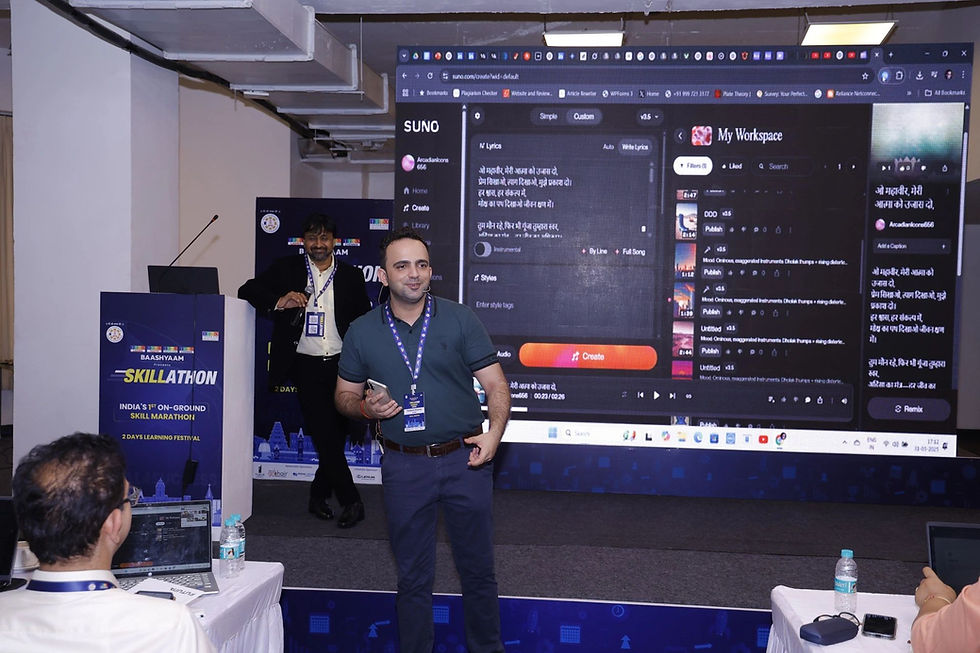


These are real photographs from Parikshit's training work; captions name the session where it is known.
Train your team on Copilot in Teams
Parikshit Khanna runs hands-on workshops where teams practise these prompts on their own work, with review rules and a saved prompt library.
Step | What you share |
|---|---|
1. WhatsApp or email | Organisation, city, team size and AI tools or licences |
2. 20-minute call | Priority tasks and data rules |
3. Written proposal | Agenda, format, dates and one fee; dates are blocked after written confirmation |
About Parikshit Khanna
Achievement | Detail |
|---|---|
TEDx speaker | Talk Redesigning Work with Artificial Intelligence, TEDxEicher School Faridabad Youth, 1 August 2026 |
Copilot and AI work, 2026 | Copilot Chat workshop for GMR Airports' Delhi Duty Free; ChatGPT and Copilot workshop for vivo India; AI training for CP PLUS |
Corporate clients | Emami, Arvind Fashions, Sheela Foam (Sleepwell), Godrej Properties, Gaursons, Hetero, Tinna |
Government and academia | Prasar Bharati NABM programme; workshops at IIT Roorkee and IIT Guwahati; visiting faculty at GL Bajaj |
International | Malabar Group, Dubai: Phase 1 delivered live online, July 2026 |
Reach | Trainer-reported reach of 3,50,000+ professionals since 2020 |
Credentials | Anthropic Claude Academy badges for Claude 101, Claude Cowork, and AI Capabilities and Limitations |
Related guides
Frequently asked questions
Do I need a licence for meeting recaps?
Microsoft says intelligent recap comes with Teams Premium or the Microsoft 365 Copilot licence, and Facilitator needs a Copilot licence.
Can Copilot attribute who said what?
Microsoft says meeting summaries include key discussion points and who said what. Verify before sharing.
Can Parikshit train our team on these prompts?
Yes. Workshops run onsite in Indian cities on agreed dates or live online for teams in India, the UAE, the UK, Singapore and Indonesia, using your own tasks and sample data.
How do we book?
WhatsApp +91 99972 13177 or email pkhanna123@gmail.com. You get a written proposal with one recommended format and fee after a short call.
Note: product details are from official vendor pages as of October 2026 and change often; features depend on your licence and region. Reach is trainer-reported. Training is independent; no partnership with the vendors named is implied.

