How to Use Gemini Notebook (Formerly NotebookLM) for Work: 20 Prompts and Use Cases (2026)


By Parikshit Khanna, corporate AI trainer, TEDx speaker and founder of Digital Training Jet | Published 22 October 2026
Quick answer
Gemini Notebook, renamed from NotebookLM in July 2026, answers questions using only the sources you add: PDFs, Docs, Slides, Sheets, web pages, YouTube videos and more. For work, it turns a pile of project files into summaries, briefings, FAQs, mind maps, reports and Audio or Video Overviews, with citations back to your sources. The 20 prompts below are written for Google Workspace teams.
What is new in 2026
Renamed: on 16 July 2026 Google renamed NotebookLM to Gemini Notebook, keeping it a standalone product, and added code execution with a secure cloud computer per notebook, starting with AI Ultra and eligible Workspace customers. Google
Notebooks in the Gemini app: launched on 8 April 2026; sources added in Gemini or NotebookLM appear in both, so Video Overviews and Infographics work on notebooks started in Gemini. Google
Sources: PDF, Word, PowerPoint, CSV, Google Docs, Sheets and Slides, images, audio, web URLs, public YouTube URLs and pasted text, up to 500,000 words or 200 MB per source. Google Help
Limits by plan: Google lists notebook and source limits by plan, from 50 sources per notebook on the standard tier to 600 on the top tier, and marks them subject to change. Google Help
Studio outputs: Audio Overviews, Video Overviews, Mind Maps and Reports, with several outputs of the same type allowed per notebook, for example for different audiences. Google
Workspace data: for Workspace customers, uploads, queries and responses are not used to train models and are not reviewed by human reviewers. Google Workspace Updates
20 Gemini Notebook prompts for work
# | Prompt | Use it for |
|---|---|---|
1 | Summarise the key decisions and open issues across all sources in this notebook. | Project status |
2 | Create a briefing document for a new team member joining this project. | Onboarding |
3 | Compare what the three vendor proposals say about price, timeline and support, with citations. | Vendor review |
4 | List every deadline mentioned in these sources, with the source name. | Planning |
5 | Based on the RFP, what questions should I ask the client in the kickoff call? | Sales |
6 | Find contradictions between the policy document and the FAQ. | Policy review |
7 | Create 10 questions and answers from these training materials. | Learning |
8 | Explain this technical specification for a non-technical manager. | Simplifying |
9 | Generate an Audio Overview for the leadership team focused on risks and decisions. | Studio |
10 | Create a Video Overview for new joiners that explains the process in simple language. | Studio |
11 | Create a Mind Map of the main topics in this notebook. | Studio |
12 | Write a report on the customer feedback themes in these survey exports. | Studio |
13 | Which sources support this claim? Quote them. | Fact-checking |
14 | Turn these meeting transcripts into action items by owner. | Meetings |
15 | Create an FAQ for staff from these HR policy PDFs. | HR |
16 | Summarise this YouTube talk and link its main ideas to our strategy document. | Research |
17 | What is missing from these sources that I would need to make this decision? | Decisions |
18 | Create a timeline of events from these emails and notes. | Investigations |
19 | Rewrite the key findings as bullet points for five slides. | Presentations |
20 | Analyse this CSV and summarise the trend, where code execution is available on your plan. | Data |

Tips for using Gemini Notebook at work
Create one notebook per client or project and keep only relevant sources in it.
Check your plan's notebook and source limits before loading a large document set.
Make separate Audio Overviews for different audiences, such as leadership and the project team.
Click citations to check the source before you rely on an answer.
Use your Workspace business account for company documents, where Google states data is not used for training.
From Parikshit Khanna's training sessions


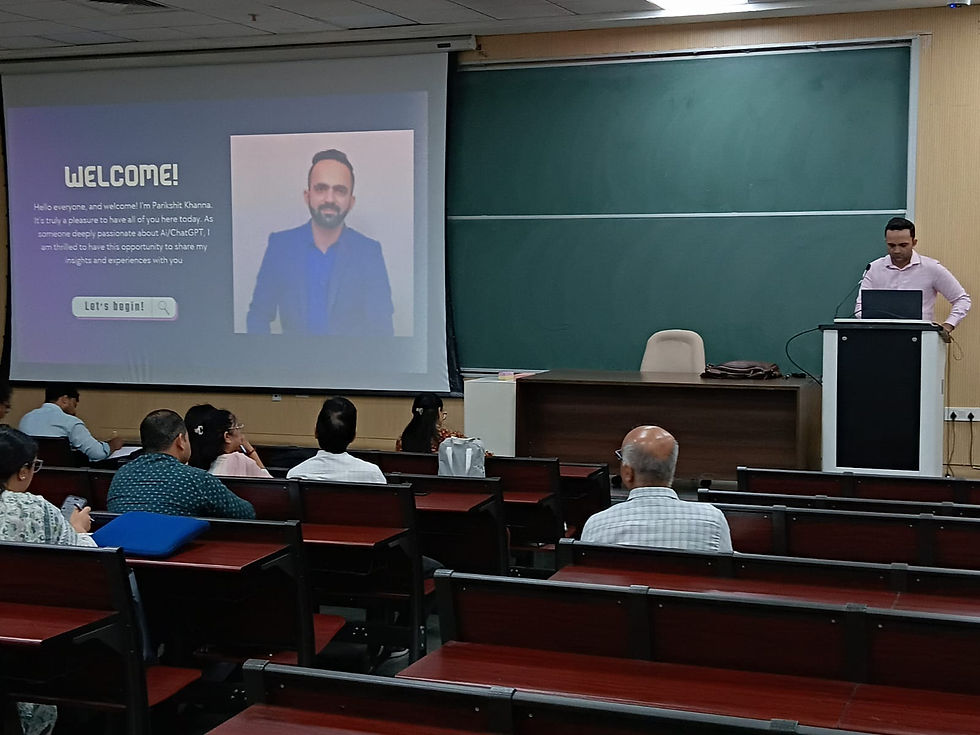


These are real photographs from Parikshit's training work; captions name the session where it is known.
Book a programme
Share your organisation, city, team size, tools and preferred dates. You get a written proposal with one recommended format and fee.
Step | What you share |
|---|---|
1. WhatsApp or email | Organisation, city, team size and AI tools or licences |
2. 20-minute call | Priority tasks and data rules |
3. Written proposal | Agenda, format, dates and one fee; dates are blocked after written confirmation |
About Parikshit Khanna
Achievement | Detail |
|---|---|
TEDx speaker | Talk Redesigning Work with Artificial Intelligence, TEDxEicher School Faridabad Youth, 1 August 2026 |
Gemini work | Google Gemini workshop at IIT Guwahati (November 2025) |
AI work, 2026 | Copilot Chat workshop for GMR Airports' Delhi Duty Free; ChatGPT and Copilot workshop for vivo India; AI training for CP PLUS |
Corporate clients | Emami, Arvind Fashions, Sheela Foam (Sleepwell), Godrej Properties, Gaursons, Hetero, Tinna |
Government and academia | Prasar Bharati NABM programme; workshops at IIT Roorkee and IIT Guwahati; visiting faculty at GL Bajaj |
International | Malabar Group, Dubai: Phase 1 delivered live online, July 2026 |
Reach | Trainer-reported reach of 3,50,000+ professionals since 2020 |
Related guides
More guides in this series
Frequently asked questions
Is Gemini Notebook the same as NotebookLM?
Yes. Google renamed NotebookLM to Gemini Notebook on 16 July 2026 and says it remains the same standalone product.
Are our documents used to train Google's models?
For Workspace customers, Google says uploads, queries and responses are not used to train models and are not human-reviewed.
How do we book?
WhatsApp +91 99972 13177 or email pkhanna123@gmail.com. You get a written proposal with one recommended format and fee after a short call; dates are blocked only after written confirmation.
Is this training affiliated with Google or the providers named?
No. It is independent, practitioner-led training; no partnership is implied.
Note: details are from official and news sources as of October 2026 and change often. Reach is trainer-reported.


