Microsoft 365 Copilot App Training in India: Word, Excel and Teams

Updated: 6 days ago
Practical update: Turn one business brief into five useful outputs
A useful app workshop follows one business problem across several Microsoft 365 applications. Participants should leave with a checked document, spreadsheet explanation, presentation outline, email and action list rather than five disconnected demonstrations.
Reviewed 22 October 2026. Recommended audience: teams that already work in Word, Excel, PowerPoint, Outlook and Teams.
Microsoft guidance to check before practice
Microsoft documents drafting and editing in Word, workbook analysis in Excel, and presentation creation in PowerPoint, subject to the available experience.
Confirm your actual account access with IT before delivery. Record the app, source files and review owner for each exercise. If a feature is unavailable, use an agreed alternative and mark the feature as not practised. Licence purchase and technical configuration should be scoped separately from facilitation.
Turn one business brief into five useful outputs
Practice input and task | Output to produce | Human review gate |
|---|---|---|
A fictional service improvement brief. Organise the proposal in Word. | A draft with objective, scope and exclusions | Reject claims that are absent from the brief |
A small cost workbook. Explain the cost drivers in Excel. | A commentary linked to source columns | Validate formulas, dates and units |
The reviewed proposal. Prepare an executive presentation outline. | Six slides with decisions and evidence | Check that the deck matches the approved document |
A prompt to practise
Suggested training prompt using fictional or approved redacted material:
Turn this approved service improvement brief into a six-slide outline. Use one message per slide. Label each financial estimate as an assumption unless it appears in the supplied workbook. End with the three decisions the sponsor must make. Do not add customer names, testimonials or unsupported benefits.
How to run the exercise
Prepare a shared input pack before the session. Give participants a version number for each file and a checklist for transferring information between apps. Finish with an Outlook-style draft to the sponsor and a task register. The source documents remain the reference when outputs conflict.
How to assess the result
Count factual differences between the source pack and each output. A shorter preparation time only counts as useful when the approved figures, decisions and exclusions survive the handoff.
Latest Copilot sessions and portfolio: October 2026
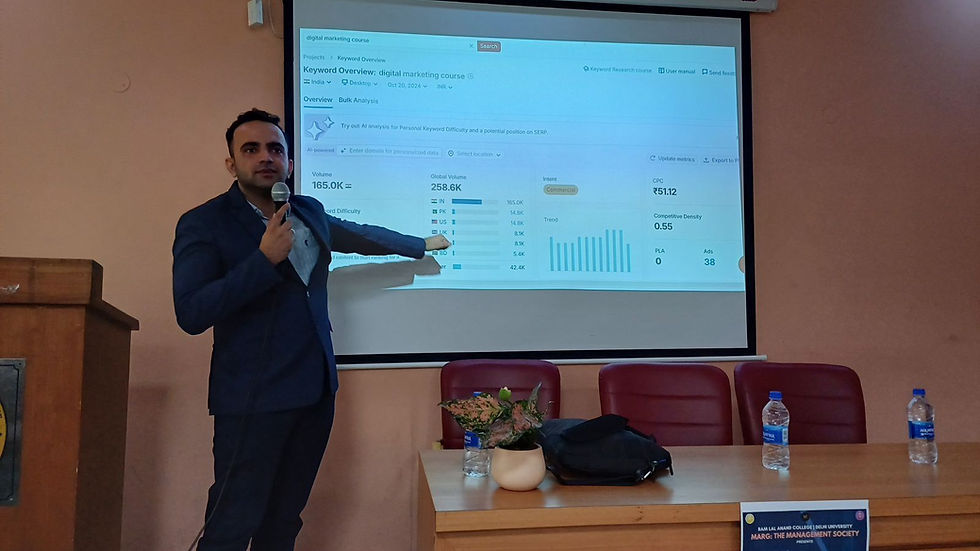
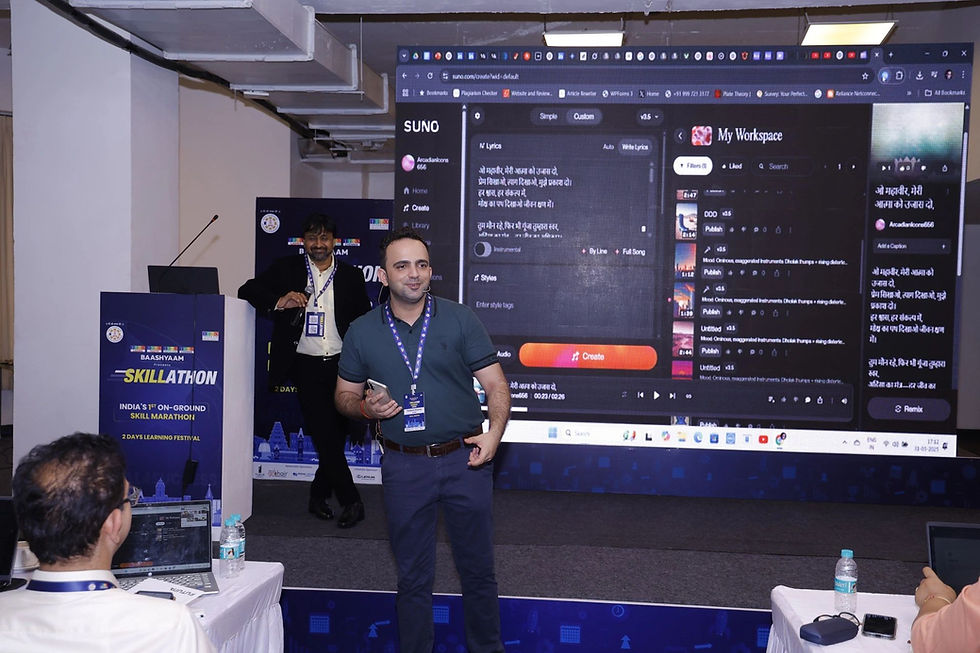
Fresh photos from Parikshit Khanna's sessions this month, with his updated portfolio. Every programme below can be run for teams in India, live online or onsite on request. Each Copilot session starts with a licence check: in app Copilot in Word, Excel, PowerPoint, Outlook and Teams needs a Microsoft 365 Copilot licence, while Copilot Chat is available more widely, so exercises are matched to what your team can actually use.
Session content is refreshed against Microsoft's monthly What's New in Microsoft 365 Copilot updates, so participants practise on features that are live in their tenant.


Updated portfolio, October 2026
Microsoft 365 Copilot, Gurugram (October 2026): an onsite Generative AI and Microsoft 365 Copilot programme for an automotive components manufacturer, covering Copilot Chat and Copilot in Word, PowerPoint and Excel.
GMR Airports, Delhi Duty Free (September 2026): a Microsoft Copilot programme delivered onsite at IGI Airport, New Delhi.
Godrej Properties, INNOV8 (August and September 2026): an AI Enablement Sprint on Microsoft 365 Copilot Chat for about 155 participants, followed by one to one prototype support.
vivo India (September 2026): a practical AI workshop on ChatGPT and Copilot for the online business team in Gurugram.
Malabar Group, Dubai (July 2026): Phase 1, Microsoft 365 Copilot foundations for Finance, Accounts, Audit and MIS teams, 60 participants, delivered live online.
Princeton Academy (September 2026): AI for Accounts and Finance, an open programme at Crowne Plaza Okhla, New Delhi.
AI in Finance, LBSIM Delhi (25 and 26 October 2026): guest speaker for a two day workshop for 57 PGDM finance participants at Lal Bahadur Shastri Institute of Management.
IIMC New Delhi (September and October 2026): AI workshops for students on AI and autonomous workflows.
Credentials: TEDx speaker with the talk Redesigning Work with Artificial Intelligence (August 2026), Anthropic Claude Academy badges, and co author of two published books.
Reach: more than 3,50,000 professionals reached across Digital Training Jet programmes, delivered directly and with a specialist co trainer network.
Watch the TEDx talk: Redesigning Work with Artificial Intelligence.


To book a Copilot session like these, message Parikshit on WhatsApp at +91 99972 13177 or email pkhanna123@gmail.com.
Questions about this workflow
Will all five apps be available to everyone?
The readiness check determines the practice route. Check each participant's account, app version and administrator settings before confirming the agenda.
Can a workshop use our templates?
Share approved, non-confidential templates beforehand. Agree which formatting and brand elements must be retained.
Does Copilot replace document approval?
No. The relevant business owner still approves the content, numbers, commitments and final recipients.

Related Copilot training guides
Discuss your team's training requirement
Send your participant roles, headcount, city or online preference, Microsoft access and two recurring tasks. Scope, availability, preparation, deliverables and fees are confirmed in a written proposal.
Source review: 22 October 2026. Microsoft links above describe product capabilities and conditions. The exercises on this page are suggested training activities; they do not promise automatic approval, deployment or a guaranteed productivity result.
A practical enterprise guide for Indian CEOs, CXOs, L&D leaders and corporate teams evaluating Microsoft Copilot for workplace productivity, research, reporting, meetings, communication, AI agents and governed business workflows.
Microsoft’s workplace AI platform has changed significantly in 2026. What many organisations still call Microsoft 365 Copilot is transitioning in Microsoft’s current naming toward Microsoft Copilot, while familiar Microsoft 365 app experiences continue across Word, Excel, PowerPoint, Outlook and Teams. Microsoft says the naming change does not alter the enterprise security, compliance and privacy protections applying to organisational use. (Microsoft Learn)
For Indian organisations, the opportunity is no longer simply “give employees an AI assistant.” The more important challenge is helping employees turn Copilot into repeatable, role-specific and measurable workflows while respecting permissions, confidentiality, approval processes and human accountability.
Parikshit Khanna, Founder of Digital Training Jet, delivers practical Microsoft Copilot and multi-model enterprise AI programmes for corporate teams. His training approach focuses on actual business work: documents, spreadsheets, presentations, email, meetings, research, departmental workflows and responsible AI adoption.

Microsoft Copilot Training in India: Quick Overview | Details |
Lead Trainer | Parikshit Khanna |
Organisation | Digital Training Jet |
Training Focus | Microsoft Copilot for practical workplace productivity |
Core Apps | Word, Excel, PowerPoint, Outlook and Teams |
Advanced Coverage | Copilot Chat, agents, Copilot Studio, Microsoft Graph concepts, research workflows and responsible AI |
Audience | CEOs, CXOs, HR, L&D, Finance, Sales, Marketing, Operations, Procurement, IT and cross-functional teams |
Delivery | Onsite, online, hybrid and customised programmes |
Primary Geography | Delhi NCR and pan-India, subject to programme scope |
Programme Formats | Executive briefing, half-day workshop, full-day masterclass, multi-day programme and department labs |
Training Outcome | Reusable prompts, role-specific workflows, governance checklist and implementation plan |
What Has Changed in Microsoft Copilot in 2026?
Microsoft Copilot is becoming more capable inside Microsoft 365 rather than functioning only as a standalone chat interface.
Current Microsoft documentation shows Copilot creating Word, Excel and PowerPoint files from prompts, analysing and editing Excel workbooks, summarising email threads, scheduling meetings from Outlook, helping during Teams meetings, and supporting enterprise agents through Copilot Studio. (Microsoft Support)
That changes the training requirement. Employees now need to learn how to work with Copilot inside the applications they already use, not merely how to write generic chatbot prompts.
Microsoft Copilot Workplace Flow
Business Task → Approved Microsoft 365 Information → Copilot Prompt → Draft / Analysis / Action → Human Review → Approved Deliverable → Repeatable Workflow
Microsoft Copilot App | What Teams Can Practically Do |
Word | Draft reports, proposals and policies, rewrite content, add sections, summarise material and create documents grounded in approved files, emails or meetings |
Excel | Analyse data, generate formulas, create PivotTables and charts, identify trends and outliers, transform worksheets and import approved internal or web data |
PowerPoint | Build presentations from prompts or files, create slides from source documents, generate speaker notes and refine presentation text |
Outlook | Summarise email threads, draft replies, receive writing coaching, create meeting invitations and build agendas from email conversations |
Teams | Summarise meetings, identify key discussion points, answer questions about meetings and suggest action items |
Copilot Chat / Agents | Create business outputs and use organisational agents according to licence and administrator configuration |
Copilot Studio | Build, customise, connect and manage AI agents using approved business information and systems |
Microsoft Copilot in Word: From Blank Page to Business Document
Word is one of the most immediate productivity opportunities for non-technical corporate teams.
Microsoft states that Copilot in Word can start drafts, create new material using existing files, emails or meetings as context, and add or refine content inside existing documents. Microsoft also emphasises that AI-generated drafts should be verified and modified before use. (Microsoft Support)
Word Use Case | Example Corporate Application |
Proposal Drafting | Convert approved meeting notes into a proposal structure |
SOP Creation | Transform process notes into a structured SOP |
Policy Drafting | Develop a first draft from approved source material |
Executive Briefs | Convert a long report into concise management communication |
Report Writing | Structure monthly or quarterly reporting |
Document Rewriting | Make content clearer, shorter or more professional |
Meeting-to-Document | Convert approved meeting information into a working document |
Training Material | Turn policies into L&D resources |
Customer Communication | Draft professional client-facing material |
Version Improvement | Rewrite selected sections without starting over |
Important Word Capability
Check the current supported source types and reference limits in your account before building a file-based Word exercise. Keep permissions and source verification in the review checklist.

Example Word Prompt for an Indian Corporate Team
Role: Act as a senior corporate communications manager.
Task: Create a leadership-ready project update from the approved project report and meeting notes.
Context: The document will be sent to the CEO and department heads.
Constraints: Do not invent dates, financial numbers, commitments or explanations absent from the source material.
Output Format: Executive summary, progress, risks, decisions required, owners and next steps.
Evidence: Keep all factual statements grounded in the referenced material.
Human Review: Flag any missing information requiring project-owner confirmation.
Microsoft Copilot in Excel: One of the Strongest Corporate Use Cases
Excel is particularly relevant for Finance, FP&A, Sales, Operations, HR, Procurement and business-analysis teams.
Current Copilot in Excel can help users build and edit workbooks using Excel’s native tables, charts, PivotTables and formulas. It can generate insights, formulas, summaries and outlier analysis through natural-language instructions. (Microsoft Support)
Excel Capability | Practical Use |
Generate Formulas | Create calculations without manually building every formula |
Explain Formulas | Understand complicated inherited workbook logic |
Identify Trends | Surface patterns across business data |
Find Outliers | Spot unusual values requiring investigation |
PivotTables | Convert data into structured management views |
Charts | Generate visualisations from business data |
Sort & Filter | Manipulate large data sets using natural language |
Conditional Formatting | Highlight important data automatically |
Worksheet Editing | Add, rename and modify worksheet content |
Lookups | Create lookup logic such as XLOOKUP workflows |
Summary Rows | Add averages, totals and other calculations |
External/Internal Data | Pull approved information from web, SharePoint, OneDrive, emails and meetings where supported |
Microsoft currently documents Copilot in Excel as capable of directly editing worksheets, creating formulas, charts and PivotTables, and searching supported organisational information. (Microsoft Support)
Advanced Excel Development in 2026
Microsoft also documents Python-based analysis behind some Copilot data-analysis experiences, allowing business users to ask analytical questions without needing to write Python themselves. (Microsoft Support)
This is especially relevant for organisations that want deeper data exploration without turning every manager into a programmer.
Example Excel Prompt for Finance / FP&A
Role: Act as an FP&A analyst.
Task: Analyse the approved monthly performance workbook.
Context: The CFO review is tomorrow.
Constraints: Do not invent explanations for variances. Use the numbers only to identify what changed.
Output: Create a table containing KPI, actual, budget, variance, trend, verified observation and management question.
Additional Task: Highlight material outliers and create an appropriate management chart.
Human Review: Clearly separate calculated findings from business explanations requiring Finance confirmation.
Important September 2026 Excel Note
Microsoft says the experimental worksheet COPILOT function is scheduled to stop being available from 14 September 2026. This does not mean Copilot in Excel is being discontinued. Microsoft states that the generally available Copilot in Excel experience supports many of the same AI-powered tasks. (Microsoft Support)
Microsoft Copilot in PowerPoint: From Source Material to Leadership Deck
Microsoft Copilot can create presentations from prompts and reference files, while existing organisational templates can help preserve the company’s presentation style.
Microsoft’s documentation shows Copilot creating a presentation from a Word document, incorporating images and speaker notes, while supported work experiences can also use PDF source material. (Microsoft Support)
PowerPoint Use Case | Example |
Document-to-Deck | Convert an approved Word report into slides |
PDF-to-Presentation | Create a draft presentation from an approved PDF where supported |
Executive Presentation | Develop leadership narrative |
Sales Deck | Build customer presentation structures |
Project Review | Turn status material into a project review |
Training Deck | Convert an SOP or policy into training slides |
Slide from File | Generate one slide grounded in a specific source |
Speaker Notes | Generate first-draft speaker notes |
Rewrite | Condense or professionalise slide text |
Branded Presentation | Start from the organisation’s approved template |
Microsoft specifically recommends starting from an organisation’s template when creating branded presentations so Copilot can work within existing layouts. (Microsoft Support)
Example PowerPoint Prompt
Role: Act as an executive-presentation specialist.
Task: Create a 10-slide leadership review using the approved quarterly business report.
Audience: CEO, CFO and functional heads.
Constraints: Use only verified figures in the report. Do not invent customer quotes or reasons for performance changes.
Structure: Executive summary, KPIs, major wins, gaps, risks, decisions required and next-quarter priorities.
Style: Concise leadership language with one key message per slide.
Human Review: Flag every slide containing an assumption or missing explanation.
Microsoft Copilot in Outlook: Reduce Email and Scheduling Friction
Outlook is one of the most practical Copilot applications for executives and managers overwhelmed by communication.
Copilot can summarise long email threads, draft messages, provide email coaching and, in supported Outlook experiences, convert email discussions into proposed meeting invitations and agendas. (Microsoft Support)
Outlook Capability | Practical Corporate Use |
Thread Summary | Catch up on long conversations |
Citations | Jump from summary points back to relevant messages |
Attachment Summary | Summarise supported Word, PDF and PowerPoint attachments |
Draft with Copilot | Create first-draft responses |
Coaching | Improve tone, clarity and professionalism |
Schedule with Copilot | Convert discussions into meeting invitations |
Agenda Creation | Generate agenda suggestions from email context |
Meeting Preparation | Prepare before selected meetings |
Chat Scheduling | Find mutually suitable meeting times in supported Outlook experiences |
Microsoft’s current Outlook documentation shows Copilot checking attendee calendars and recommending suitable times when users schedule through chat. (Microsoft Support)
Example Outlook Prompt for a Sales Leader
Task: Summarise this customer thread.
Output: Customer requirement, commitments already made, unresolved questions, commercial issues, named owners and next action.
Constraints: Do not infer agreement where no agreement is explicitly written.
Next Step: Draft a concise reply confirming only the decisions supported by the email thread.
Microsoft Copilot in Teams: Turn Meetings into Actions
Meetings are one of the largest hidden productivity costs in many organisations. Copilot in Teams can help participants catch up, summarise discussions and turn conversation into actions.
Microsoft says Copilot in Teams can summarise key discussion points, who said what, suggested action items and answers to questions about meeting content. After a meeting, continued questioning generally requires an available transcript. (Microsoft Support)
Teams Use Case | Practical Outcome |
Missed Meeting | Understand what happened |
Live Catch-Up | Ask what has been discussed so far |
Decision Review | Identify key decisions |
Action Items | Capture follow-up responsibilities |
Question Meeting | Ask specific questions about the discussion |
Meeting Recap | Review recording, transcript, files and notes |
Follow-Up | Turn meeting content into next actions |
Export | Supported Copilot responses can move into Word or Excel, subject to meeting policies |
Teams recap can contain recordings, transcripts, shared files, notes, custom summaries, agenda and follow-up tasks, depending on the meeting configuration and licences. (Microsoft Support)
Example Teams Prompt
Task: Summarise this meeting for the project steering committee.
Output: Decisions made, decisions deferred, risks raised, action items, owners, deadlines explicitly mentioned and unanswered questions.
Constraints: Do not create deadlines that were not actually agreed.
Follow-Up: Separate confirmed commitments from suggestions discussed during the meeting.
How Word, Excel, PowerPoint, Outlook and Teams Work Together
The real productivity value comes when employees stop treating each Copilot feature as a separate demo.
Cross-App Workflow | Example |
1. Teams | Run a project-review meeting |
2. Copilot in Teams | Extract decisions and actions |
3. Outlook | Draft stakeholder follow-up |
4. Excel | Analyse updated project or financial metrics |
5. Word | Create formal management update |
6. PowerPoint | Turn approved findings into leadership presentation |
Enterprise Copilot Is Therefore Not Five Separate Tools
It is increasingly a connected workplace workflow across meetings, email, documents, spreadsheets, presentations and organisational information.
Who Should Attend Microsoft Copilot Training? | Priority Skills |
CEOs / CXOs | Strategy, meeting intelligence, executive briefs and governance |
Finance / FP&A | Excel analysis, commentary and management reporting |
HR / L&D | Policies, recruitment, onboarding and employee learning |
Sales | Email, research, proposals, meetings and follow-up |
Marketing | Planning, reports, presentations and campaign analysis |
Operations | SOPs, process documentation and reporting |
Procurement | Vendor comparison, RFQs and supplier communication |
Project Teams | Meetings, reporting, risks and presentations |
Administration | Email, documents, calendars and coordination |
IT / Digital | Agents, governance, adoption and Copilot Studio |
Department-Specific Microsoft Copilot Use Cases | Word | Excel | PowerPoint | Outlook | Teams |
Leadership | Executive briefs | KPI review | Board decks | Priority communication | Meeting decisions |
Finance | Commentary | Analysis | Finance packs | Follow-up | Review meetings |
HR | Policies | People data | Training decks | Employee communication | Interviews / meetings |
Sales | Proposals | Pipeline analysis | Pitch decks | Customer email | Account meetings |
Marketing | Briefs | Campaign data | Campaign presentations | Agency / team communication | Campaign reviews |
Operations | SOPs | Operational data | Review decks | Coordination | Daily / weekly reviews |
Procurement | RFQ documents | Vendor comparison | Selection presentation | Supplier communication | Negotiation preparation |
Copilot Training Should Go Beyond App Demonstrations
A weak training programme demonstrates five Microsoft applications and ends.
A stronger programme teaches employees how to move an actual business workflow through those applications while maintaining context, permissions, verification and accountability.
Parikshit Khanna’s 5 Golden Rules for Copilot Prompting | Question the User Should Answer |
1. Role | Who should Copilot act as? |
2. Task | What exactly should it complete? |
3. Context | Which business situation, file, audience or information matters? |
4. Constraints | What must it not invent, assume, disclose or change? |
5. Output Format | What should the final deliverable look like? |
Advanced Enterprise Prompt Framework
Role + Task + Approved Context + Constraints + Output Format + Evidence + Uncertainty + Human Review
This extended framework is especially useful for Finance, HR, Procurement, Leadership, Legal, Healthcare and other higher-impact workflows.
30 Practical Microsoft Copilot Prompts for Corporate Teams | App |
Create a two-page executive summary from the approved report, separating facts, risks and unresolved questions. | Word |
Convert these meeting notes into an SOP with purpose, owners, steps, controls and exceptions. | Word |
Compare these two versions and list material changes requiring management review. | Word |
Rewrite this document for CXO readers without changing factual meaning. | Word |
Turn this approved policy into an employee-friendly FAQ. | Word |
Identify the five largest variances in this workbook and create management questions without inventing causes. | Excel |
Create a PivotTable comparing revenue by region and quarter. | Excel |
Explain the formula in this selected cell in plain business language. | Excel |
Highlight material outliers and explain why each deserves investigation. | Excel |
Create a leadership chart showing actual versus target performance. | Excel |
Create a 10-slide executive presentation from the approved quarterly report. | PowerPoint |
Add one slide summarising the risks in the referenced project document. | PowerPoint |
Condense this slide while retaining all verified numbers. | PowerPoint |
Convert this Word proposal into a customer-ready presentation. | PowerPoint |
Prepare speaker notes for this presentation using only slide content. | PowerPoint |
Summarise this email thread into decisions, unresolved issues and next actions. | Outlook |
Draft a reply confirming only the commitments explicitly agreed in this thread. | Outlook |
Create a meeting invitation and agenda from this discussion. | Outlook |
Rewrite this email in a concise executive tone. | Outlook |
Prepare me for my next meeting using relevant approved context. | Outlook |
Summarise the discussion so far and identify unresolved questions. | Teams |
List all action items and the person explicitly assigned to each. | Teams |
Which decisions were final and which were only suggestions? | Teams |
Create a management recap from this meeting. | Teams |
What risks were raised and who raised them? | Teams |
Convert today's meeting decisions into a formal project update. | Cross-App |
Analyse the revised budget and prepare three slides for tomorrow's leadership review. | Cross-App |
Turn the approved policy into an employee email, FAQ and training outline. | Cross-App |
Compare customer meeting actions against the pipeline tracker and identify gaps. | Cross-App |
Prepare a weekly leadership pack from approved meetings, emails and reports. | Cross-App |

Enterprise Security & Governance: What Indian Teams Must Understand
Microsoft describes Copilot and Copilot Chat for organisations as operating with enterprise data protection under Microsoft’s Data Protection Addendum and Product Terms. (Microsoft Learn)
This does not mean every employee should upload every document.
Copilot training should include permissions, data classification, sensitivity, SharePoint / OneDrive access, human approval and responsible AI use.
Governance Question | What the Organisation Should Define |
What information can employees use? | Public, internal, confidential and restricted classifications |
Which accounts are approved? | Corporate Microsoft environment only where required |
Who can access a file? | Existing Microsoft permissions |
What can Copilot create? | Defined business deliverables |
What requires approval? | Financial, HR, Legal, external and high-impact outputs |
Who owns generated work? | Named business owner |
How should mistakes be handled? | Escalation and correction process |
Which agents are permitted? | IT / Security-approved agents only |
Critical Copilot Security Principle
Copilot works within existing permissions. Poor permissions therefore remain poor permissions.
Before broad deployment, organisations should review SharePoint, OneDrive, Teams and other content-access structures rather than assuming an AI licence automatically solves information governance.
Microsoft Copilot Agents & Copilot Studio
Copilot Studio is Microsoft's platform for creating and managing AI agents. Microsoft says organisations can connect agents to business data, create them through natural language and publish them across supported channels. (Microsoft)
For advanced organisations, this expands the conversation from individual employee productivity to repeatable business workflows.
Potential Copilot Agent | Possible Business Purpose |
HR Policy Agent | Answer questions using approved policies |
Sales Enablement Agent | Surface approved product and sales information |
Finance Reporting Agent | Prepare recurring first-draft management analysis |
Procurement Agent | Organise approved supplier information |
IT Support Agent | Work with approved support knowledge |
L&D Agent | Guide employees through training resources |
Project Agent | Summarise project information and next actions |
Safe Agent Pattern
User / Trigger → Approved Data → Agent → Business Rules → Human Approval Where Needed → Action → Logging / Monitoring
About Parikshit Khanna | Professional Profile |
Name | Parikshit Khanna |
Organisation | Digital Training Jet |
Role | Enterprise AI Trainer, Corporate Enablement Specialist & Prompt Engineering Practitioner |
Public Speaking | TEDx Speaker |
Primary AI Platforms | Microsoft Copilot, ChatGPT, Claude and Gemini |
Advanced Areas | Prompt Engineering, Agentic AI, AI Agents, n8n and workflow automation |
Training Audience | Corporate leadership and cross-functional business teams |
Delivery | Onsite, online, hybrid and customised programmes |
Selected Recent Enterprise AI & Copilot Experience | Context |
GMR Delhi Duty Free | Delivered Microsoft 365 Copilot Chat workplace training in September 2026 |
Godrej Properties | AI enablement and INNOV8 prototype-development support |
Saheel Properties | Delivered practical AI workshop for Directors and senior department leadership in September 2026 |
Rocket Learning | Claude-based planning and content-team AI training |
Emami Ltd. | Current AI programmes involving Claude and Gemini workflows |
Malabar Group | Multi-phase advanced AI and applied business-automation programme |
Elofic Industries | Current Copilot-focused International Business, Export and Marketing training requirement under programme development |

Portfolio Verification Note
Recent programme and correspondence records were reviewed for this article so completed workshops, current engagements and proposed programmes are not presented as the same thing.
A company name should always be understood in the context of the specific department, workshop, engagement or programme involved, not as a blanket corporate endorsement.
Why Choose Parikshit Khanna for Microsoft Copilot Training? | Training Approach |
Business-First | Starts with work rather than tool features |
Cross-Functional | Finance, HR, Sales, Marketing, Operations and Leadership |
Hands-On | Participants practise live |
Prompt Framework | Structured 5-rule prompting method |
Cross-App Workflows | Word + Excel + PPT + Outlook + Teams |
Enterprise Context | Permissions, verification and responsible use |
Multi-Model Perspective | Can compare Copilot with ChatGPT, Claude and Gemini |
Advanced Capability | Agents, Agentic AI and automation concepts |
Implementation | Training can end with a 30-day pilot plan |
Customisation | Company-specific examples where approved |
Suggested Full-Day Microsoft Copilot Training Programme | Coverage |
09:30 - 10:00 | Microsoft Copilot landscape and enterprise AI fundamentals |
10:00 - 10:45 | Parikshit Khanna’s 5 Golden Rules of Prompting |
10:45 - 11:30 | Copilot in Word |
11:30 - 12:30 | Copilot in Excel |
12:30 - 1:00 | Cross-app exercise |
1:45 - 2:30 | Copilot in PowerPoint |
2:30 - 3:15 | Copilot in Outlook |
3:15 - 4:00 | Copilot in Teams |
4:00 - 4:30 | Agents and Copilot Studio |
4:30 - 5:00 | Security, permissions and responsible AI |
5:00 - 5:30 | Department use cases and 30-day adoption roadmap |
Half-Day Programme | Recommended Focus |
Copilot Fundamentals | Where Copilot fits |
Prompt Engineering | 5 Golden Rules |
Word | Documents |
Excel | Analysis |
PowerPoint | Presentations |
Outlook | Email productivity |
Teams | Meetings |
Governance | Safe use |
Final Exercise | One role-specific workflow |
What Participants Should Leave With
Microsoft Copilot prompt library
Word workflow templates
Excel analysis prompts
Leadership presentation prompts
Outlook email and meeting prompts
Teams recap prompts
Department-specific use-case canvas
Responsible AI checklist
Data and permission checklist
Copilot agent ideas
30-day adoption plan
Defined success metric
How to Measure Microsoft Copilot Training ROI | Possible Metric |
Activation | Employees complete an approved Copilot workflow |
Adoption | Employees reuse approved workflows |
Net Time Saved | Manual time minus prompting, checking and correction time |
Accepted Output Rate | AI-assisted outputs accepted after professional review |
Rework | Number of corrections required |
Meeting Efficiency | Reduction in manual recap and follow-up effort |
Report Cycle Time | Time required to prepare regular reporting |
Email Productivity | Time spent processing high-volume threads |
Prompt Quality | Improvement in task specification |
Business Outcome | Operational metric connected to the workflow |
The Wrong ROI Metric
“Employees generated 10,000 Copilot prompts.”
Prompt volume measures consumption, not business value.
The Better ROI Question
Which recurring task became faster or better, how much human review was still required, and was the final work actually accepted?
Frequently Asked Question | Answer |
What is Microsoft 365 Copilot called in 2026? | Microsoft is transitioning the organisational product naming toward Microsoft Copilot, although Microsoft 365 Copilot terminology remains widely used in licences, documentation and search. (Microsoft Learn) |
Can Copilot write Word documents? | Yes. Copilot can start drafts, add content and ground documents in eligible files, emails and meetings. (Microsoft Support) |
Can Copilot analyse Excel data? | Yes. It can generate formulas, surface trends and outliers, create PivotTables and charts, and directly edit supported workbooks. (Microsoft Support) |
Can Copilot create PowerPoint presentations? | Yes. It can create presentations from prompts and eligible source files, subject to licence and product availability. (Microsoft Support) |
Can Copilot summarise Outlook emails? | Yes. It can summarise email threads and provide citations linking summary points to messages. (Microsoft Support) |
Can Copilot schedule meetings? | Supported Outlook experiences can create meeting invitations and agendas and assist with finding meeting times. (Microsoft Support) |
Can Copilot summarise Teams meetings? | Yes. Copilot can summarise key discussion points, identify speakers, suggest actions and answer questions about meeting content. (Microsoft Support) |
Can Copilot create agents? | Copilot Studio is Microsoft’s platform for creating and managing agents. (Microsoft) |
Does every Microsoft 365 user automatically get all Copilot features? | No. Capabilities depend on the Microsoft 365 subscription, Copilot licence, app version, administrator configuration and rollout status. |
Should employees trust everything Copilot generates? | No. Microsoft repeatedly advises users to review AI-generated documents, data outputs and presentations for accuracy. (Microsoft Support) |
Can Parikshit Khanna customise Copilot training for our department? | Yes. Programmes can be structured separately for Finance, HR, Sales, Marketing, Operations, Leadership and other functions. |
Is onsite Copilot training available in India? | Yes, subject to dates, city, participant count and agreed commercial scope. |
Can ChatGPT, Claude and Gemini also be compared? | Yes. Multi-model enterprise programmes can help organisations understand where Copilot is the natural fit and where another approved AI environment may be useful. |
Book Microsoft Copilot Training in India | Contact Details |
Trainer | Parikshit Khanna |
Organisation | Digital Training Jet |
Programme | Microsoft Copilot Enterprise & Workplace Productivity Training |
Core Apps | Word, Excel, PowerPoint, Outlook and Teams |
Advanced Coverage | Prompt Engineering, Agents, Copilot Studio, governance and adoption |
Suitable For | CEOs, CXOs, HR, L&D, Finance, Sales, Marketing, Operations, Procurement and IT |
Delivery | Delhi NCR, pan-India onsite, live online and hybrid |
Official Email | |
Phone / WhatsApp | +91 99972 13177 |
Alternate Phone | +91 80762 50669 |
Website |
What to Share for a Custom Copilot Training Proposal
Organisation name
Industry
Participant count
Participant departments
Seniority
Current Microsoft 365 environment
Copilot licences already available
Priority Word workflows
Priority Excel workflows
Presentation requirements
Email / meeting challenges
Data and security restrictions
Preferred training date
Onsite / online preference
Desired measurable outcomes
Final Takeaway
Microsoft Copilot training in 2026 should not be a five-app feature demonstration.
The real opportunity is helping employees understand how to move work through Word, Excel, PowerPoint, Outlook and Teams as one connected Microsoft 365 workflow.
Word can accelerate business documentation. Excel can support analysis and modelling. PowerPoint can turn approved information into presentations. Outlook can reduce communication and scheduling friction. Teams can turn conversations into structured actions. Agents can make repeatable workflows possible at a larger scale.
Parikshit Khanna’s training approach focuses on connecting those capabilities with real roles, structured prompts, verified information, responsible human review and measurable adoption.
The strongest Copilot programme is not the one that teaches employees the most features. It is the one that helps them complete better work inside the Microsoft environment they already use.


