Microsoft 365 Copilot Training in India for Teams and Leaders

Updated: 1 hour ago
Practical Microsoft 365 Copilot training in India for teams that already work in Outlook, Teams, Word, Excel and PowerPoint. Your people learn to write clear prompts, check every output, use Copilot Chat and agents safely, and build habits that save real time. Sessions run online or onsite and are shaped around the licences your organisation actually has.
3,50,000+ professionals trained
Hands-on in Outlook, Teams, Word, Excel
Online or onsite across India
Why teams choose Parikshit Khanna: 3,50,000+ professionals trained, TEDx speaker, sessions at IIT Delhi, IIT Roorkee and IIT Guwahati, teams trained at Arvind Fashions, Sheela Foam, Emami, Godrej Properties and GMR Delhi Duty Free, and a 4.7 out of 5 learner rating on Topmate.

Quick answer
Updated 20 October 2026. Microsoft 365 Copilot training teaches Indian teams to use Copilot inside Outlook, Teams, Word, Excel and PowerPoint, plus Copilot Chat and agents, matched to the licences your company actually has. Participants practise on their own tasks and learn to check every output. Programmes run onsite across India or live online, led personally by Parikshit Khanna.
Why Copilot needs training, not just a licence
Many Indian organisations switch on Microsoft 365 Copilot or Copilot Chat and then wait for productivity to rise. Usage often stays low. People try one prompt, get a generic answer and go back to old habits. The problem is rarely the tool. It is the missing skill of giving Copilot the right context, the right files and a clear task, and then checking what comes back. This programme builds that skill inside the apps your teams already use every day.
Microsoft describes Copilot working across Outlook, Teams, Word, Excel and PowerPoint, with Copilot Chat for questions grounded in the web and, with the right licence, in work data. Microsoft also offers agents such as Researcher, Analyst and Facilitator, and Copilot Studio for custom agents. Each behaves differently and each has limits. Your team learns what each one is good at, where it can go wrong, and which tasks should stay fully human. Every feature is checked on Microsoft's official pages before the session.
The training is led by Parikshit Khanna, founder of Digital Training Jet, who has trained 3,50,000+ professionals across many Indian companies. The approach is simple: short explanations, many live exercises and real outputs that participants keep. Teams leave with a shared prompt library, a review checklist and a 30-day adoption plan. Nothing is promised beyond what the tool and your licences can do. The aim is steady, safe and regular use of Copilot in daily work, owned by your own people.

How the Copilot training runs
Every programme follows the same five steps. This keeps the training linked to your licences, apps and real tasks, and makes progress easy for HR and department heads to track.
Requirement review: We confirm your Copilot licences, apps in use, team roles, goals and any data rules to follow.
Custom design: Modules, exercises and sample files are chosen for your departments, using safe practice data where needed.
Hands-on sessions: Participants practise live inside Outlook, Teams, Word, Excel and PowerPoint, with guided prompts and reviews.
Prompt library: Each team saves its best prompts, review checklist and examples in one shared, reusable document.
Adoption plan: Each team leaves with a 30-day plan, with owners, weekly tasks and a date to review progress.
Who this Copilot programme is for
HR and L&D teams. Teams planning a Copilot rollout who need a structured, role-based programme, with adoption checkpoints and material that can be reused for new joiners and later batches.
CXOs and department heads. Leaders who want to know what Copilot can and cannot do before scaling licences. The focus is on decisions, briefing notes, meeting summaries and governance questions.
Sales and client teams. People who write many emails, proposals and follow-ups in Outlook and Word. They learn to draft faster from their own notes and check facts before anything reaches a client.
Finance and operations. Teams who work in Excel daily. They practise asking Copilot to analyse tables, suggest formulas and create charts, and learn why every number must be verified against the source.
Project and admin staff. Coordinators who run many Teams meetings. They learn to use meeting recaps, action item lists and agenda drafts, and to share accurate follow-ups with clear owners.
IT and Copilot champions. Internal champions who support colleagues after launch. They get deeper practice on Copilot Chat, agents and prompt patterns, so they can answer common user questions confidently.
What your team will be able to do
Write clear Copilot prompts using goal, context, source files, format and audience, not vague one-line requests.
Summarise long Outlook threads, prioritise the inbox and draft replies that keep your own tone and facts.
Use Teams meeting recaps to capture decisions, owners and next steps, then verify them before sharing.
Turn rough notes and reference files into structured first drafts in Word, then edit them properly.
Ask Copilot in Excel to analyse data, suggest formulas and build charts, and check results against the source.
Create a PowerPoint first draft from a document or outline and refine it for a business audience.
Explain the difference between Copilot Chat and a Microsoft 365 Copilot licence, and choose the right one.
Follow a simple review and data safety checklist for confidential, personal and client information.
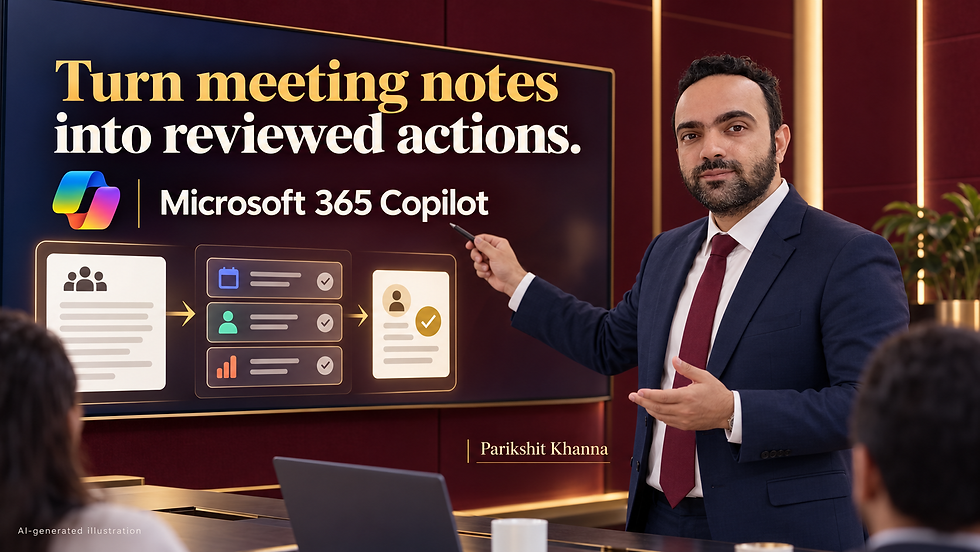
Microsoft 365 Copilot training modules
Eight practical modules, each with a live exercise and a clear output. The order and depth are adjusted to your licences and roles, from a short leadership version to a full role-based programme.
Module 1: Copilot foundations and licences
What Microsoft 365 Copilot is, how it uses prompts and files, and why outputs can be wrong. We explain Copilot Chat, which is included with eligible Microsoft 365 subscriptions and is mainly web grounded, and the Microsoft 365 Copilot licence, which can work across your organisation's data through Microsoft Graph. Teams learn which features they can use today.
Exercise: Sort five weekly tasks into Copilot Chat, licensed Copilot or human-only. Output: Personal task map for Copilot use
Module 2: Prompting that works in Microsoft 365
A simple prompt structure for business work: goal, context, source, format and audience. Participants learn to point Copilot to specific files, emails or meetings, ask for tables, set length and tone, and improve weak answers with follow-up instructions. We also cover prompts that fail, such as vague requests and asking Copilot to guess numbers.
Exercise: Rewrite three weak prompts and compare the outputs. Output: Team prompt template and ten tested prompts
Module 3: Copilot in Outlook
Microsoft describes Copilot in Outlook helping to prioritise the inbox, summarise email threads, draft replies, schedule meetings and draft agendas. Participants practise each task with sample mail, adjust tone for Indian and global clients, and check that summaries do not miss commitments or dates. We also agree when an email must be written fully by a person.
Exercise: Summarise a long thread and draft a reply confirming every action. Output: Email summary and reply checklist
Module 4: Copilot in Teams meetings and chats
Meetings create most follow-up work. Participants use Copilot to recap meetings, list decisions, open questions and action items, and draft follow-up messages. Microsoft also lists a Facilitator agent that helps run meetings. We cover your internal rules on recording and transcription, informing participants, and verifying a recap against your own notes before sending it.
Exercise: Turn a sample transcript into a recap with owners and deadlines. Output: Meeting recap template with owners
Module 5: Copilot in Word for documents
Microsoft positions Copilot in Word for first drafts, new ideas and document summaries. Teams practise drafting policies, proposals, reports and briefing notes from their own notes and files. The key skill taught is editing: checking facts, removing generic filler, keeping company terms correct and adding the human judgement a final document needs.
Exercise: Draft a proposal from bullet notes, then edit it with the checklist. Output: Reviewed draft and editing checklist
Module 6: Copilot in Excel for analysis
Microsoft says Copilot in Excel supports work from creating a simple spreadsheet to advanced data analysis. Participants ask for summaries, trends, formulas and charts on clean sample tables. We show how data layout affects results, why tables need clear headers, and how to verify each figure. Finance teams get extra time on reporting tasks.
Exercise: Analyse a sales table, build two charts and verify three figures. Output: Verified analysis with charts
Module 7: Copilot in PowerPoint for presentations
Microsoft describes Copilot in PowerPoint helping turn ideas into a polished first draft and suggesting ways to refine slides. Participants build a short deck from a Word file, cut text, improve the story order and write speaker notes. We discuss brand templates and why every chart and claim must be checked before a client or board sees it.
Exercise: Convert a sample report into a seven-slide deck. Output: Draft deck ready for human review
Module 8: Copilot Chat, agents and safe adoption
Copilot Chat helps with research and drafting using web information and content you provide, with enterprise data protection for eligible work accounts. Licensed users can work with agents such as Researcher and Analyst, and organisations can build custom agents in Copilot Studio. We close with data safety rules, oversharing risks and a 30-day adoption plan.
Exercise: Write a brief for a simple agent your team could use. Output: Agent brief and 30-day adoption plan
Copilot use cases by department
Examples of how teams in Indian organisations can use Copilot in daily work. Each task still needs a person to review the output before it is shared or acted on.
Team | Practice task | Reviewable output |
HR | Draft job descriptions, policy summaries and onboarding emails from approved internal documents. | Reviewed HR drafts in Word |
Sales | Summarise client email threads and draft follow-ups that confirm next steps and dates. | Accurate follow-up emails for clients |
Finance | Analyse monthly expense tables, find trends and create charts for the management review. | Verified Excel summary and charts |
Operations | Turn Teams meeting recaps into task lists with owners, deadlines and open issues. | Action tracker from meetings |
Marketing | Draft campaign briefs and turn a product document into a first presentation deck. | Campaign brief and draft deck |
Leadership | Prepare short briefing notes on long reports before board and review meetings. | One-page briefing note per report |
Procurement | Compare vendor proposals in a table and list questions to ask each supplier. | Vendor comparison table with questions |
Customer support | Draft clear replies to common queries using approved knowledge base articles. | Reply templates for common queries |
What changes after Copilot training


Copilot training formats
Leadership briefing (2 to 3 hours)
A focused session on what Copilot can do, its limits, licence choices, data risks and the decisions leaders must make before rollout, with live demonstrations in Outlook, Teams and Word.
Best for: CXOs, directors and department heads
Half-day workshop (4 hours)
Hands-on practice in the apps that matter most to one team, such as Outlook and Excel for finance, or Word and PowerPoint for marketing. Participants leave with tested prompts and a checklist.
Best for: One department starting with Copilot
Full-day programme (6 to 7 hours)
All eight modules with role-based exercises across Outlook, Teams, Word, Excel, PowerPoint and Copilot Chat. Best for organisations launching Copilot to a wider group with one shared standard of use.
Best for: Mixed teams needing complete Copilot coverage
Multi-batch rollout (Several sessions over weeks)
Repeated batches for different departments or cities, online or onsite. Includes a champion session so internal experts can support colleagues and keep the prompt library updated after the formal training ends.
Best for: Large teams across locations or shifts
Dates, fees and inclusions are confirmed in a written proposal after a short scoping conversation.
Copilot training across India, online and onsite
Indian organisations use Microsoft 365 in very different ways. A manufacturing plant in Gujarat, a finance team in Mumbai and a technology firm in Bengaluru have different data, approval chains and email habits. Examples use Indian business situations, such as vendor follow-ups, dealer communication and notes written in a mix of English and Hindi, while the core skills stay the same. Sessions are in clear English, with Hindi explanations where a group prefers it.
Parikshit is based in Delhi NCR and delivers onsite sessions across the region, and in other Indian cities when the schedule allows. Online sessions run live on Microsoft Teams or Zoom, which suits teams spread across offices, cities and shifts. Onsite batches work best with a projector, reliable internet and participants' own laptops with Copilot access. Dates, mode and fees are confirmed in a written proposal after the requirement review is complete.
Onsite cities: Delhi NCR, Mumbai, Bengaluru, Pune, Hyderabad, Chennai, Kolkata, Ahmedabad, Chandigarh, Jaipur, Lucknow, Guwahati, plus live online sessions anywhere in India.
Why train with Parikshit Khanna
Large training experience. Parikshit has trained 3,50,000+ professionals and leads Digital Training Jet, which he founded in 2020. Programmes come from years of corporate training, not generic slide decks.
Trusted by Indian companies. Teams at Godrej Properties, CP PLUS, RMZ, Emami, Arvind Fashions and Sheela Foam (Sleepwell) have trained with him. Every programme is shaped around the client's own roles and tasks.
TEDx speaker on AI. He delivered the TEDx talk 'Redesigning Work with Artificial Intelligence' at TEDxEicher School Faridabad Youth in August 2026. The same practical thinking shapes this programme.
Sessions at three IITs. He has led sessions at IIT Delhi, IIT Roorkee and IIT Guwahati, and brings the same depth to corporate teams who need practical skills they can apply at work.
Rated 4.7 out of 5. Learners rate his sessions 4.7 out of 5 on Topmate. He is also the co-author of two published books, titled 'Rejection to Redirection' and 'Digital Black'.
Honest about limits. No promised savings or inflated claims. Your team learns where Copilot helps, where it fails, and how to keep people responsible for every decision and document.
About Parikshit Khanna

Parikshit Khanna is a corporate AI trainer, TEDx speaker and the founder of Digital Training Jet, based in Delhi NCR. He helps Indian teams turn AI and digital tools into reliable daily workflows, with plain language, real work examples and clear review habits.
3,50,000+ professionals trained
TEDx talk: Redesigning Work with Artificial Intelligence (TEDxEicher School Faridabad Youth, 2026)
Sessions at IIT Delhi, IIT Roorkee and IIT Guwahati
Teams trained at Arvind Fashions, Sheela Foam, Emami, Godrej Properties, GMR Delhi Duty Free, Malabar Group and RMZ
Rated 4.7 out of 5 by learners on Topmate
Co-author of the books Rejection to Redirection and Digital Black
Safe use rules taught in every session
Never paste client, employee or financial data into an AI tool your organisation has not approved.
Check every number, name, date and commitment in a Copilot output against the original source.
Review file sharing permissions, because Copilot can surface any content a user already has access to.
Tell meeting participants when transcription and AI recaps are used, following your company policy.
Keep a named person accountable for every email, document and decision that uses AI assistance.
Procurement details
Vendor: Parikshit Khanna, founder of Digital Training Jet, MSME (Udyam) registered, Delhi NCR, since 2020.
Invoices carry Udyam registration and PAN. GST is not charged. TDS under Section 194J applies.
Onsite across Delhi NCR, Mumbai, Bengaluru, Pune, Hyderabad, Chennai, Kolkata, Ahmedabad, Jaipur, Lucknow and Guwahati, or live online on Zoom, Teams or Google Meet.
Fees, dates and inclusions are confirmed only in a written proposal.
7 questions to ask any AI trainer before you book
Will exercises use our own department tasks and approved tools?
Will the named trainer deliver every session personally?
What exactly do participants leave with?
How is company data kept safe during practice?
Are the agenda and fee confirmed in writing before booking?
How will adoption be measured 30 days later?
Can the trainer show delivered corporate programmes and public speaking proof?
Book corporate AI training: contact Parikshit Khanna
Send your company name, departments, approximate headcount, cities, approved AI tools, preferred dates and two priority tasks. You will get questions or a suggested plan, then a written proposal with scope, agenda, dates and fees. Please share anonymised examples only.
Channel | Details |
|---|---|
Business email | |
Personal email | |
Phone | +91 99972 13177 | +91 80762 50669 |
Proposal request | |
Private sessions |
Guides for business owners
Frequently asked questions
Do we need a Microsoft 365 Copilot licence for this training?
Not always. Copilot Chat is included with eligible Microsoft 365 subscriptions, so many teams can start there. Features inside Outlook, Teams, Word, Excel and PowerPoint that use your work data need a Microsoft 365 Copilot licence. We check what your organisation has and design the exercises around it.
What is the difference between Copilot Chat and Microsoft 365 Copilot?
According to Microsoft, Copilot Chat is mainly grounded in web information and the content you give it. A Microsoft 365 Copilot licence adds grounding across your organisation's data through Microsoft Graph, deeper app integration and advanced agents such as Researcher and Analyst. The training covers both.
Is this the same as ChatGPT training?
No. The prompting principles are similar, but Copilot works inside Microsoft 365 apps and, with a licence, can use your emails, meetings and files under your existing permissions. That changes the exercises, data rules and review steps. If your teams use both tools, a combined programme can be designed.
Can the training be customised for our industry and departments?
Yes. We ask for your departments, common tasks and sample documents, then build exercises for your sector, such as real estate, manufacturing, retail, banking or IT services. Sensitive details are replaced with practice data, so prompts and checklists are ready for use at work.
Can the sessions be conducted in Hindi?
Sessions are delivered in clear, simple English. Where a group is more comfortable in Hindi, explanations and discussion can be in Hindi, while prompts are practised in the language your team uses at work. This mix suits plant teams, field sales and regional offices.
Do you deliver onsite outside Delhi NCR?
Yes. Onsite sessions are delivered across Delhi NCR and in other Indian cities, subject to dates and travel planning. Many organisations choose live online sessions for teams across locations, plus an onsite session for leaders or champions. The mode is agreed in the written proposal.
How many participants can join one batch?
Hands-on sessions work best with smaller batches, so each person can practise and ask questions. Leadership briefings can take larger groups. We recommend a batch size after understanding your goals, roles and room setup, and large organisations can run several batches.
Will you set up or configure Copilot for us?
No. This is a training programme. Licensing, tenant settings, data access and security configuration stay with your IT team or Microsoft partner. We share the questions IT should review before rollout, such as file permissions and oversharing, and align the training with their settings.
Can you promise productivity gains?
No. Results depend on your licences, data quality, manager support and how often people practise. The programme provides a clear method, tested prompts, a review checklist and a 30-day adoption plan, which helps managers track real usage honestly and decide next steps with facts.
How do we get dates and a proposal?
Send a WhatsApp message or email with your team size, departments, city, preferred mode and the Copilot licences you have. After a short requirement review, you receive a written proposal with agenda, dates and fees. Dates are confirmed only after your written confirmation.
Related training in India
Ready to build real Copilot skills in your team?
Share your team size, departments, city and current Microsoft 365 licences on WhatsApp or email. Parikshit will suggest the right format and send a written proposal with agenda, dates and fees. The training is practical, honest about limits and built around your team's real work.


