Best Claude Prompts for HR Leaders in 2026: Skills, Plugins, Projects, Scheduled Tasks and Claude Code

Updated: 3 days ago
Updated 7 November 2026. By Parikshit Khanna.
In short: Claude prompts for HR leaders: policy answers, job descriptions, interview scorecards, onboarding and attrition analysis with Skills and scheduled tasks.
Book links and prices in this article were checked on Wednesday 11 November 2026.
Want this set up for your organisation? Explore AI-powered HRMS and CMS solutions in India, designed, built and handed over with hands-on team training by Parikshit Khanna.
HR teams hold the most sensitive data in any company, so the best Claude setup for HR is careful by design. Use a Project for policy answers, Skills for your formats, the HR plugin for daily drafting, scheduled tasks that only read and summarise, and Claude Code for analytics on anonymised exports. Below are copy ready prompts for each, written for HR heads, HR business partners and talent teams in India.

Quick answer: build an HR Policy Desk project first, add skills for job descriptions and interview scorecards, enable the HR plugin, schedule a Monday hiring digest, and keep every hiring, pay and exit decision with a person.
These prompts and feature notes were checked against Anthropic's help centre and the Claude Code documentation on 7 November 2026. Menus and plan limits change often, so check the links in the Sources section before you roll anything out.
What is new for HR teams in Claude (November 2026)
HR plugin: Anthropic added an HR plugin alongside the Operations, Financial analysis, Design, Engineering and Brand voice plugins, and gave admins private plugin marketplaces and a single Customize menu (24 February 2026).
One Claude experience (16 September 2026): Cowork's capabilities now work from any chat, with your projects, connectors and skills carried over.
Memory controls (25 August 2026): memory now covers Cowork in the cloud, remembered topics can be edited, and a sensitive topics setting was added.
Scheduled tasks in the cloud: recurring tasks run on Anthropic's servers on Pro, Max, Ultra, Team and Enterprise plans.
Enterprise extras: security scanning for uploaded skills and plugins (beta, 6 August 2026), and Smart reports that suggest repeated patterns your team could package as shared skills (beta, 10 September 2026).
India context: all four labour codes took effect on 21 November 2025, central rules under all four were notified on 8 and 9 May 2026, and state rules continue to vary. Under the DPDP Rules, consent manager provisions start on 13 November 2026 and most other obligations on 13 May 2027.
Which Claude feature fits which HR job
Projects: an HR Policy Desk with your handbook and your leave, travel, POSH and holiday policies. Share it with managers using Can use access so they can ask questions without editing.
Skills: your job description format, interview scorecard, offer letter checklist and exit interview summary, applied the same way every time.
Plugins: the HR plugin for daily drafting, and the Brand voice plugin for employer branding content.
Scheduled tasks: a weekly hiring digest, an onboarding readiness check and a monthly policy watch.
Claude Code: attrition and hiring analytics on anonymised exports, and small tools such as a leave balance calculator.

Best Project setup for HR
Create a project called HR Policy Desk and add your current policies. Then paste these project instructions:
You answer employee and manager questions using only the policy
files in this project.
Rules:
1. Quote the policy name and section for every answer.
2. If the policies do not cover the question, say so and name the
   HR contact to ask. Do not guess.
3. Do not give legal advice. Point legal questions to the legal or
   compliance team.
4. Never ask for or repeat salary, health, bank or family details.
5. Answer in simple English, and in Hindi if the user asks.
Then test it with real questions:
A manager asks: "Can my team member carry forward unused earned
leave, and can she encash it when she resigns?"
Answer from our leave policy and quote the section.
Then list anything that depends on state rules or her category.
Best prompts to create HR Skills
Describe your format once and let Claude write the SKILL.md file. Upload it under Customize > Skills.
Create a Claude skill called job-description-writer.
It turns a hiring manager's rough notes into a job description in
our format: role summary, five key responsibilities, must have
skills, good to have skills, location and work mode, reporting line.
Rules: inclusive language, no age, gender or marital status
preferences, no salary unless provided, and flag any requirement
that may be hard to justify.
Give me the complete SKILL.md with a description under 200
characters.
Create a skill called interview-scorecard.
For any role it builds four competencies, two behavioural questions
per competency, what a strong and a weak answer sound like, and a 1
to 5 rating guide. It must ask me for the role and level first.More HR skills worth building:
offer-letter-checker: checks format, approvals and missing clauses; it never decides pay.
exit-interview-themes: groups anonymised exit notes into themes with counts.
policy-faq-builder: turns a new policy into 15 employee questions and answers.
On Pro, Max and Team plans, Claude for Mac can also record a skill while you show Claude a task once, which suits repeat HR admin steps.
Best HR plugin prompts
Ask your admin to enable the HR plugin from the Customize menu, then type / in a chat to see its commands.
Using the HR plugin, draft a 30, 60 and 90 day onboarding plan for
a new Area Sales Manager joining our Pune office on Monday.
Include who to meet, systems to set up, policies to read and one
measurable goal per phase. Use [Name] instead of personal details.
Using the HR plugin and the anonymised exit interview notes I
attach, group the reasons people left into themes, count each theme
and suggest three retention actions with an owner for each.
Do not try to identify any employee.For employer branding, the Brand voice plugin can help keep job posts and careers content consistent with your company's tone.
HR and AI in pictures: hiring, coaching and people analytics work that these prompts support.
AI image of a professional presenting on AI training in a modern office AI image of professionals taking part in AI driven corporate training AI image of a workshop where participants work through an interactive AI session Image of recruiters in an office meeting room
Best scheduled task prompts for HR
Click Scheduled in the left sidebar, choose New task, and paste a prompt. Keep HR tasks read only until you trust the output.
Monday hiring digest
Every Monday at 9:30 AM IST:
From the hiring tracker sheet in [Google Drive folder], list open
roles, days open, candidates at each stage, and roles open for more
than 45 days. Suggest one action for each stuck role.
Do not email candidates or managers. Save the digest for review.
Daily onboarding check
Every weekday at 10:00 AM IST:
Check the onboarding sheet for people joining in the next 7 days and
list anything missing: laptop, email ID, buddy, induction slot.
Flag items with less than 2 days left.
Monthly labour law and DPDP watch
On the 5th of every month:
Search the web for updates from the last 30 days on India's labour
codes, state rules for [your states] and the DPDP Rules for
employers. List each update with its date, source link and the HR
process it may affect. State clearly that this is not legal advice.
Best Claude Code prompts for HR analytics
Use anonymised exports only. Replace names and employee IDs with codes before you start, and run Claude Code in a folder that holds nothing else.
This folder has an anonymised export, attrition_2026.csv, with
department, grade, tenure band, location, manager code and exit
month.
1. Calculate monthly attrition by department and grade.
2. Find the three strongest patterns and show the numbers.
3. Build a simple HTML dashboard and save the tables as CSV files.
4. List any data quality problems you found.
Do not try to identify individuals.
Build a leave balance calculator as a single HTML file.
Inputs: joining date, leave taken, and the policy rules I paste.
Show the balance and each step of the calculation.
Add a note that HR confirms the final balance.Five HR safety rules
Keep personal data out of prompts unless your plan, settings and policy allow it. India's DPDP Rules were notified on 13 November 2025, and most obligations apply from 13 May 2027.
A person makes every hiring, promotion, pay and exit decision. Claude can summarise and draft, not decide.
Use anonymised data for analytics, and keep candidate data inside approved systems.
Check policy answers against the current labour codes and your state rules. Claude's answers are a starting point, not legal advice.
Install plugins and skills only from Anthropic's catalogue, your company's private marketplace or sources your IT team has reviewed. Claude Code's documentation warns that a plugin can run code with your user privileges.
Learn this hands on with Parikshit Khanna
Parikshit Khanna is an AI trainer and the founder of Digital Training Jet (since 2020), based in Greater Noida West, Delhi NCR. Digital Training Jet programmes have reached 3,50,000+ professionals. He gave the TEDx talk Redesigning Work with Artificial Intelligence at TEDxEicher School Faridabad Youth on 1 August 2026, and he has completed Anthropic Academy courses in Claude 101, Claude Cowork, and AI Capabilities and Limitations.
Recent work relevant to HR and people teams:
Franklin Templeton India (live online), 5 November 2026: an organisation wide Unlocking the Power of AI session on Microsoft Teams, covering Microsoft Copilot, ChatGPT and Google Gemini, with a 60 prompt practice library that also references Claude.
Rocket Learning, New Delhi, 7 September 2026: an onsite Working With Claude workshop for 55+ members of the Education and Content team, using Projects, Artifacts and connectors for Google Drive, Gmail and Calendar.
Emami Ltd (live online), October and November 2026: four department wise 3 hour Claude sessions in October for the Legal and Audit, Finance and Accounts, Finance and Commercial, and Health Care teams. In November Emami asked for a follow on Claude module for its healthcare business.
BT E-Serv India (British Telecom), Gurugram, 6 August 2026: a hybrid Claude workshop for the Legal, Compliance and Company Secretariat teams, with labs on prompting, document review, Artifacts and a personal assistant built with Claude Projects.
Earlier clients include Arvind Fashions, Sheela Foam (Sleepwell), Godrej Properties, GMR Delhi Duty Free, Malabar Group, RMZ, vivo India, Hetero and Homeland Group.
Moments from Parikshit Khanna's recent AI training sessions and his TEDx talk:
Participants with laptops around a boardroom table during a corporate AI training session led by Parikshit Khanna Employees testing AI tools on their own work at a shared table during a corporate AI session A corporate team standing outside their office after an onsite AI training day with Parikshit Khanna Digital billboard at night displaying a profile card of Parikshit Khanna
See Claude and Copilot training by department and 10 AI use cases for HR teams for programme outlines.
Talk to Parikshit Khanna directly on WhatsApp +91 99972 13177 or email pkhanna123@gmail.com.
Books, prompt kits and guides by Parikshit Khanna
Disclosure: the books and kits below are written by Parikshit Khanna, the author of this site. As an Amazon Associate I earn from qualifying purchases. The Amazon.in links are affiliate links; Amazon.com links are standard links. Prices were checked on 5 November 2026 and can change.
The AI Workbook: Fill-In Templates for Real Work (₹299 on Topmate): 54 printable pages of worksheets, prompt kits for 10 roles, monthly planners and a habit tracker. Buy on Topmate.
The Claude Playbook for Professionals (₹499 on Topmate): the new 2026 edition, 582 pages and 1,285 prompts on Claude Chat, Connectors, Artifacts, Skills, Plugins, Cowork and Claude Code. Buy on Topmate.
AI Productivity Starter Kit (₹399 on Topmate): a simple start for saving time with AI at work. Buy on Topmate.
The 90-Day AI Mastery Challenge (Kindle eBook, ₹99 on Amazon.in): about one hour a day for 13 weeks, from basic chatbot use to building AI agents and automated workflows. Buy on Amazon.in or Amazon.com.
The 365-Day AI Challenge (Kindle eBook, ₹299 on Amazon.in): one small AI task a day for a full year, about 20 to 30 minutes each. Buy on Amazon.in or Amazon.com.
Tap a cover to open the book or kit:

The 90-Day AI Mastery Challenge (Kindle eBook) 
The 365-Day AI Challenge (Kindle eBook) 
The AI Workbook (₹299 on Topmate) 
The AI Builder Kit (₹99 on Topmate)
See every title, with buying links for India and other countries, in AI Books and Workbooks by Parikshit Khanna.
Buy Parikshit Khanna's AI books on Topmate
Instant PDF download. Prices are as listed on Topmate on Wednesday 11 November 2026. Tap a cover or a button to buy.
Book | Best for | Topmate price |
Ready prompts for daily work | ₹99 | |
Professionals who use Claude | ₹99 | |
Teams planning AI agents | ₹99 | |
Applying AI to your own tasks | ₹99 |

Master AI Prompting: 3,000 Prompts for Real Work
3,000 ready prompts for everyday work tasks. ₹99 on Topmate (listed earlier at ₹999).

The Claude Playbook for Professionals 2026
Prompts and workflows for professionals who use Claude at work. ₹99 on Topmate (listed earlier at ₹1,999).

The Agentic AI Playbook 2026
A 735 page guide to AI agents at work. ₹99 on Topmate.
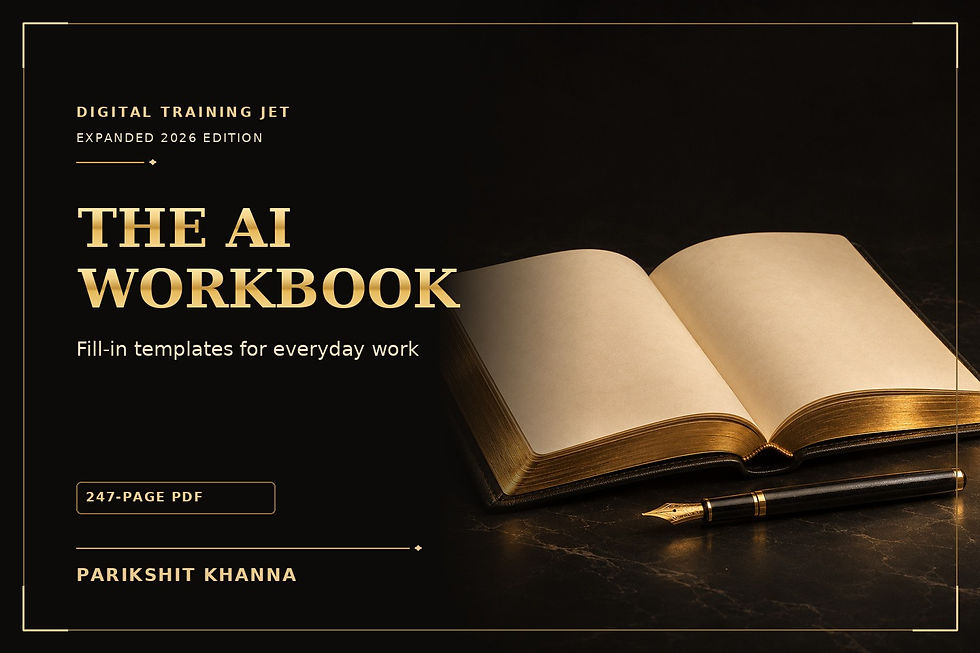
The AI Workbook: Practical Fill-In Templates
Fill-in templates to apply AI to your own tasks. ₹99 on Topmate.
FAQ: buying Parikshit Khanna's AI books
Where can I buy Parikshit Khanna's AI books?
They are sold on his Topmate page at topmate.io/parikshit_khanna. Each buy button in this article opens the matching book page.
How much do the books cost?
The books shown in this article were listed at ₹99 each on Topmate on Wednesday 11 November 2026. How to Become an AI Trainer was listed at ₹499. Topmate prices can change, so check the book page before you pay.
Which book should I start with?
For this topic, start with Master AI Prompting: 3,000 Prompts for Real Work. If you want a second book, The Claude Playbook for Professionals 2026 is the next closest match.
Who wrote these books?
Parikshit Khanna, an AI trainer based in Delhi NCR and founder of Digital Training Jet, wrote them from his corporate training work.
Frequently asked questions
Can HR teams use Claude with employee data?
Only within an approved plan and policy, and only with the data a task really needs. Anonymise data for analytics, keep personal details out of prompts, and plan for the DPDP timeline. This is general guidance, not legal advice.
Does Claude know India's new labour codes?
It can summarise them, and web search helps with recent changes, but always check answers against the codes, the central rules notified in May 2026 and your state rules, with your legal team where needed.
Can managers use our HR project without changing it?
Yes, on Team and Enterprise plans. Share the project with Can use access so managers can read the knowledge and chat, while only HR keeps Can edit access.
Should Claude screen CVs?
Claude can summarise a CV against criteria you define, but a person should make every shortlisting decision. Remove criteria that could be unfair, such as age, gender or marital status, and keep a record of how decisions were made.
Do scheduled tasks run when my laptop is closed?
Yes, for most tasks. Scheduled tasks in Claude run remotely, so they keep their cadence even when your computer is asleep or the desktop app is closed. A task that needs local files or apps runs only on your computer. Scheduled tasks are available on all paid plans.
More Claude prompt guides by Parikshit Khanna
Sources
Claude release notes, Claude Help Center
Schedule recurring tasks, Claude Help Center
Use skills in Claude, Claude Help Center
How to create custom skills, Claude Help Center
What are projects?, Claude Help Center
Cowork and plugins for teams across the enterprise, Anthropic, 24 February 2026
Discover and install plugins, Claude Code docs
Cloud scheduled tasks, Claude Code docs
Claude plans and pricing, Anthropic
Claude Opus 5.5 release, TechNews
Claude Sonnet 5.5 release, TechNews
Claude Haiku 5.5 and API prices, Mixed News
DPDP Act and Rules timeline, Conventus Law
What changed on 21 November 2025, Lakshmikumaran and Sridharan
Four labour codes live from 21 November, People Matters


