Claude AI Training in India for Business Teams

Updated: 2 hours ago
Practical Claude training for Indian companies, teams and professionals. Learn Claude for writing, analysis and documents, then move to projects, artifacts, connectors, Claude Cowork and Claude for Excel, as your plan allows. Every exercise uses your own tasks and safe data. Led by Parikshit Khanna, who holds three Anthropic Claude Academy badges.
Anthropic Claude Academy badge holder
Covers Cowork, connectors and Excel
Onsite across India or online
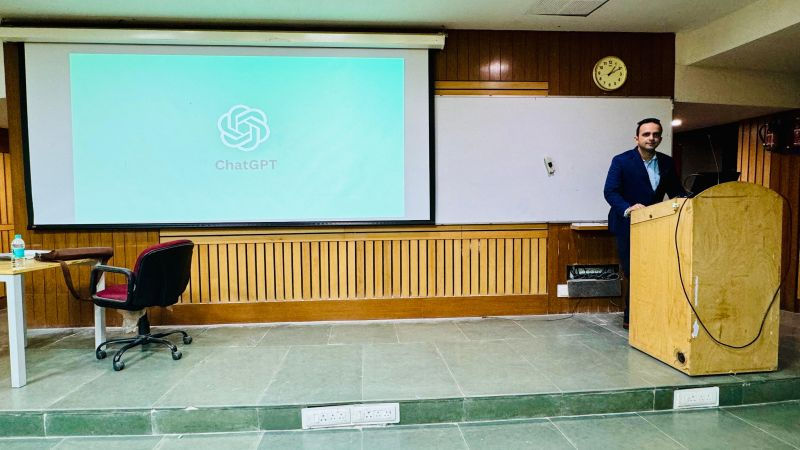
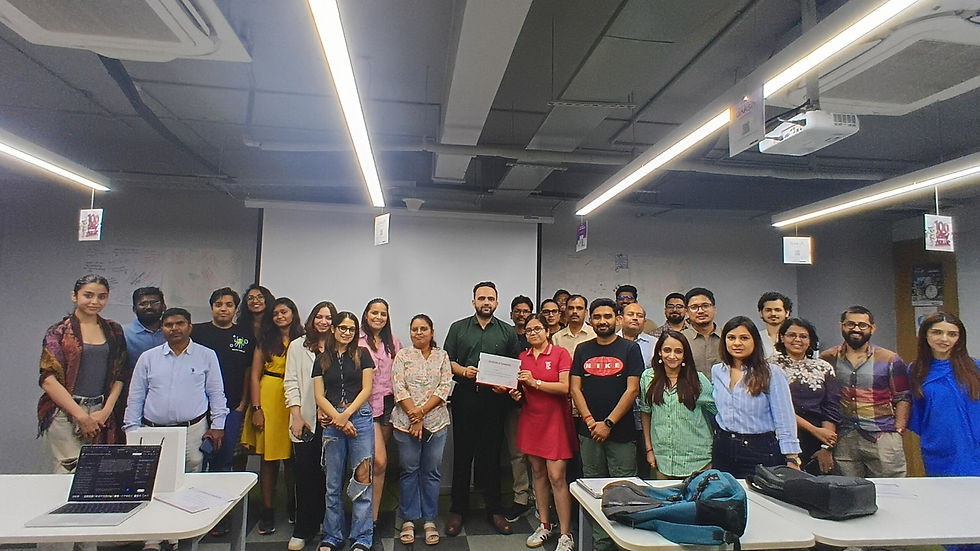
Why teams choose Parikshit Khanna: 3,50,000+ professionals trained, TEDx speaker, sessions at IIT Delhi, IIT Roorkee and IIT Guwahati, teams trained at Arvind Fashions, Sheela Foam, Emami, Godrej Properties and GMR Delhi Duty Free, and a 4.7 out of 5 learner rating on Topmate.

Quick answer
Updated 20 October 2026. Claude AI training teaches Indian teams to use Claude, Anthropic's assistant, for writing, analysis, long documents, projects, artifacts, connectors, Claude Cowork and Claude for Excel, on their own tasks with human review. Programmes run onsite across India or live online, from a 2-hour leadership briefing to multi-batch rollouts, led personally by Parikshit Khanna.
Why Claude training matters for Indian teams
Claude, built by Anthropic, is now a serious work tool in India. Anthropic opened its Bengaluru office in February 2026 and says India is the second-largest market for Claude.ai. Many Indian professionals already use Claude for writing, analysis and long documents. Yet most of them use only the chat window. They miss the features that save the most time, and the controls that keep company data safe. Structured training closes that gap, so whole teams use Claude consistently, confidently and responsibly.
Claude has grown well beyond chat. Claude Cowork, available on paid plans, can plan and carry out multi-step tasks, work with files on your computer through the desktop app and run scheduled tasks. Connectors let Claude search and act in tools such as Google Drive, Gmail, Slack and Microsoft 365, using each person's own permissions. Claude for Excel works inside your workbook and answers with cell-level citations. Artifacts turn work into documents, slides and dashboards that you can edit, export and share.
These features need judgement. Anthropic itself warns that agentic tools carry extra risk, such as hidden instructions inside files or websites, and advises users to review planned actions. Our programme teaches both the skill and the discipline. Each module ends with an exercise on a real task, using approved or sanitised data, and a review step before anything is sent, saved or shared. Teams leave with prompts, project setups and checklists that they can use from the next working day.

How the Claude programme runs
We follow five steps, so the training fits your Claude plan, your admin settings and your team's real tasks. Nothing is assumed: every feature is checked on your accounts before the agenda is final.
Plan and access check: We confirm your Claude plan, enabled features, connectors and admin settings before designing the agenda.
Written proposal: You receive scope, modules, format, dates and fees in writing before anything is booked.
Task-based exercises: We build exercises from your sanitised samples or realistic fictional data for each team.
Live delivery: Demonstrations, guided practice and review discussions, delivered onsite in India or live online.
Pilot and follow-up: Teams leave with a prompt library, working project setups and a 30-day pilot plan.
Who this Claude programme is for
Business and function heads. Leaders who want to understand what Claude can do for their function, which plan and admin controls suit their company, and how to start a safe, measured pilot.
HR, L&D and admin. For policy explainers, onboarding packs, training content and meeting summaries. Teams learn to work from approved documents and keep all people decisions with authorised reviewers.
Finance and MIS teams. For workbook questions, model checks, variance commentary and report narratives, using Claude for Excel or file uploads, with every figure verified by a qualified person.
Sales, marketing and content. For research, proposals, campaign briefs, long articles and presentations. Teams learn to use projects so brand voice and product facts stay consistent across every draft.
Operations and project teams. For SOPs, status reports, risk logs and handover notes, plus Cowork tasks that organise files, compile weekly updates and run on a schedule with human approval.
Professionals and founders. Individuals and small teams who want private or small-group Claude coaching on their own tasks, from writing and research to building simple tools as artifacts.
What your team will be able to do
Choose between chat, projects, artifacts and Cowork based on the task, the data and the review needed.
Write clear Claude prompts with context, examples, constraints and a defined output format for consistent results.
Set up projects with files and instructions, so recurring team work starts from approved, shared context.
Create documents, slides and simple dashboards as artifacts, then edit, export and share them with care.
Use connectors with the right permissions, and know when an action should need approval or be blocked.
Delegate multi-step file and research tasks to Claude Cowork while reviewing each planned action before it runs.
Analyse and update Excel workbooks with Claude for Excel, checking the cited cells and calculations before use.
Recognise prompt injection, overconfidence and other limitations, and apply review rules that protect company data.

Programme modules
Eight modules take teams from confident chat use to safe agentic work. We select and order them to match your plan, the features your admins have enabled and the experience level of each group.
Module 1: Claude foundations, capabilities and limitations
We start with how Claude answers, what it does well and where it can be wrong or out of date. It follows Anthropic's own course on AI capabilities and limitations. Teams map their recurring tasks and decide which suit chat, projects, artifacts or Cowork, and which need human judgement first.
Exercise: Map ten recurring tasks and match each one to the right Claude feature. Output: Task map and Claude feature plan
Module 2: Prompting Claude for consistent results
Teams practise clear prompts with role, context, examples, constraints and output format. We cover working with long documents, asking Claude to show its steps and giving feedback that improves a draft without starting again. Teams also write shared instructions, so different people get similar quality from similar requests across the department.
Exercise: Improve one weak prompt over three rounds and compare the outputs. Output: Reusable prompt template for the team
Module 3: Projects and shared team knowledge
Projects keep related work together with its own files, instructions and memory. Teams learn what to put in a project, how to write steady instructions, and how to keep confidential material out unless policy allows it. We also discuss when project memory helps and when a fresh chat is safer.
Exercise: Build a project for one recurring task and test it with three requests. Output: Working team project with clear instructions
Module 4: Artifacts: documents, slides and dashboards
Artifacts are content Claude creates beside the conversation, such as documents, slides, designs, diagrams and small interactive tools. Teams learn to create, edit and export them, for example docs to Word or PDF and slides to PowerPoint. Artifacts start private, so we also cover sharing settings and review before clients see them.
Exercise: Turn a meeting summary into an edited document and a five-slide deck. Output: Reviewed document and slide deck
Module 5: Connectors and safe data access
Connectors let Claude search and act in apps such as Google Drive, Gmail, Slack and Microsoft 365, using each person's existing permissions. On Team and Enterprise plans, admins choose which connectors are enabled and can set each action to always allow, needs approval or blocked. Teams learn to connect only what a task needs.
Exercise: Plan the connectors one team needs and set an approval rule for each action. Output: Connector and permission plan
Module 6: Claude Cowork for multi-step work
Claude Cowork brings agentic work to everyday, non-coding tasks. In the desktop app it can read and write files in folders you connect, create spreadsheets, presentations and documents, and run scheduled tasks. Teams practise manual approval first, review each planned action and learn why sensitive or irreversible steps always need a human check.
Exercise: Delegate a file-organising and report-compiling task, approving each step. Output: Tested Cowork task with review notes
Module 7: Claude for Excel and Office add-ins
Claude for Excel works inside your workbook. It explains formulas with cell-level citations, updates assumptions while keeping formulas intact and helps trace errors. Anthropic advises against using it for audit-critical calculations without verification, and warns about hidden instructions in external files. It also shares context with the PowerPoint, Word and Outlook add-ins.
Exercise: Trace a calculation error in a sample workbook and verify the fix. Output: Checked workbook and verification checklist
Module 8: Governance, adoption and team capstone
Groups present one finished output and the review decisions behind it. Outputs are scored on accuracy, completeness, clarity, confidentiality and usefulness. Each team then drafts simple usage rules and a 30-day pilot with an owner and baseline measures. Improvements are measured after implementation, not promised in advance as a fixed figure.
Exercise: Present a capstone output and the rules your team will follow. Output: Scored capstone, usage rules and pilot plan
Claude use cases by team
These examples show how different teams practise with Claude during the programme. We replace them with your own tasks once we understand your plan and priorities.
Team | Practice task | Reviewable output |
Leadership | Compare strategy options from internal notes and market reading in one project | Decision brief with stated assumptions |
Finance | Explain how a forecast figure is built inside an Excel model | Cited explanation and checked workbook |
HR | Turn the employee handbook into a project that answers policy questions | Policy project and employee FAQ |
Sales | Prepare for a client meeting from approved product notes and past emails | Account brief and follow-up draft |
Marketing | Build a campaign plan and presentation from a product brief | Campaign brief and slide deck |
Operations | Compile weekly status files from a shared folder into one report | Scheduled Cowork report for review |
Legal support | Summarise contract clauses for review by a qualified lawyer | Clause summary for professional review |
Training | Convert a standard operating procedure into a short quiz and handout | Interactive quiz artifact and handout |
What changes after the training



Training formats
Leadership briefing (2 to 3 hours)
What Claude can do today, which plan and admin controls fit your company, and the risks of agentic features. Leaders leave with clear decisions on access, connectors, data rules and a first pilot.
Best for: CXOs, function heads and IT decision makers
Half-day workshop (4 hours)
Foundations, prompting, projects and artifacts, with two or three exercises from the team's own work. Participants leave with starter prompts, one working project and a simple review checklist for daily use.
Best for: One team starting with Claude
Full-day programme (6 to 7 hours)
Covers the core modules plus connectors, Cowork and Claude for Excel where your plan allows. Includes department breakouts and a capstone, with each group presenting a reviewed output and a 30-day pilot plan.
Best for: Teams ready for connectors and Cowork
Private or small-group coaching (3 to 6 sessions)
Live online sessions built around one person or a small team. Each session uses your real tasks, and practice between sessions turns new methods into habits. Suited to leaders who want a confidential setting.
Best for: Professionals, founders and small teams
Dates, fees and inclusions are confirmed in a written proposal after a short scoping conversation.
Claude AI training across India
Parikshit is based in Delhi NCR and delivers onsite Claude programmes for companies across India, subject to dates and travel. Onsite delivery suits hands-on sessions where teams set up projects and connectors together in one room. Live online delivery suits teams spread across branches and plants, and private coaching for busy leaders. Hybrid formats are also possible. Format, location, batch size and schedule are confirmed in the written proposal before anything is booked.
Indian teams bring specific needs to Claude. Many draft in English while serving customers in Hindi and regional languages, and Anthropic has said it is working to improve Claude in ten Indian languages. Exercises also use GST records, MIS sheets and compliance circulars. We also explain Anthropic's stated position that inputs and outputs from its commercial products, such as Team and Enterprise plans, are not used for model training by default, and what your own policy should add.
Onsite cities: Delhi NCR, Mumbai, Bengaluru, Pune, Hyderabad, Chennai, Kolkata, Ahmedabad, Jaipur, Chandigarh, Kochi, Guwahati, plus live online sessions anywhere in India.
Why learn Claude with Parikshit Khanna
Claude Academy credentials. Parikshit holds Anthropic Claude Academy badges in Claude 101, Claude Cowork, and AI Capabilities and Limitations. The programme reflects Anthropic's own guidance on safe use.
Wide training experience. He has trained 3,50,000+ professionals through Digital Training Jet, which he founded in Delhi NCR in 2020, and adapts quickly to beginners and experienced users alike.
Corporate client experience. Teams at Arvind Fashions, Sheela Foam (Sleepwell), Godrej Properties, Emami, Malabar Group, CP PLUS and GMR Delhi Duty Free have attended his AI training sessions.
Recognised speaker. He spoke at TEDxEicher School Faridabad Youth in August 2026 on Redesigning Work with Artificial Intelligence, and has led sessions at IIT Delhi, IIT Roorkee and IIT Guwahati.
Current, checked content. Claude changes often. Feature content is checked against Anthropic's help pages before each programme, so teams learn what their plan can do now, not what it did last year.
Rated by learners. Learners on Topmate rate Parikshit 4.7 out of 5 overall. He is also the co-author of two published books, Rejection to Redirection and Digital Black.
About Parikshit Khanna

Parikshit Khanna is a corporate AI trainer, TEDx speaker and the founder of Digital Training Jet, based in Delhi NCR. He helps Indian teams turn AI and digital tools into reliable daily workflows, with plain language, real work examples and clear review habits.
3,50,000+ professionals trained
TEDx talk: Redesigning Work with Artificial Intelligence (TEDxEicher School Faridabad Youth, 2026)
Sessions at IIT Delhi, IIT Roorkee and IIT Guwahati
Teams trained at Arvind Fashions, Sheela Foam, Emami, Godrej Properties, GMR Delhi Duty Free, Malabar Group and RMZ
Rated 4.7 out of 5 by learners on Topmate
Co-author of the books Rejection to Redirection and Digital Black
Safe-use rules we teach
Connect only the folders, apps and connectors a task needs, and disconnect those you no longer use.
Treat outside files, web pages and emails as untrusted, because they can contain hidden instructions.
Use manual approval for Cowork and browser tasks that send messages, delete files or handle money.
Verify every figure Claude produces in Excel against the cited cells before using it in decisions.
Use only company-approved Claude accounts for work data, and follow your organisation's data policy.
Procurement details
Vendor: Parikshit Khanna, founder of Digital Training Jet, MSME (Udyam) registered, Delhi NCR, since 2020.
Invoices carry Udyam registration and PAN. GST is not charged. TDS under Section 194J applies.
Onsite across Delhi NCR, Mumbai, Bengaluru, Pune, Hyderabad, Chennai, Kolkata, Ahmedabad, Jaipur, Lucknow and Guwahati, or live online on Zoom, Teams or Google Meet.
Fees, dates and inclusions are confirmed only in a written proposal.
7 questions to ask any AI trainer before you book
Will exercises use our own department tasks and approved tools?
Will the named trainer deliver every session personally?
What exactly do participants leave with?
How is company data kept safe during practice?
Are the agenda and fee confirmed in writing before booking?
How will adoption be measured 30 days later?
Can the trainer show delivered corporate programmes and public speaking proof?
Book corporate AI training: contact Parikshit Khanna
Send your company name, departments, approximate headcount, cities, approved AI tools, preferred dates and two priority tasks. You will get questions or a suggested plan, then a written proposal with scope, agenda, dates and fees. Please share anonymised examples only.
Channel | Details |
|---|---|
Business email | |
Personal email | |
Phone | +91 99972 13177 | +91 80762 50669 |
Proposal request | |
Private sessions |
Guides for business owners
Frequently asked questions
What does Claude AI training in India cover?
The programme covers prompting, projects, artifacts, connectors, Claude Cowork and Claude for Excel, along with Claude's limitations and safe-use rules. We select modules based on your plan, enabled features and team goals. Every module ends with a real-task exercise and a usable deliverable.
Which Claude plan does our team need?
Core prompting, projects and artifacts can be taught on most plans. Claude Cowork and Claude for Excel need a paid plan, such as Pro, Max, Team or Enterprise. For companies, Team and Enterprise plans add admin controls, for example over which connectors are enabled. We confirm your settings before the agenda is final.
Is our company data used to train Claude?
Anthropic's privacy centre states that it does not use inputs or outputs from its commercial products, such as Claude Team, Enterprise and the API, to train models by default, unless you send feedback or opt in. Consumer plans are covered separately. Your internal policy still decides what staff may share.
Do you cover Claude Cowork and browser tasks in Chrome?
Yes, where your plan allows. Cowork lets Claude plan and carry out multi-step tasks, use local files through the desktop app and run scheduled tasks. It can also act on websites through Chrome. Anthropic notes these agentic features carry extra risk, so we teach manual approval and review of every planned action.
Can finance teams use Claude for Excel safely?
Yes, with checks. Claude for Excel explains formulas with cell-level citations, updates assumptions and helps debug errors. Anthropic says it is not recommended for audit-critical calculations without verification or for final client deliverables without human review, and that it should be used only with trusted spreadsheets. Our exercises build in those checks.
Is Claude training useful if we already use ChatGPT or Copilot?
Yes. Prompting and review skills transfer across tools, so teams build on what they already know. The programme then focuses on what is specific to Claude, such as projects, artifacts, Cowork and the Excel add-in. We also help teams decide which tool suits which task.
Do you deliver onsite Claude training outside Delhi NCR?
Yes. Onsite programmes are delivered in other Indian cities, subject to dates and travel, and live online sessions are available everywhere. The format, venue needs, batch size and schedule are agreed in the written proposal before anything is booked or confirmed.
What does Claude training cost?
Fees depend on the format, number of batches, level of customisation and whether delivery is onsite or online. We do not publish a fixed price list. After a short discovery call, you receive one written proposal with scope, dates and fees for your approval.
Do participants need coding skills?
No. The core modules are for business users and need no coding. Building integrations with the Claude API or writing software with Claude Code needs a separate technical scope. Simple tools built as artifacts are covered without code, because Claude creates them from plain-language instructions.
What details do you need for a proposal?
Share your company name, city, team size, departments, Claude plan, enabled features, preferred dates, priority tasks and delivery preference (onsite, online or hybrid). Send these on WhatsApp or by email, and you will receive a written proposal with scope, dates and fees.
Related training in India
Plan Claude AI training for your team
Tell us who needs training, which Claude plan you use and the tasks that matter most. Parikshit will suggest a format, confirm the modules against your enabled features and send a written proposal with dates and fees. Message on WhatsApp or email to start.


