Claude or Microsoft Copilot Training: Which Course Should Your Team Choose in 2026?

Updated: 2 days ago
PUBLISHED 1 NOVEMBER 2026 • BY PARIKSHIT KHANNA • UPDATED 6 NOVEMBER 2026

Quick answer
Choose Copilot training first if your company runs on Microsoft 365 and wants AI inside Outlook, Teams, Word, Excel and PowerPoint, working within your existing permissions. Choose Claude training first if your work is long documents, analysis, research, writing quality or multi step tasks. Many teams need both: Microsoft offers Claude models inside parts of Microsoft 365 Copilot, and Claude connects to Microsoft 365, so a combined course often gives the best return.
Side by side comparison
Area | Claude | Microsoft 365 Copilot |
Where it works | Claude app, desktop app, Claude in Chrome, and add-ins for Excel, PowerPoint and Word (Outlook in beta) on paid plans | Inside Word, Excel, PowerPoint, Outlook, Teams and the Microsoft Copilot app |
Company data | Connectors, including Microsoft 365 for SharePoint, OneDrive, Outlook and Teams, where your admin allows | With the full licence, grounded in your mail, meetings, chats and files; Copilot Chat uses the web and uploaded files |
Strengths | Long documents, analysis, writing, Projects, Artifacts, Skills, and Cowork for multi step tasks | Email, meetings and documents in your tenant, Researcher and Analyst agents, Copilot Studio agents |
Free option | Claude Free: chat, up to five Projects, memory, connectors and Skills | Copilot Chat for eligible work accounts, with fair use limits for unlicensed users from November 2026 |
Advanced features | Research, Cowork and Claude in Chrome on paid plans | Copilot Cowork with the licence plus Copilot Credits, and Copilot Studio agents |
Models | Claude Opus 5.5, Sonnet 5.5 and Haiku 5.5, with Fable 5.1 as the top tier | Several model families, including Anthropic's Claude models in Researcher, Copilot Studio and other surfaces |

Licensing and cost check (November 2026)
Microsoft 365 Copilot: $30 per user per month (US list) for the enterprise licence. Copilot Business is $21 per user per month since 1 July 2026, for organisations up to 300 seats. Both need a qualifying Microsoft 365 licence, and Indian prices vary by reseller and GST.
Copilot from 1 December 2026: new Copilot offers replace the add-on offers for new purchases at the same prices, and usage-based billing is on by default for new Copilot Business subscriptions bought through CSP partners.
Copilot Chat: still included in Microsoft 365, but from 2 November 2026 (organisations with 2,000 or fewer seats) and 9 November 2026 (larger organisations) more features carry fair-use limits for unlicensed users.
Claude: check the vendor's current pricing page (claude.com/pricing) for Free, Pro, Team and Enterprise before you budget. The Claude add-ins for Microsoft 365 apps need a paid Claude plan.
Neither tool is the right first choice for every team. The decision guide below depends on where your work happens and which licences you already own.
Decision guide
Start with Copilot if: most work happens in Outlook and Teams, you already pay for Microsoft 365 Copilot licences, and IT wants everything inside the Microsoft tenant.
Start with Claude if: your teams write long reports, analyse documents and data, need research with sources, or want to delegate multi step tasks.
Choose a combined course if: different teams lean different ways, you want to compare quality on the same tasks, or you plan to use Claude models inside Copilot.
What is new in Microsoft 365 Copilot (November 2026)
Workspaces and Cowork: Copilot Notebooks are now Copilot Workspaces, a shared team space, and the Copilot app home puts Chat and Cowork side by side. Copilot Cowork can use the local Edge browser for web steps.
Autopilot and skills: Autopilot is rolling out to the Frontier programme, governed through Agent 365, and reusable skills are rolling out.
For admins: an agents usage report in the Microsoft 365 admin centre, authoritative content for Copilot Search (up to 100 SharePoint sites), and Microsoft Purview can now retain Copilot memories.
What it means for you: confirm which features your licence includes before you build team habits around them, and expect colleagues without a Copilot licence to reach Copilot Chat limits sooner from this month.
Course paths
Need | Recommended programme |
Whole team, one day | |
Depth in both tools | |
Agents and multi step work | |
Each department separately | |
Every option in one place |
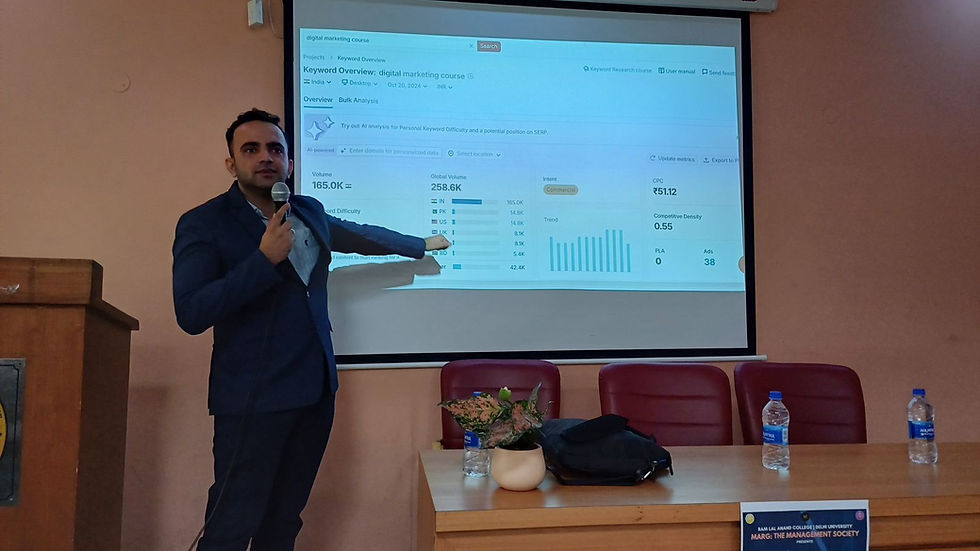
Recent Copilot work by Parikshit Khanna (August to November 2026)
Digital Training Jet programmes have reached 3,50,000+ professionals. These are the newest Copilot engagements, newest first, each led personally by Parikshit Khanna.
Franklin Templeton India (live online on Microsoft Teams), 5 November 2026: an organisation-wide Unlocking the Power of AI session led with Microsoft Copilot, because staff already have Copilot on their office systems. It covered four Copilot applications (meeting notes into minutes and action owners, email and document drafting, spreadsheet formulas and commentary, and presentation planning), plus ChatGPT and Gemini. Participants received a synthetic Excel practice workbook, a 60 prompt pair practice library, the 34 slide deck and 30 days of post-session support.
Elofic Industries Ltd, Faridabad, scheduled for 14 November 2026: a full-day onsite AI workshop built on Microsoft Copilot, which staff use through Teams, for the export, marketing and leadership teams. Planned topics include prompting, building and reading datasets, customer pitches from specs and catalogues, RFQ and negotiation emails, workflow automation, a monthly export market review in Excel and enterprise-safe use.
BT E-Serv India (British Telecom), Gurugram, 6 August 2026: a hybrid workshop on Claude for the Legal, Compliance and Company Secretariat teams that included a Copilot transfer demo, showing how the same prompting habits carry into Microsoft 365 Copilot.
RG Group, Noida, September 2026: advised the directors on AI licensing in a Microsoft 365 environment (Office 365 Business Standard), comparing Microsoft 365 Copilot Business with the Claude Team plan and Anthropic's Claude for Microsoft 365 add-in.
RG Group's directors faced exactly the choice this page describes: they already run Microsoft 365, so the comparison was Copilot Business against the Claude Team plan on their own tasks.
Book a programme or ask a question
WhatsApp: +91 99972 13177
Email: pkhanna123@gmail.com
Share your team size, city or online preference, your Microsoft 365 and Claude licences, and two recurring tasks you want to improve.
Programmes are paid engagements. After a scoping call you receive one written proposal with one scope and one fee.
Frequently asked questions
Can we use Claude inside Microsoft 365 Copilot?
Microsoft offers Anthropic's Claude models in parts of Microsoft 365 Copilot, including Researcher and Copilot Studio. Your Microsoft 365 admin controls whether they are enabled.
Which tool is better for Excel?
Both work. Copilot in Excel needs the Microsoft 365 Copilot licence; the Claude for Excel add-in needs a paid Claude plan. Training compares them on your own sheets.
Is it risky to use both tools?
Not when there are clear rules on which data goes where. Every programme starts with your company's AI policy.
Which is cheaper?
It depends on licences you already own. Many teams start with Copilot Chat and Claude Free, then buy paid seats only for heavy users.
From November 2026, unlicensed Copilot Chat users meet fair-use limits sooner, so heavy Copilot users may need Copilot Business or the Microsoft 365 Copilot licence. Compare that with Claude's current plan prices on its own pricing page.
Can training be in Hindi?
Yes. Sessions run in English, Hindi or a mix.
About the author
Parikshit Khanna is an AI trainer and the founder of Digital Training Jet, based in Greater Noida West, Delhi NCR, and originally from Saharanpur. Digital Training Jet programmes have reached more than 3,50,000 professionals. He has completed Anthropic Academy courses on Claude 101, Claude Cowork, and AI Capabilities and Limitations, gave the TEDx talk "Redesigning Work with Artificial Intelligence" at TEDxEicher School Faridabad Youth on 1 August 2026, ran a Google Gemini workshop at IIT Guwahati in November 2025, and is visiting faculty at GL Bajaj Institute of Management and Research.
How this guide was made: drafted with AI assistance and reviewed before publishing. Product facts were checked against Anthropic and Microsoft pages on 31 October 2026, and Copilot licensing was rechecked on 6 November 2026. Claude and Copilot change often, so every programme is updated to the features available on the day of delivery.
Sources
Claude for Excel, PowerPoint, Word and Outlook (Anthropic, May 2026)
Microsoft Copilot overview: Copilot Chat and the Microsoft 365 Copilot licence
Copilot Cowork is generally available (Microsoft, June 2026)
Claude now available in Microsoft 365 Copilot (Anthropic, September 2025)
Expanding model choice in Microsoft 365 Copilot (Microsoft, September 2025)
Microsoft Partner Center announcements, November 2026 (Copilot Chat limits)
Microsoft Partner Center announcements, October 2026 (new Copilot offers, December 2026)
Microsoft Tech Community: What's new in Microsoft Copilot, October 2026
Changing Social: What's new in Microsoft Copilot, November 2026
Related guides on this site
New from Parikshit Khanna: The Claude Playbook for Professionals (2026 edition), 582 pages and 1,285 copy-and-paste prompts on Claude Chat, Connectors, Artifacts, Skills, Plugins, Cowork and Claude Code, for 22 departments and 30 professions. Get the Claude Playbook on Topmate.


