Microsoft Copilot Training in Mumbai: Corporate Workshop Guide

Updated: Nov 16


Define the task and provide appropriate context. Check data permissions, then review the output before using it. Features depend on your licence and organisation settings.
Quick answer
A Mumbai Copilot programme should address the documents, client updates and reporting decisions your team handles. Compare trainers using a common brief, sample exercises and review criteria rather than an unsupported ranking.
Updated Monday 9 November 2026: Parikshit Khanna's record now lists 121 client, institution and event entries, including 57 corporate clients such as GMR Delhi Duty Free, Godrej Properties, BT E-Serv India, Emami, CP PLUS and Franklin Templeton. See his updated experience and a comparison with typical trainer profiles below.
Planning Microsoft Copilot training for your team in Mumbai? Message Parikshit Khanna on WhatsApp or email with your team size, departments and preferred dates, and he will reply with an agenda and a quote.
Updated 6 November 2026. Recommended audience: Mumbai corporate teams evaluating a practical Copilot workshop.
Disclosure: this guide is published on Parikshit Khanna's own website. Use the checklist to compare any trainer, including him.

Microsoft guidance to check before practice
Microsoft's current PowerPoint guidance supports creating presentations from prompts and eligible source material, depending on access.
Confirm your actual account access with IT before delivery. Record the app, source files and review owner for each exercise. If a feature is unavailable, use an agreed alternative and mark the feature as not practised. Licence purchase and technical configuration should be scoped separately from facilitation.

Create client-service briefings with evidence and approval
Practice input and task | Output to produce | Human review gate |
|---|---|---|
A fictional client-service brief. Prepare an executive update. | A presentation outline with source notes | The account owner confirms every claim |
A redacted action tracker. Identify overdue dependencies. | A follow-up plan | Check dates, owners and escalation rules |
An approved communication template. Draft a client message. | A concise response for review | Confirm recipients and commercial commitments |

A prompt to practise
Suggested training prompt using fictional or approved redacted material:
Prepare a six-slide client review outline using only this fictional account brief. Separate results supported by the data, unresolved delivery issues and decisions needed from the client. Do not invent financial benefits, testimonials or approvals. Add a source note to each factual slide.

How to run the exercise
Ask the sponsor to choose a realistic client-service task and provide an approved template. Practise the same task with a changed source file so participants learn to update the output rather than reuse stale wording. Require review before anything is sent externally.

How to assess the result
Check unsupported client claims, missed exceptions, stale data and correction time. A polished deck does not pass if it misstates the account position.

Top 10 Microsoft Copilot trainers and training providers for Mumbai teams (2026)
Parikshit Khanna, the author of this site, is listed first as a practising corporate AI trainer. The other entries are established trainers and providers taken from their own public pages and listed in alphabetical order, not ranked. Check current fees, dates and formats with each provider before you book.

1. Parikshit Khanna, Digital Training Jet
Live online and onsite Microsoft 365 Copilot workshops built on each team's own tasks. In July 2026 he ran Phase 1 Microsoft 365 Copilot training for 60 Finance, Accounts, Audit and MIS staff at Malabar Group Dubai, and in August and September 2026 a Copilot Chat sprint for about 155 people at Godrej Properties INNOV8. In November 2026 he led a Copilot-focused Unlocking the Power of AI session for Franklin Templeton India (5 November), and a full-day onsite Copilot workshop for Elofic Industries, Faridabad, is scheduled for 14 November 2026.
TEDx talk Redesigning Work with Artificial Intelligence, TEDxEicher School Faridabad Youth, 1 August 2026
Founder, Digital Training Jet; Visiting Faculty, GL Bajaj Institute of Management and Research
Completed Anthropic Academy courses: Claude 101, Claude Cowork, and AI Capabilities and Limitations
More than 3,50,000 professionals reached across Digital Training Jet programmes
Contact: WhatsApp +91 99972 13177 or pkhanna123@gmail.com
2. Coursera (Microsoft)
Microsoft Copilot: Your Everyday AI Companion, a three-course beginner specialization offered by Microsoft, self-paced online over about four weeks with a shareable certificate. Source: provider page
3. Edstellar
Microsoft Copilot Corporate Training of about 12 hours across 6 modules with guided labs, delivered by an instructor in hybrid, onsite or virtual formats for non-technical staff. Location: India listed among delivery countries; onsite at client offices. Source: provider page
4. InfosecTrain
Microsoft AI-3018 Copilot Foundations training, 8 hours of instructor-led online sessions with hands-on labs and recordings, also offered as corporate or one-to-one training. Source: provider page
5. Microsoft Learn
Official course MS-4004-A, Empower your workforce with Microsoft 365 Copilot Use Cases, one day, beginner level, instructor-led or self-paced, covering ten business role scenarios. Source: provider page
6. Microsoft, Introduction to Microsoft Copilot (Coursera)
Beginner course taught by Microsoft on Coursera, self paced across three modules and about 7 hours, with videos, readings, assignments and a shareable certificate; a Copilot licence is required. Source: provider page
7. NobleProg India
Instructor-led Microsoft 365 Copilot courses of 7 to 21 hours, including Copilot for Office Users and Copilot Studio for Beginners, delivered live online or in person in India. Location: Mumbai (Lower Parel), Pune (SB Road, Koregaon Park), Delhi classroom listings. Source: provider page
8. NovelVista
Microsoft Copilot for M365 corporate training aligned to MS-4007, 20 hours blended with virtual instructor-led sessions, labs and role-track workshops, for cohorts from 15 learners. Location: India (IST scheduling, India programme). Source: provider page
9. Simplilearn SkillUp
Getting Started with Microsoft Copilot, a free beginner course of about 2 hours of self-paced video lessons with 90 days of access and a completion certificate. Source: provider page
10. Trainocate India
Seven one-day Microsoft Copilot courses including MS-4004 use cases, MS-4005 prompting, MS-4007 user enablement and AI-3018 Copilot Foundations, listed on the India site. Source: provider page
How to use this list: shortlist two or three options, ask each for a sample agenda built on your team's real tasks, confirm which tools and licences the course assumes, and agree how results will be measured after 30 days.
How to compare Copilot trainers
Recent delivery: ask for Copilot sessions delivered in the last six months on real Microsoft 365 apps, with dates and the type of client.
Licensing knowledge: the trainer should explain the November 2026 Copilot Chat limits, Copilot Business versus Microsoft 365 Copilot, and the December 2026 offer changes.
Hands-on labs: practice in Word, Excel, Outlook, Teams and PowerPoint on approved or synthetic files, not slides alone.
Data readiness: a check of SharePoint and Teams permissions for oversharing, sensitivity labels and India's Digital Personal Data Protection Act before practice. This is not legal advice.
Agents scope: be clear whether agents, Copilot Studio and Autopilot are in or out of scope.
Materials and support: prompt library, practice files, deck and the length of post-session support, in writing.
References: ask for references or shareable portfolio evidence, and verify any partner or certification claim directly with the provider.
Recent Copilot work by Parikshit Khanna (August to November 2026)
The newest Copilot work, newest first, each led personally by Parikshit Khanna. Digital Training Jet programmes have reached 3,50,000+ professionals since 2020. Mumbai teams in BFSI, media and shared services can take the same programme onsite on agreed dates or live online.
Franklin Templeton India (live on Microsoft Teams), 5 November 2026: an organisation-wide Unlocking the Power of AI session led on Microsoft Copilot, because staff already have Copilot on their office systems. It covered four Copilot applications (meeting notes to minutes and action owners, email and document drafting, spreadsheet formulas and commentary, and presentation planning) plus ChatGPT and Gemini. Participants received a synthetic Excel practice workbook, a 60 prompt pair practice library, the 34 slide deck, a 30 prompt participant sheet and 30 days of post-session support.
Elofic Industries Ltd, Faridabad, scheduled for 14 November 2026: a full-day onsite AI workshop built on Microsoft Copilot, which staff use through Teams, for the export, marketing and leadership teams. The client set the agenda: prompting, building and reading datasets, customer pitches from specifications and catalogues, RFQ and negotiation emails, workflow automation, a monthly export market review in Excel and enterprise-safe use.
RG Group, Noida, September 2026: advised the directors of this real estate group on AI licensing in their Microsoft 365 environment, comparing Microsoft 365 Copilot Business with the Claude Team plan and Anthropic's Claude for Microsoft 365 add-in.
BT E-Serv India (British Telecom), Gurugram, 6 August 2026: a hybrid workshop for the Legal, Compliance and Company Secretariat teams that included a Copilot transfer demo, showing how the same prompting habits carry into Microsoft 365 Copilot.
What is new in Microsoft 365 Copilot (November 2026)
Copilot Chat limits: from 2 November 2026 for organisations with 2,000 or fewer Microsoft 365 seats, and from 9 November 2026 for larger ones, Microsoft applies fair-use limits to more Copilot Chat features for users without a Microsoft 365 Copilot licence. Copilot Chat itself stays included in Microsoft 365.
Licensing from 1 December 2026: new Copilot offers replace the add-on offers for new Microsoft 365 Copilot and Copilot Business purchases at the same prices, and usage-based billing is on by default for new Copilot Business subscriptions bought through CSP partners.
Prices: US list prices are $30 per user per month for Microsoft 365 Copilot (enterprise) and $21 per user per month for Copilot Business (up to 300 seats) since 1 July 2026, when the $18 promotion ended. Both need a qualifying Microsoft 365 base licence. Indian prices vary by reseller and GST, so ask for a current quote.
New features: Copilot Notebooks are now Copilot Workspaces, the Copilot home screen puts Chat and Cowork side by side, Autopilot is rolling out to the Frontier programme under Agent 365 governance, and reusable skills are arriving. Excel gets accounting skills, a clean data skill and an interactive canvas, and Word, Excel and PowerPoint get a refreshed Copilot design with a new PowerPoint model for better layouts.
For admins: the 4 November 2026 release notes add an agents usage report in the Microsoft 365 admin centre, authoritative content for Copilot Search (up to 100 SharePoint sites) and the option for Copilot Cowork to use the local Edge browser. Microsoft Purview can now retain Copilot memories.
What this means for training buyers: confirm which staff have a Microsoft 365 Copilot licence and which rely on Copilot Chat before you agree an agenda, because the November limits change what unlicensed staff can practise. Plan December renewals and new purchases with your reseller, and fix SharePoint and Teams oversharing before any rollout.
Latest Copilot sessions and portfolio: October 2026
Fresh photos from Parikshit Khanna's sessions this month, with his updated portfolio. Every programme below can be run for teams in Mumbai, live online or onsite on request. Each Copilot session starts with a licence check: some eligible Microsoft 365 users can access limited in-app Copilot features; advanced features and work-data access depend on the plan, usage limits and tenant settings, so exercises are matched to what your team can actually use.
Session content is refreshed against Microsoft's monthly What's New in Microsoft 365 Copilot updates, so participants practise on features that are live in their tenant.


Updated portfolio, October 2026
Microsoft 365 Copilot, Gurugram (October 2026): an onsite Generative AI and Microsoft 365 Copilot programme for an automotive components manufacturer, covering Copilot Chat and Copilot in Word, PowerPoint and Excel.
GMR Airports, Delhi Duty Free (September 2026): a Microsoft Copilot programme delivered onsite at IGI Airport, New Delhi.
Godrej Properties, INNOV8 (August and September 2026): an AI Enablement Sprint on Microsoft 365 Copilot Chat for about 155 participants, followed by one to one prototype support.
vivo India (September 2026): a practical AI workshop on ChatGPT and Copilot for the online business team in Gurugram.
Malabar Group, Dubai (July 2026): Phase 1, Microsoft 365 Copilot foundations for Finance, Accounts, Audit and MIS teams, 60 participants, delivered live online.
Princeton Academy (September 2026): AI for Accounts and Finance, an open programme at Crowne Plaza Okhla, New Delhi.
AI in Finance, LBSIM Delhi (25 and 26 October 2026): guest speaker for a two day workshop for 57 PGDM finance participants at Lal Bahadur Shastri Institute of Management.
IIMC New Delhi (September and October 2026): AI workshops for students on AI and autonomous workflows.
Credentials: TEDx speaker with the talk Redesigning Work with Artificial Intelligence (August 2026), completed Anthropic Academy courses, and co author of two published books.
Reach: more than 3,50,000 professionals reached across Digital Training Jet programmes, delivered directly and with a specialist co trainer network.
Watch the TEDx talk: Redesigning Work with Artificial Intelligence.


To book a Copilot session like these, message Parikshit on WhatsApp at +91 99972 13177 or email pkhanna123@gmail.com.
Questions about this workflow
Is the workshop relevant to regulated teams?
It can use approved synthetic or redacted scenarios. The organisation's qualified compliance owner must define the applicable rules and approval process.
Are other providers independently ranked here?
No. Use the selection checklist and verify each provider's current offering, references and credentials directly.
What should the quotation specify?
Audience, app access, practice outputs, preparation, delivery dates, support, travel and any separate implementation work.
Which Copilot product does this programme cover?
The focus is Microsoft Copilot for business-user workflows in Microsoft 365. GitHub Copilot software-development training, Security Copilot and production Copilot Studio implementation require a separately agreed scope.
How do we agree the workshop format?
Share the audience, current access, desired outputs and preferred delivery mode. Agree preparation, practice time, assessment and follow-up in a written proposal before confirming dates.
Is this an official Microsoft course or partnership?
This is independent training offered by Parikshit Khanna. It does not imply Microsoft endorsement, partnership or an official certification. Ask for the exact qualification and deliverables offered.
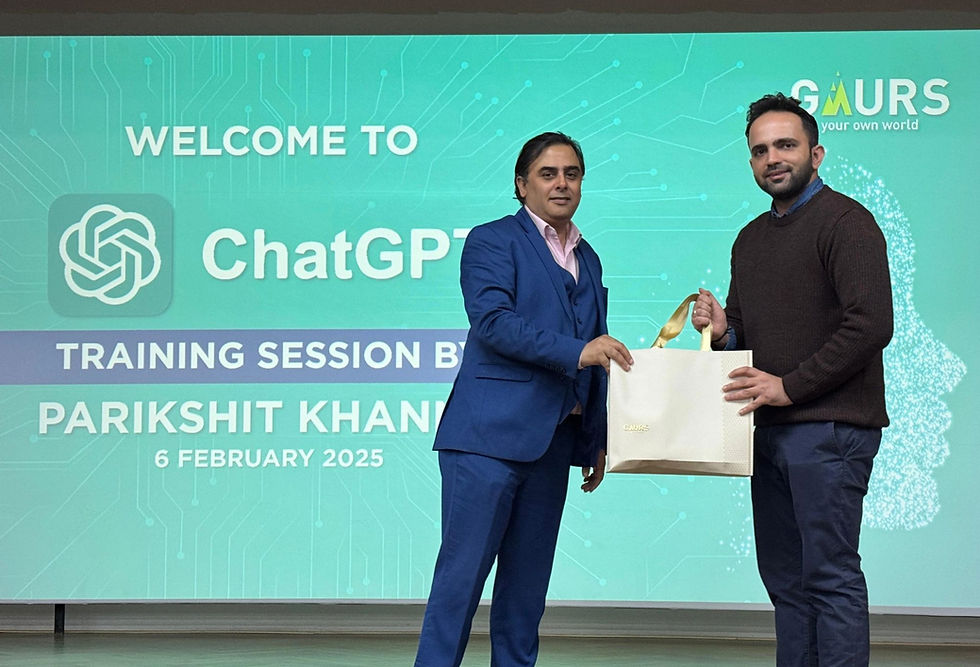
To discuss training for your team, message Parikshit Khanna on WhatsApp at +91 99972 13177 or email pkhanna123@gmail.com with your team size, tools and preferred dates.
A suggested learning plan to agree before booking
Use the following sequence as a planning template. The actual timetable, depth and deliverables should be agreed for the cohort rather than assumed from the page.
Readiness: check the audience, account access, approved files and learning goals.
Prompt design: specify the task, context, output format and boundaries.
First lab: build and check a presentation outline with source notes.
Second lab: practise identify overdue dependencies with a new sample.
Peer review: find unsupported claims, missing information and unclear ownership.
Repeat and hand over: complete a fresh case and agree the follow-up owner.
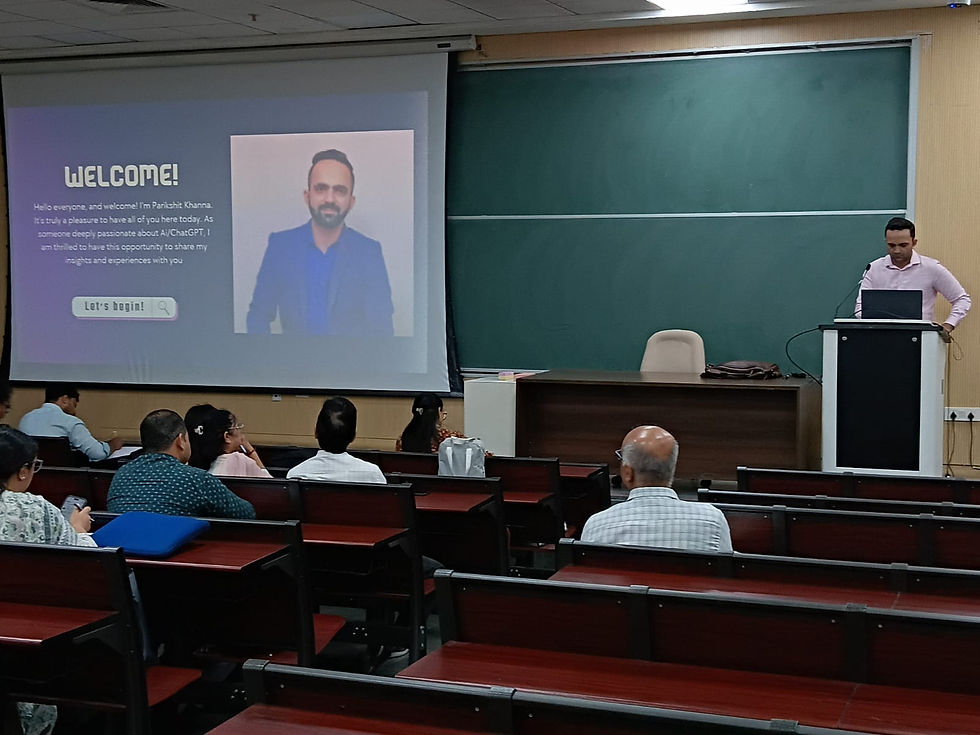
About the facilitator
Parikshit Khanna is the founder of Digital Training Jet, a corporate AI trainer, TEDx speaker and visiting faculty at GL Bajaj Institute of Management and Research. He reports having trained 3,50,000+ professionals. This is a trainer-reported figure, not an independently audited outcome.
Ask for relevant sample materials and portfolio evidence that may be shared. Discuss the work your team needs to complete before selecting the programme.

Sources
Microsoft Partner Center announcements, November 2026 (Copilot Chat limits)
Microsoft Partner Center announcements, October 2026 (new Copilot offers from 1 December)
Microsoft Tech Community: What's new in Microsoft Copilot, October 2026
Changing Social: What's new in Microsoft Copilot, November 2026
TEDx talk by Parikshit Khanna: Redesigning Work with Artificial Intelligence
Related Copilot training guides
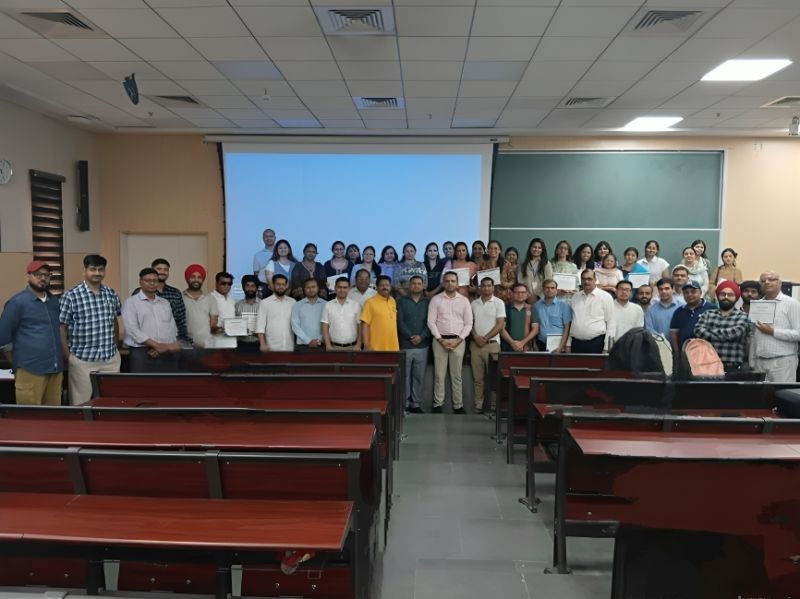
Discuss your team's training requirement
Send your participant roles, headcount, city or online preference, Microsoft access and two recurring tasks. Scope, availability, preparation, deliverables and fees are confirmed in a written proposal.
Email: pkhanna123@gmail.com | WhatsApp: +91 99972 13177
Source review: 6 November 2026. Microsoft links above describe product capabilities and conditions. The exercises on this page are suggested training activities; they do not promise automatic approval, deployment or a guaranteed productivity result.
Photos from Parikshit Khanna's training sessions
These are real photographs from sessions, workshops and the TEDx talk delivered by Parikshit Khanna. They are shown as examples of his work and are not specific to Mumbai or to any one client on this page.
Small team working on laptops around a meeting table during a corporate AI session with Parikshit Khanna Parikshit Khanna speaking on stage at TEDxEicher School Faridabad Youth, August 2026 Group photo from the Generative AI and ChatGPT training at the National Academy of Broadcasting and Multimedia, Delhi, with Parikshit Khanna Managers working on laptops during a hands on corporate AI session with Parikshit Khanna Parikshit Khanna on the TEDxEicher School Faridabad Youth stage giving his talk Redesigning Work with Artificial Intelligence Participants working on laptops at a shared table during a corporate AI training session
AI generated illustrations
The three images below are AI generated illustrations, not photographs.
AI generated illustration for Microsoft Copilot training for teams in India AI generated illustration for Claude AI training for teams in India AI generated illustration for agentic AI training for teams in India
Want a session like this for your team in Mumbai? Send your team size, departments and two preferred dates, and you will get an agenda and one clear quote.
Parikshit Khanna's updated training experience (November 2026)
Parikshit Khanna is an AI trainer, TEDx speaker and the founder of Digital Training Jet. His session records, reviewed through Monday 9 November 2026, list 121 entries: 57 corporate clients, 31 colleges, universities and schools, 29 NGOs, hospitals, associations and training partners, and 4 international live online engagements. Digital Training Jet programmes have reached more than 3,50,000 professionals.
Recent Microsoft Copilot training
GMR Airports, Delhi Duty Free: Microsoft 365 Copilot Chat, 5 September 2026, Delhi IGI Airport
Godrej Properties (INNOV8-NZ): Copilot Chat enablement and prototype support, 24 August and 4 September 2026
CP PLUS (Aditya Infotech): three AI and Microsoft Copilot workshops, 8 to 10 October 2026, Noida
Padmini VNA Mechatronics: GenAI foundations and Microsoft 365 Copilot, 12 October 2026, Gurugram
Hero Future Energies: Microsoft Copilot and GenAI for business productivity, February and March 2026
Malabar Group, Dubai International Hub: Copilot foundations for finance, accounts, audit and MIS, 1 to 2 July 2026, live online
vivo India: Practical AI for Daily Work using ChatGPT and Copilot, 2 September 2026, Gurugram
Recent programmes across Claude, ChatGPT and Copilot
RMZ Real Assets: GenAI Mastery with Claude, ChatGPT and Copilot for leadership and business teams, 9 to 10 July 2026
Franklin Templeton Asset Management (India): Unlocking the Power of AI, 5 November 2026, online
Sheela Foam (Sleepwell): AI for All and GenAI foundations for manufacturing and corporate batches, January to April 2026
Tata Power Skill Development Institute: practical AI for energy and operations teams, 9 May 2026, Mulshi
Industries covered
Manufacturing, pharmaceuticals, real estate, banking and asset management, FMCG, fashion retail, airports and travel retail, telecom, energy, logistics, healthcare and education.
Credentials
TEDx talk: Redesigning Work with Artificial Intelligence, TEDxEicher School Faridabad Youth, 1 August 2026
Anthropic Academy courses completed: Claude 101, Claude Cowork, and AI Capabilities and Limitations
Visiting faculty at GL Bajaj Institute of Management and Research, teaching AI, digital marketing and marketing analytics
Hands on sessions for hospitals and medical associations, including CARE Hospitals Hyderabad and the Indian Academy of Pediatrics
How Parikshit Khanna compares with typical top trainer profiles
Most buyers compare a short list of trainers. This table sets Parikshit Khanna's record against the trainer profiles you will usually see in that list.
When comparing providers, ask each for a relevant sample agenda, evidence of experience, an exercise using approved sample data, the delivery format, data-handling approach and a written fee. Compare the answers against your team’s goals and licences.
This table describes common trainer profiles, not named individuals. Whoever you shortlist, ask for client references, a sample agenda and recent work in your industry before you decide.
Want the same results for your team? Message Parikshit Khanna with your team size, departments, tools and two preferred dates. You will get an agenda built around your own work and one clear quote.
Microsoft Copilot training in Mumbai: how the options compare
There are four main ways to learn Microsoft Copilot in Mumbai. The right one depends on whether you need a certificate for one person or real results for a whole team.
Option | Format | Best for | Tailored to your team's own work? |
Parikshit Khanna, Digital Training Jet | Onsite at your Mumbai office or live online, 1 to 5 days | BFSI, media, real estate and corporate teams that want Copilot working on their own files | Yes. Built around your department tasks, licences and data rules |
Microsoft Learn (free) | Self paced modules and learning paths | Individuals starting with Copilot Chat | No. Generic exercises |
Certification course providers, for example Multisoft Systems (live online for Mumbai) and The Knowledge Academy | Instructor led classroom or live online, Microsoft course outlines | IT admins and staff who want a course certificate | Partly. Follows a fixed Microsoft syllabus |
Online platforms such as Udemy, Coursera and LinkedIn Learning | Recorded video | Self learners on a budget | No |
Provider examples were checked on each provider's own website on Monday 9 November 2026. We have not attended their courses, so compare the current syllabus, trainer and fees directly before you decide.
What Microsoft Copilot costs and includes in India (checked Monday 9 November 2026)
Microsoft 365 Copilot Chat is available at no additional cost for work accounts (Microsoft Entra) with an eligible Microsoft 365 subscription. Many teams already have it and do not use it.
Microsoft 365 Copilot, which works inside Word, Excel, PowerPoint, Outlook and Teams with your work data, is a paid add on. Its list price in India is ₹2,495 per user per month on annual billing, GST extra, as shown by Microsoft partners.
Microsoft 365 Copilot Business is for organisations with up to 300 users. Its standard price is US$21 per user per month, and partners in India quote from about ₹1,745 per user per month on annual billing.
Microsoft Learn has free Copilot learning paths. They are a good warm up before a hands on workshop.
Sources: Microsoft 365 Copilot for business (India); Embee Microsoft 365 price list; AlphaBold Copilot pricing guide; PrecisionTech Copilot Business India; Microsoft Learn: Get started with Microsoft 365 Copilot.
Book Microsoft Copilot training for your team in Mumbai
Share your team size, departments, the tools you already pay for and two preferred dates. Parikshit Khanna, founder of Digital Training Jet, will reply with an agenda built around your own work and a single clear quote.
The Copilot training team
Parikshit Khanna leads Microsoft Copilot training and is the single point of contact for every enquiry. For larger or more technical programmes he works with two trainers.
Ashesh Shah of Fusion Informatics has more than 27 years of industry experience and supports multi session corporate Copilot and generative AI programmes.
Rushabh Mehta, based in Mumbai, supports AI agent, n8n and automation modules.
Contact Parikshit Khanna
Send your enquiry on WhatsApp at +91 99972 13177 or by email to pkhanna123@gmail.com or parikshitkhanna@digitaltrainingjet.com. Please share your team size, city or online preference, Copilot licences and preferred dates.
Copilot training: questions before booking
Which Copilot licences do participants need?
The agenda depends on the Microsoft accounts, licences, app access and administrator settings available to your team. Eligible users may have access to Copilot Chat without the Microsoft 365 Copilot add-on; app features, work data access and agents vary by plan and configuration.
How do we prepare for a safe hands-on session?
Ask your IT team to confirm access, permissions and data-handling policies. Use fictional or approved material during practice, and check AI-generated content before sharing it.
How do we request a tailored proposal?
Share your team size, roles, location or online preference, Microsoft 365 access, priority tasks and preferred dates by WhatsApp or email.
Practical Copilot exercise for business teams
Illustrative exercise: Use a fictional meeting brief to draft decisions, actions and unanswered questions, citing the source notes where supported.
Review before use: A team owner checks the original notes, assigned owners and due dates before sharing.
How to get private AI coaching with Parikshit Khanna
Parikshit Khanna offers private one to one AI coaching, booked online through Topmate. Prices below are as listed on Topmate on Friday 13 November 2026.
1:1 AI Coaching for ChatGPT, Claude and Copilot: 90 minutes, ₹7,500.
1:1 Claude AI Mastery for professional workflows: 120 minutes, ₹10,000.
1:1 AI Workflow Sprint: a 3 hour hands on session, ₹15,000.
Prefer to learn on your own? Start with a book
Frequently asked question
What should a team check before this exercise?
Choose approved sample notes and confirm the relevant Microsoft 365 licence, tenant settings and access permissions. Features vary by plan and configuration.


