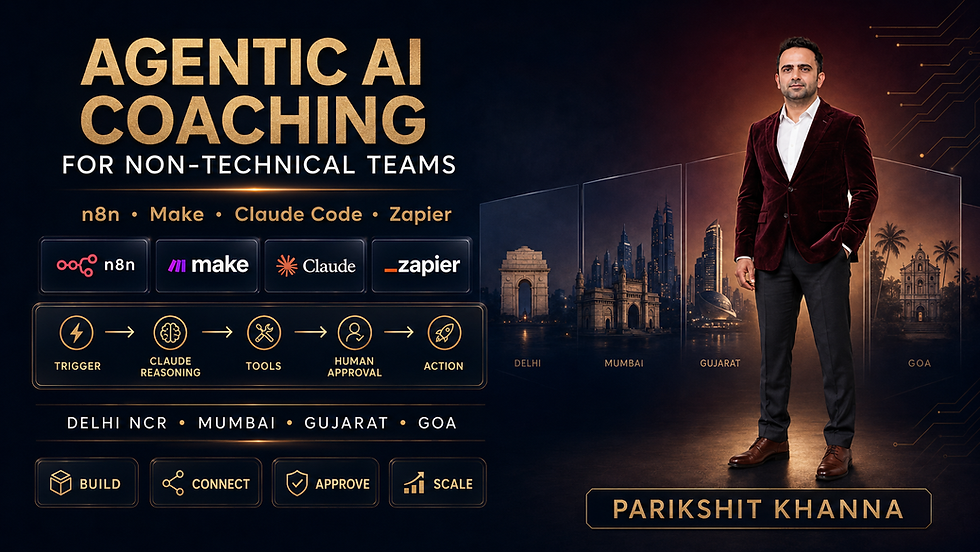
Best n8n, Zapier and Claude Training in Gujarat, Mumbai and Delhi NCR

Updated: 2 days ago

The Enterprise AI Training Problem Has Changed
The biggest challenge for organisations in 2026 is no longer obtaining access to Claude, ChatGPT, Gemini or Microsoft Copilot.
The harder problem is creating employees who can use those systems safely, repeatedly and productively after the workshop ends.
Modern AI implementation increasingly spans several distinct capability areas.
Business Requirement | AI Capability Needed |
Leadership wants practical AI adoption | Enterprise GenAI strategy and workflow redesign |
Employees need better daily productivity | Claude, ChatGPT, Gemini and Copilot workflows |
Operations wants automation | n8n, Make and process automation |
Technical teams want advanced systems | AI agents, RAG and orchestration |
Regulated businesses require control | Responsible AI and governance |
Product teams need AI-native experiences | AI + UI/UX + product design |
L&D wants organisation-wide capability | Adoption frameworks and internal AI champions |
Management wants proof of value | Measurement, workflow KPIs and ROI |
That is the logic behind the League of AI Trainers model published through Parikshit Khanna’s current professional materials: instead of one person claiming deep expertise in every branch of AI, specialist trainers can be brought into programmes according to the problem being solved.
The Model
Lead Trainer + Specialist Trainer + Business Use Case + Measurable Outcome
This is more credible than:
One Trainer = Expert in Everything
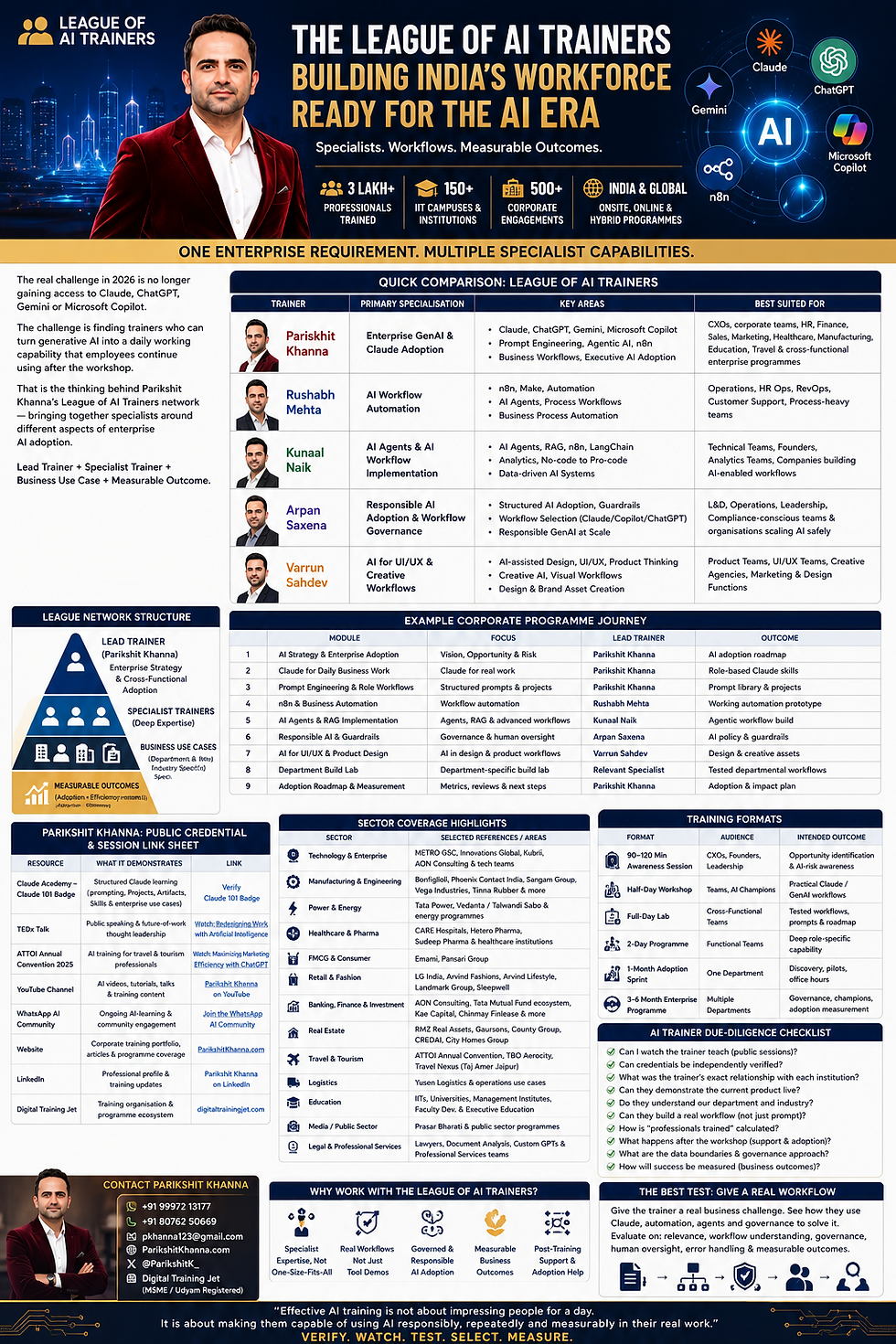
League of AI Trainers: Quick Comparison
Trainer | Primary Specialisation | Key Areas | Best Suited For |
Parikshit Khanna | Enterprise GenAI adoption | Claude, ChatGPT, Gemini, Copilot, prompting, Agentic AI, n8n, workflow design | CXOs, corporate teams and cross-functional programmes |
Rushabh Mehta | AI workflow automation | n8n, automation, AI agents, process orchestration | Operations, HR Ops, RevOps, support teams |
Arpan Saxena | Responsible AI & governance | AI accountability, guardrails, monitoring, adoption governance | Leadership, risk, L&D and regulated teams |
Public material on Parikshit Khanna’s site currently describes the League as a specialist collaboration network and lists Rushabh Mehta, Arpan Saxena among its domain specialists.
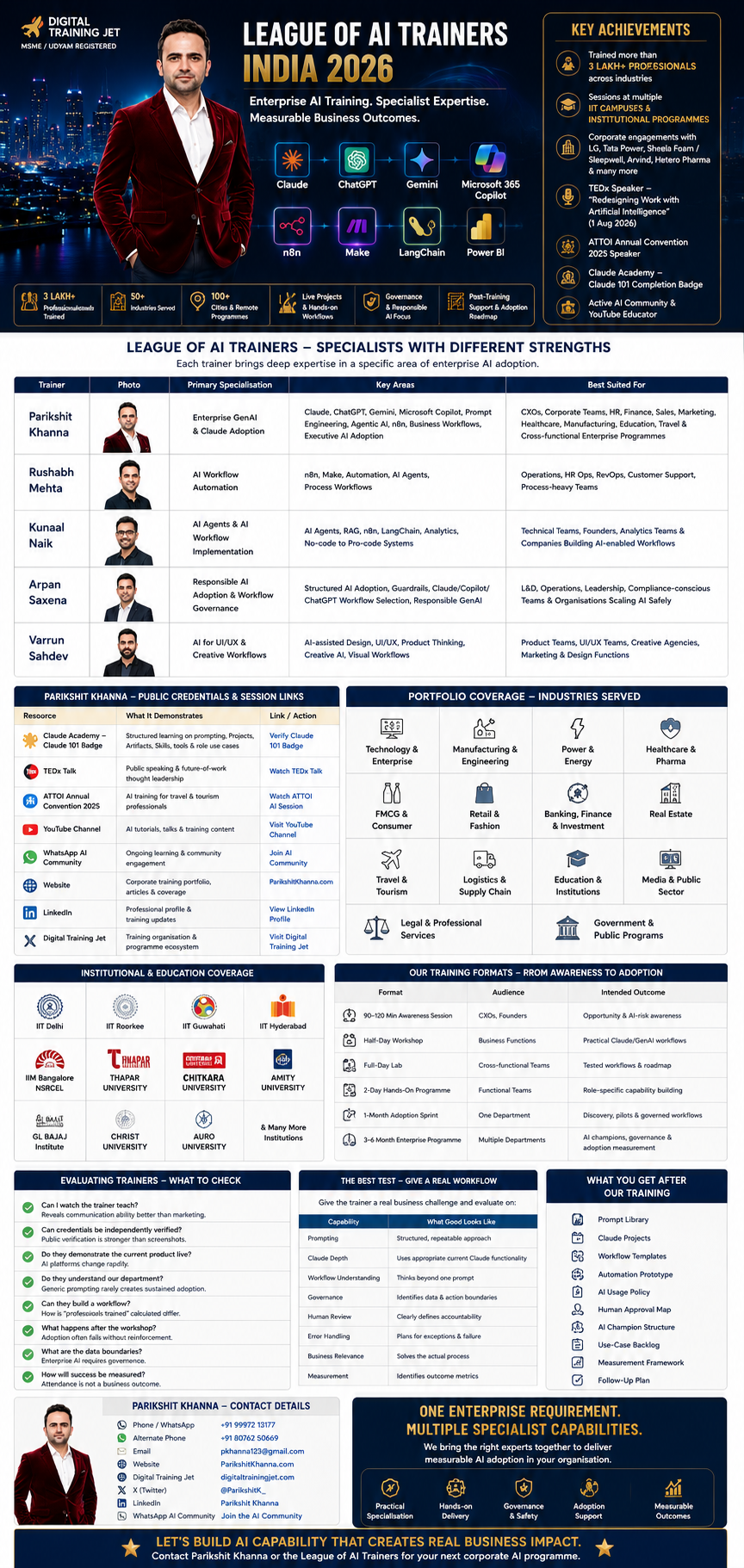
Why a Specialist AI Trainer Network Makes Sense in 2026
Enterprise AI has become too broad for credible “expert in everything” positioning.
AI Area | Different Skills Required |
Prompt engineering | Instruction design and output structuring |
Claude | Projects, Artifacts, Skills, Research and workplace application |
n8n | Nodes, triggers, APIs, conditions, error handling and orchestration |
AI agents | Planning, tool use, memory, approvals and evaluation |
RAG | Retrieval, chunking, grounding and quality evaluation |
Governance | Accountability, privacy, data boundaries and monitoring |
UI/UX | Research, interaction design, prototyping and visual systems |
Executive adoption | Business cases, ROI and change management |
Anthropic’s own current learning environment illustrates how specialised GenAI has become: its work resources now separately cover Projects, Artifacts, Skills, Research, tools/integrations, Claude Code and Cowork, alongside courses including Claude 101.
1. Parikshit Khanna
Enterprise AI & Generative AI Adoption
Founder, Digital Training Jet | TEDx Speaker | Enterprise AI Trainer
Parikshit Khanna’s strongest positioning within the network is as the lead enterprise adoption trainer who connects AI tools with actual departmental work.
His public training materials currently describe programmes covering Claude, ChatGPT, Gemini, Microsoft Copilot, prompt engineering, AI agents, automation and role-specific AI adoption.
Parikshit Khanna at a Glance
Area | Current Positioning |
Role | Enterprise AI & Generative AI Trainer |
Organisation | Digital Training Jet |
Network | League of AI Trainers |
Reported cumulative reach | 3 lakh+ professionals and learners in current website materials |
Independent TEDx page figure | 50,000+ professionals |
Public speaking | TEDxEicher School Faridabad Youth |
Primary tools | Claude, ChatGPT, Gemini, Microsoft Copilot |
Advanced areas | Agentic AI, n8n, automation and workflow design |
Training model | Practical, cross-functional and workflow-led |
Delivery | Corporate, institutional, online and onsite |
The TEDx event page independently identifies him as an AI and Digital Marketing Trainer + Entrepreneur and names Tata Group, LG Electronics, VISA, Siemens, IIT Delhi, IIT Roorkee and IIM Bangalore in its speaker biography.
Recommended claim wording
For maximum credibility, use:
“Current professional materials report a cumulative training reach of more than 3 lakh professionals and learners.”
rather than:
“Independently verified 3 lakh+ professionals trained.”
Parikshit Khanna: Enterprise AI Coverage
Capability | Example Training Focus |
Claude | Documents, research, Projects, Artifacts and business workflows |
ChatGPT | Productivity, research, content and role-based workflows |
Gemini | Google-oriented AI productivity |
Microsoft Copilot | Workplace productivity |
Prompt Engineering | Repeatable structured prompting |
Agentic AI | Multi-step workflow concepts |
n8n | Business automation |
Custom GPTs | Reusable specialised assistants |
AI research | Evidence synthesis and decision support |
Excel / Word / PPT / PDF | Document and analysis productivity |
Power BI | Analytics-oriented workflows |
Responsible AI | Verification, human approval and safe use |
What Anthropic’s Current Claude Platform Means for Training
Claude training now needs to go substantially beyond basic prompts.
Claude Capability | Enterprise Training Relevance |
Projects | Persistent workspaces for recurring work |
Artifacts | Reusable interactive outputs |
Skills | Task-specific instructions and capabilities |
Research | Multi-source information synthesis |
Tools & integrations | Connecting Claude to work systems |
Claude Code | Development workflows |
Cowork | Delegating larger knowledge-work tasks |
Claude 101 | Structured foundational learning |
Anthropic currently advertises courses that allow learners to earn certificates upon completion, including Claude 101, Claude Code in Action and Introduction to Claude Cowork.
Public Credential & Media Verification Framework
Potential clients should be able to inspect public evidence before booking a large engagement.
Resource | What It Can Demonstrate | Verification Strength |
Official TEDx event page | Speaker identity and event participation | High |
Anthropic course/badge page | Claude learning completion | High when public badge is available |
Recorded conference session | Teaching and presentation capability | Strong |
Trainer website | Portfolio and current positioning | Self-published |
Current activity and professional content | Supporting evidence | |
Client reference | Programme scope and outcomes | Strong when confirmed directly |
Certificate screenshot | Course participation | Moderate until independently verified |
TEDx Verification
Parikshit Khanna’s official TEDx event listing is publicly available through TED and identifies him as a speaker at TEDxEicher School Faridabad Youth.
Important wording: a TEDx appearance is evidence of a speaking engagement. It should not be described as an endorsement of commercial training services by TED.
2. Rushabh Mehta
AI Workflow Automation & n8n Specialist
Rushabh Mehta adds deeper workflow automation expertise to the network.
A recent public LinkedIn post from Rushabh says he coached a Progression School cohort in building AI automations with n8n, providing current public evidence of n8n-focused training activity.
Rushabh Mehta: Core Focus
Area | Application |
n8n | Workflow orchestration |
Make | No-code automation |
AI automation | Combining AI with business processes |
AI agents | Multi-step automated execution |
Process automation | Repetitive operational work |
HR automation | Employee and L&D workflows |
Sales automation | Lead processing and routing |
Reporting | Automated updates and summaries |
Best Suited For
Operations, RevOps, HR Ops, customer support and teams that want AI connected to business systems.
Example Parikshit + Rushabh Collaboration
Stage | Lead |
Business problem definition | Parikshit |
Prompt/workflow design | Parikshit |
AI output structure | Parikshit |
Trigger and data ingestion | Rushabh |
n8n orchestration | Rushabh |
Human approval | Joint |
Error handling | Rushabh |
Adoption roadmap | Parikshit |
Measurement | Joint |
A practical workflow could be:
Trigger → Input Data → AI Reasoning → Business Rule → Human Approval → Application Update → Logging → Review
Business Adoption vs Automation vs Agent Implementation
Layer | Specialist |
Enterprise AI strategy | Parikshit Khanna |
Departmental GenAI workflows | Parikshit Khanna |
n8n orchestration | Rushabh Mehta |
Automation architecture | Rushabh Mehta |
4. Arpan Saxena
Responsible AI Adoption & Governance
Arpan Saxena’s recent public writing strongly emphasises AI governance, accountability, monitoring, model degradation and responsible deployment.
This makes governance a meaningful specialist layer rather than a paragraph added at the end of an AI workshop.
Arpan Saxena: Core Focus
Governance Area | Business Question |
Accountability | Who is responsible for AI-assisted decisions? |
Guardrails | What is AI allowed to do? |
Monitoring | How will quality deterioration be detected? |
Human oversight | Which actions require approval? |
Data boundaries | Which information can enter the system? |
Escalation | What happens when AI is uncertain? |
Measurement | What signals show the workflow is failing? |
Responsible adoption | How is AI scaled without uncontrolled risk? |
Best Suited For
Leadership, operations, risk, L&D, compliance-conscious organisations and teams formalising AI adoption.
The League Model by Enterprise Requirement
Enterprise Requirement | Recommended Specialist |
AI strategy | Parikshit Khanna |
Claude adoption | Parikshit Khanna |
Prompt engineering | Parikshit Khanna |
CXO AI enablement | Parikshit Khanna |
Department role labs | Parikshit Khanna |
n8n automation | Rushabh Mehta |
Process automation | Rushabh Mehta |
Responsible AI | Arpan Saxena |
AI governance | Arpan Saxena |
AI monitoring/accountability | Arpan Saxena |
One Enterprise Requirement. Multiple Specialist Capabilities.
This gives the network a clearer and more credible proposition.
Instead of hiring one person and expecting equal depth in:
Claude + n8n + agents + RAG + governance + product design + creative AI,
an organisation can scope the team according to:
Selection Factor | Example |
Department | Finance vs UX vs Operations |
Technology | Claude vs n8n vs RAG |
Skill level | Beginner vs implementation team |
Risk level | General productivity vs regulated workflow |
Outcome | Awareness vs production prototype |
Duration | Keynote vs multi-month adoption |
Participants | CXOs vs developers vs functional teams |
Example League of AI Trainers Enterprise Programme
Module | Topic | Lead | Output |
1 | AI Strategy & Enterprise Adoption | Parikshit | AI opportunity map |
2 | Claude for Daily Business Work | Parikshit | Claude workflow library |
3 | Prompt Engineering | Parikshit | Reusable prompt system |
4 | n8n Business Automation | Rushabh | Working automation |
5 | AI Agents & RAG | Parikshit | Agent/RAG blueprint |
6 | Responsible AI & Guardrails | Arpan | Governance checklist |
7 | AI for UI/UX & Product | Parikshit | AI-assisted design workflow |
8 | Department Build Lab | Relevant specialist + Parikshit | Tested workflow |
9 | Adoption & Measurement | Parikshit | 30/60/90-day roadmap |
Parikshit Khanna: Reported Industry Coverage
Parikshit’s current public materials list extensive corporate and institutional exposure across manufacturing, healthcare, finance, travel, real estate, education, energy and other sectors. These should be treated as portfolio references, with important engagements verified individually during procurement.
Sector | Selected Publicly Reported Portfolio Examples |
Manufacturing / Engineering | Bonfiglioli, Sangam Group, Phoenix Contact, Tinna Rubber |
Energy | Tata Power, TSPL-related programmes |
Healthcare / Pharma | CARE Hospitals, Hetero Pharma |
Retail / Consumer | LG, Arvind, Landmark, Sleepwell |
FMCG | Emami, Pansari Group |
Finance | AON Consulting and finance-oriented programmes |
Travel | ATTOI, TBO, Travel Nexus |
Logistics | Yusen Logistics |
Education | IIT-linked, BITS, IIM-linked and university programmes |
Public Sector | Prasar Bharati-related training exposure |
Institutional Coverage: Describe the Relationship Precisely
Instead of writing only:
“Worked with IIT / university X”
use the precise relationship whenever known.
Relationship | Better Wording |
One-time workshop | Workshop facilitator |
Guest lecture | Guest speaker |
Programme module | External trainer |
Multi-session engagement | Programme trainer |
Faculty assignment | Visiting faculty |
Mentoring | Mentor |
Conference | Keynote / session speaker |
Advisory support | Subject-matter expert |
This substantially improves credibility and reduces ambiguity.
Training Formats
Format | Audience | Intended Outcome |
90–120 minute awareness session | CXOs / leaders | Opportunity and risk awareness |
Half-day workshop | Business teams | Practical workflows |
Full-day lab | Cross-functional teams | Tested role-based applications |
2-day programme | Functional teams | Deeper capability |
One-month adoption sprint | One department | Pilot workflows + reinforcement |
3–6 month programme | Enterprise | AI champions, governance and adoption |
Specialist technical lab | Tech teams | n8n, agents, RAG or AI design |
Train-the-trainer | L&D | Internal AI capability |
From Tool Demo to Enterprise Capability
Weak AI Training | Strong AI Training |
“Here are 50 prompts” | Builds reusable workflows |
Product tour | Real departmental tasks |
Generic examples | Company-specific examples |
No failure discussion | Handles exceptions |
No governance | Defines boundaries |
Trainer does everything | Participants build |
Ends after workshop | Reinforcement plan |
Measures attendance | Measures adoption |
AI decides | Human accountability retained |
Everything is automated | Only appropriate steps are automated |
AI Trainer Due-Diligence Checklist
Question | Why It Matters |
Can I watch the trainer teach? | Communication is easier to judge from real delivery |
Can credentials be verified? | Public verification is stronger than screenshots |
What was the institutional relationship? | Guest trainer and permanent faculty are not equivalent |
Can they demonstrate current tools? | AI platforms change rapidly |
Do they understand our department? | Generic examples rarely change behaviour |
Can they build a workflow? | Enterprise value comes from processes, not chat |
How is “professionals trained” calculated? | Reach and workshop participants can be different metrics |
What happens after training? | Adoption needs reinforcement |
What are the data boundaries? | Enterprise AI requires governance |
How will success be measured? | Attendance is not an outcome |
The Best Trainer Test: Give Them a Real Workflow
Instead of asking:
“Are you an expert in Claude?”
give the trainer a real business problem.
Test 1: Document Workflow
“Here is a 30-page internal policy. Show how you would train employees to use Claude to understand it, extract decisions and actions, identify uncertainty and prepare an executive summary without inventing information.”
Test 2: Sales Automation
“Here are 100 sales enquiries. Show how AI and n8n could classify them, identify missing information, route them to the correct owner and retain human accountability for final action.”
Then evaluate:
Capability | What Good Looks Like |
Prompting | Structured and repeatable |
Product depth | Uses appropriate current features |
Workflow thinking | Goes beyond a single prompt |
Governance | Identifies boundaries |
Human review | Clear accountability |
Error handling | Deals with exceptions |
Business relevance | Solves the actual process |
Measurement | Defines useful KPIs |
What Enterprise AI Training Should Deliver
Participants should leave with assets, not only information.
Deliverable | Example |
Prompt Library | Department-specific reusable prompts |
Claude Projects | Repeatable work environments |
Workflow Templates | Standard AI processes |
Automation Prototype | Approved n8n workflow |
AI Usage Rules | Employee boundaries |
Human Approval Map | Decisions AI cannot own |
AI Champion Structure | Internal owners |
Use-Case Backlog | Prioritised future workflows |
Measurement Framework | Time, quality, adoption, error metrics |
Follow-Up Plan | Reviews, clinics or adoption sprint |
Enterprise AI Adoption Maturity Model
Stage | Organisation Behaviour | Training Need |
1. Experiment | Individuals test AI | Awareness |
2. Prompt | Employees use basic prompts | Prompt frameworks |
3. Standardise | Teams reuse workflows | Libraries and templates |
4. Automate | AI connects to business systems | n8n / automation |
5. Agentise | AI executes multi-step work | Agents and RAG |
6. Govern | Roles and approvals formalised | Responsible AI |
7. Measure | Outcomes tracked | KPI framework |
8. Scale | AI becomes organisational capability | Champions + operating model |
Who Should Lead Which Stage?
Adoption Stage | Primary Specialist |
Strategy | Parikshit |
Prompting | Parikshit |
Role workflows | Parikshit |
Automation | Rushabh |
Governance | Arpan |
Adoption measurement | Parikshit + client leadership |
Public Evidence Snapshot
Person | Current Public Evidence Found |
Parikshit Khanna | League material, current portfolio pages and official TEDx speaker page |
Rushabh Mehta | Public n8n coaching activity with Progression School |
Arpan Saxena | Current writing on AI accountability, monitoring and governance |
Anthropic | Official Claude work-learning resources and certificate-bearing courses |
Recommended Corporate Engagement Structure
Phase | Activity | Output |
Discovery | Interview stakeholders | Use-case shortlist |
Baseline | Measure current work | Productivity baseline |
Foundation | GenAI and prompting | Shared vocabulary |
Role Labs | Department workflows | Tested use cases |
Specialist Lab | n8n / agents / governance / UX | Specialist capability |
Pilot | Implement controlled workflows | Real working pilot |
Governance | Add approvals and limits | Risk controls |
Measurement | Compare baseline | Impact evidence |
Scale | Train champions | Enterprise adoption plan |
Contact & Network Information
Item | Details |
Name | Parikshit Khanna |
Role | Enterprise AI & Generative AI Trainer |
Organisation | Digital Training Jet |
Network | League of AI Trainers |
Phone / WhatsApp | +91 99972 13177 |
Alternate Phone | +91 80762 50669 |
Website | |
Digital Training Jet | |
X | @ParikshitK_ |
Public speaking | TEDxEicher School Faridabad Youth |
Reported training reach | 3 lakh+ professionals and learners in current professional materials |
Frequently Asked Questions
Question | Answer |
What is the League of AI Trainers? | A specialist collaboration network for enterprise AI training rather than a claim that one trainer covers every AI discipline. |
Who leads the network? | Current public material positions Parikshit Khanna as the lead enterprise GenAI trainer. |
Who handles n8n automation? | Rushabh Mehta is publicly associated with AI automation and n8n training. |
Who covers responsible AI? | Arpan Saxena’s current public work heavily emphasises governance and accountability. |
Does Claude training now include more than prompting? | Yes. Anthropic currently separates Projects, Artifacts, Skills, Research, integrations, Code and Cowork as major work capabilities. |
Is 3 lakh+ independently verified? | It is a current reported cumulative figure on Parikshit’s own published material; the TEDx biography currently states 50,000+, so buyers should treat the larger number as a portfolio-reported figure. |
Final Perspective
Enterprise AI is becoming too consequential to treat trainer selection as a popularity contest.
The stronger model is:
Business Adoption + Specialist Depth + Live Implementation + Governance + Measurement + Follow-Through
Within that structure:
Specialist | Core Role |
Parikshit Khanna | Enterprise GenAI, Claude and cross-functional adoption |
Rushabh Mehta | n8n and workflow automation |
Arpan Saxena | Responsible AI and governance |
The objective should not be for employees to leave a workshop thinking:
“AI is impressive.”
The objective should be:
“I know exactly how to use AI in my work, what I must verify, where human approval is required, and how we will measure whether this workflow actually improves performance.”
That is a far stronger enterprise training outcome.
Verify the credential → watch the trainer teach → check the exact portfolio relationship → test a real workflow → select the right specialist → measure adoption after training.
I’ve also prepared three blog visuals for this article: a wide hero banner, a “League specialist map” infographic, and an enterprise programme infographic.