Canva AI Training in India for Business and Marketing Teams

Practical Canva AI training in India for teams that create presentations, social posts, reports and marketing material every week. Your people learn Canva AI tools, Brand Kits, brand templates and team workflows, so designs stay on brand and get done faster. Sessions are hands-on, online or onsite, and every AI output is reviewed by a person before use.
3,50,000+ professionals trained
Brand Kits, templates and Canva AI
Online or onsite across India
Why teams choose Parikshit Khanna: 3,50,000+ professionals trained, TEDx speaker, sessions at IIT Delhi, IIT Roorkee and IIT Guwahati, teams trained at Arvind Fashions, Sheela Foam, Emami, Godrej Properties and GMR Delhi Duty Free, and a 4.7 out of 5 learner rating on Topmate.

Full programme page: Canva AI Training programme page
Why Canva AI training matters for business teams
Almost every team in an Indian company now makes visual content: sales decks, HR announcements, social posts, event creatives and monthly reports. Canva makes this easier, but many teams use only a small part of it. Designs look different across departments, logos get stretched, old templates keep circulating and new AI tools go unused. The result is wasted time and a weaker brand. Structured training fixes this by teaching one shared way of working, built on Brand Kits, approved templates and careful use of Canva AI.
Canva's official pages describe a growing set of AI tools: design generation from a prompt inside the editor, a Photo Generator and Video Generator, Magic Write for text, Magic Resize, Magic Animate, Translate, Canva Code, and Magic Insights and Magic Formulas for data. Canva also says its AI learns a brand's fonts, colours and rules and can apply the Brand Kit. The training shows your team how to use these features well, and exactly where human judgement must take over.
The programme is led by Parikshit Khanna, founder of Digital Training Jet, who has trained 3,50,000+ professionals across many Indian companies. It builds on his existing Canva and digital marketing training, where AI is used as an assistant and every claim, brand detail and piece of customer data is checked by a person. No design background or coding is needed. Teams practise on real formats and leave with templates, checklists and a clear workflow they can use from the next day.

How the Canva training runs
Each programme follows five steps, from understanding your brand and current Canva setup to a workflow your team can keep using. This keeps the training practical and linked to real work.
Requirement review: We review your Canva plan, brand guidelines, team roles and the designs your teams make most.
Sample and brand setup: Practice files and brand assets are prepared, with sensitive details replaced by safe practice data.
Hands-on sessions: Participants practise Canva AI, templates and Brand Kits on real formats such as decks and posts.
Templates and checklists: Teams finish approved templates, a prompt list and a brand review checklist they can reuse.
Adoption plan: Each team leaves with a 30-day plan, named owners and a date to review progress.
Who this Canva programme is for
Marketing and brand teams. Teams that produce campaigns, social posts and brochures. They learn to build and use Brand Kits and templates, generate drafts with Canva AI, and keep assets consistent across channels.
Sales and business development. People who build pitch decks, proposals and product sheets. They learn to create clean presentations quickly from approved templates, without breaking brand rules or waiting for designers.
HR and internal communication. Teams that create announcements, onboarding kits, posters, certificates and event creatives. They learn to produce clear, consistent material and manage shared templates for every location.
Founders and small businesses. Owners who handle their own marketing. They learn to set up a brand foundation in Canva, use AI tools for faster content and avoid common design and copyright mistakes.
Leaders and managers. Managers who present reports and updates every month. They learn to turn data and documents into simple, readable presentations that support decisions, not just decorate slides.
Canva admins and brand owners. People who manage the Canva workspace for the organisation. They learn team setup, brand templates, folder structure and access rules that keep shared assets clean as the team grows.
What your team will be able to do
Set up a complete Brand Kit with logos, colours, fonts, Brand Voice and guidelines your team will use.
Create on-brand designs faster from brand templates instead of a blank page.
Use Canva AI design generation and Magic Write for first drafts, then edit them to brand standard.
Build clear business presentations with consistent layouts, readable charts and a strong story.
Plan and create a month of social media posts with consistent formats and approved messages.
Use Magic Resize and Translate to adapt one design for several channels and Indian language audiences.
Organise folders, shared templates and approvals so every team member finds the right assets quickly.
Check every AI-generated image, text and claim for accuracy, rights and brand fit before publishing.

Canva AI training modules
Eight practical modules, each with a live exercise and a clear output. Depth and order are adjusted to your Canva plan, your roles and the formats your teams create most often.
Module 1: Canva workspace and AI foundations
A clear tour of the Canva editor, workspace, folders and team features, then an overview of Canva AI. Canva says its AI tools are offered on the Free plan, with more on paid plans. Participants learn which tools their own plan includes and where to manage AI settings in privacy settings.
Exercise: List five weekly design tasks Canva AI could speed up. Output: Personal Canva AI task list
Module 2: Brand Kit setup and Brand Voice
A Brand Kit is the foundation of consistent design. Canva's help pages describe it holding logos, colour palettes, fonts, photos, graphics, icons, Brand Voice, videos, charts and guidelines. Participants learn how to structure each part, why admins and brand owners should control it, and how Canva AI uses brand fonts, colours and rules.
Exercise: Build a practice Brand Kit for a sample company. Output: Practice Brand Kit with guidelines
Module 3: Templates that scale across teams
Brand templates let every team start from an approved design. Participants create templates for decks, social posts, posters, certificates and reports, decide which elements may change, and organise them in shared folders. We cover naming, version habits and how to retire old designs so outdated logos and colours stop circulating.
Exercise: Convert one existing design into a reusable brand template. Output: Approved brand template for your team
Module 4: Canva AI for design and writing
Practical use of design generation from a prompt, Magic Write for headlines and copy, the Photo Generator and AI-powered elements. Participants write clear prompts with purpose, audience, format and tone, then edit results to brand standard. We also cover common problems: generic copy, wrong facts, odd images and off-brand colours.
Exercise: Generate a launch post with AI, then edit it to brand. Output: Edited launch post and prompt notes
Module 5: Presentations that persuade
Many business teams use Canva mainly for presentations. Participants learn slide structure, one idea per slide, readable fonts, brand charts and clean data visuals. They turn a document or outline into a short deck, use Magic Animate where it helps, and present directly from Canva. Sales and leadership examples are included.
Exercise: Build a seven-slide business update from a sample report. Output: Seven-slide branded business deck
Module 6: Social posts and content calendars
Social teams need speed and consistency. Participants plan a month of posts, create series templates and use Magic Resize to adapt one design for different platforms. Translate helps adapt designs for other languages, which matters in India, but every translation must be checked by a fluent reviewer. We also cover festival content and cultural sensitivity.
Exercise: Create a four-post series and resize it for two platforms. Output: Four-post series in two formats
Module 7: Video, data and Canva Code basics
Beyond static designs, Canva lists a Video Generator, AI voice and music tools, Canva Code for interactive content, and Magic Insights and Magic Formulas for data. Participants see where these fit in business work, such as short explainers, simple data visuals and interactive activities, and where specialist tools remain better. Every output is checked carefully.
Exercise: Create a simple data visual from a sample table and verify it. Output: Verified explainer or data visual
Module 8: Team workflow, rights and safe use
In this module, participants map who creates, reviews and approves designs, how comments and sharing should work, and how folders are organised. We cover image rights, licensed elements, customer data, and Canva Shield, which Canva describes as its approach to AI safety, privacy and security. Teams leave with a 30-day plan.
Exercise: Map your design approval flow and agree three brand rules. Output: Design workflow and 30-day plan
Canva AI use cases by department
Examples of everyday Canva work in Indian organisations. In every case, a person checks facts, brand details and rights before the design is shared or published.
Team | Practice task | Reviewable output |
Marketing | Create festive campaign creatives in several sizes from one approved master design. | Campaign set in all formats |
Sales | Build a client pitch deck from a brand template and a short product note. | Branded client pitch deck |
HR | Design onboarding kits, policy posters and employee certificates for every office location. | Consistent HR material across offices |
Leadership | Turn a monthly report into a short presentation with clear charts and key messages. | Monthly management review presentation |
Social media | Plan and design a month of posts with series templates and approved captions. | Monthly social content calendar |
Training and L&D | Create workshop slides, worksheets and quizzes with a consistent learning design. | Branded training slides and worksheets |
Real estate | Design project brochures and site visit invitations using approved, accurate project details. | Accurate brochures and invitations |
Retail | Produce store posters, offer creatives and WhatsApp-ready product cards from templates. | Store and product creatives |
What changes after Canva AI training


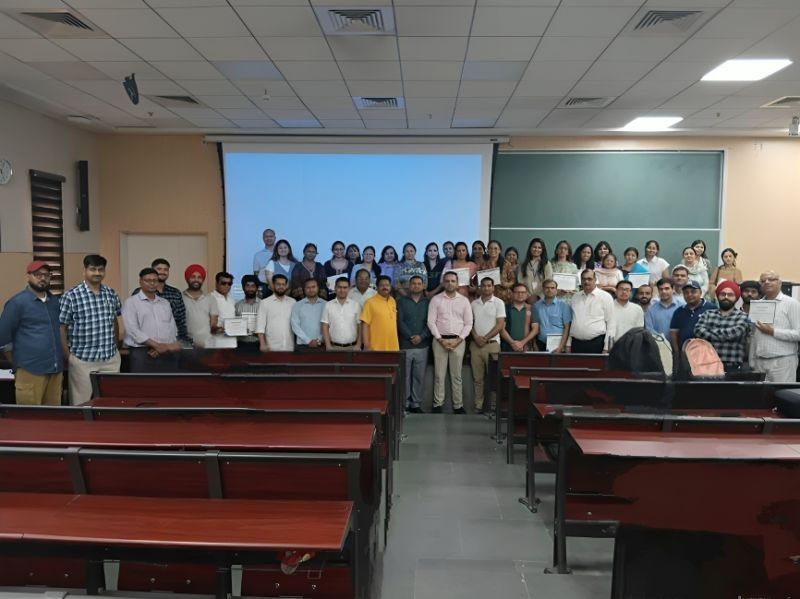
Canva training formats
Leadership and admin briefing (2 hours)
A focused session on Brand Kits, brand templates, team setup, Canva AI controls and governance. Leaders leave with a clear plan for how the organisation should use Canva and who owns which part.
Best for: Brand owners, marketing heads and Canva admins
Half-day workshop (4 hours)
Hands-on practice on the formats one team uses most, such as decks for sales or posts for marketing. Participants finish with templates, prompt notes and a brand review checklist for daily use.
Best for: One department starting with Canva AI
Full-day programme (6 to 7 hours)
All eight modules with practice on Brand Kits, templates, Canva AI, presentations, social content and workflow. Suited to organisations standardising Canva use across several departments or office locations at once.
Best for: Mixed teams needing complete Canva coverage
Private coaching (1 to 2 hours per session)
One-to-one sessions for founders or professionals who want personal guidance on Canva AI, presentations or brand setup. Scope is agreed in advance, and each session uses the participant's own sample work.
Best for: Founders, leaders and individual professionals
Dates, fees and inclusions are confirmed in a written proposal after a short scoping conversation.
Canva AI training across India, online and onsite
Indian teams create content for many audiences, across languages, regions, festivals and customer groups. For example, a design that works in Mumbai may need a different language or tone in Chennai or Guwahati. The training uses Indian examples, such as festive campaigns, regional language adaptation, dealer communication and WhatsApp-friendly formats, while teaching brand discipline that works anywhere. Sessions are delivered in clear English, with Hindi explanations where a group prefers it.
Parikshit is based in Delhi NCR and delivers onsite workshops across the region, and in other Indian cities when dates allow. Online sessions run live, with each participant working in Canva on their own laptop. Paid Canva plans are not assumed to be included. Your team uses the plan your organisation already has, and exercises are adjusted to it. Dates, mode and fees are confirmed in a written proposal after the requirement review.
Onsite cities: Delhi NCR, Mumbai, Bengaluru, Pune, Hyderabad, Chennai, Kolkata, Ahmedabad, Chandigarh, Jaipur, Lucknow, Guwahati, plus live online sessions anywhere in India.
Why train with Parikshit Khanna
Large training experience. Parikshit has trained 3,50,000+ professionals and leads Digital Training Jet, which he founded in 2020. His sessions focus on clear steps, live practice and outputs people keep.
Brands that trained with him. Teams at Arvind Fashions, Malabar Group, Emami, Sheela Foam (Sleepwell) and Gaursons have attended his training, with each programme shaped around their roles and work.
Marketing and AI together. Canva training here is linked to real marketing practice: audience, message, channel and measurement. Design is treated as communication, not decoration, and AI as a careful assistant.
TEDx speaker on AI. He delivered the TEDx talk 'Redesigning Work with Artificial Intelligence' at TEDxEicher School Faridabad Youth in August 2026, and brings that practical view of AI to every session.
Rated 4.7 out of 5. Learners rate his sessions 4.7 out of 5 on Topmate. He is co-author of 'Rejection to Redirection' and 'Digital Black', and has led sessions at IIT Delhi, IIT Roorkee and IIT Guwahati.
Current and verified. Canva adds features often. Every programme is checked against Canva's official pages before delivery, so your team learns the product as it is today, not as it was.
About Parikshit Khanna

Parikshit Khanna is a corporate AI trainer, TEDx speaker and the founder of Digital Training Jet, based in Delhi NCR. He helps Indian teams turn AI and digital tools into reliable daily workflows, with plain language, real work examples and clear review habits.
3,50,000+ professionals trained
TEDx talk: Redesigning Work with Artificial Intelligence (TEDxEicher School Faridabad Youth, 2026)
Sessions at IIT Delhi, IIT Roorkee and IIT Guwahati
Teams trained at Arvind Fashions, Sheela Foam, Emami, Godrej Properties, GMR Delhi Duty Free, Malabar Group and RMZ
Rated 4.7 out of 5 by learners on Topmate
Co-author of the books Rejection to Redirection and Digital Black
Safe use rules taught in every session
Check every AI-written headline, claim, price and date before a design is shared or published.
Use only images, fonts and music your organisation has the right to use commercially.
Do not upload customer lists, employee records or confidential plans into designs or prompts.
Have a fluent speaker review every translated design before it reaches customers or partners.
Label AI-generated images where platform rules, company policy or audience trust require it.
Frequently asked questions
Is Canva AI available on the free plan?
Canva states that Canva AI is offered on the Free plan, with more usage and advanced features on paid plans. Canva's help pages list Brand Kits for plans such as Pro, Teams, Business and Enterprise. We check your plan during the requirement review, so exercises match what your team can use.
Do participants need design experience?
No. The programme is built for business users, not only designers. We start with layout basics, brand rules and templates, then move to Canva AI. Designers also benefit, because they learn to set up Brand Kits and templates that let others create safely, which reduces routine requests.
Which Canva AI features do you cover?
We cover the tools Canva lists on its official pages at the time of training. In October 2026 these include design generation from a prompt, Magic Write, the Photo Generator and Video Generator, Magic Resize, Magic Animate, Translate, Canva Code, Magic Insights and Magic Formulas. Canva AI 2.0, a conversational way to create, is listed as coming soon.
Will you create our Brand Kit and designs for us?
The training does not include producing finished designs for you. Participants practise building a Brand Kit with sample assets, and your brand owner can build the real one during or after the session with guidance. The aim is that your team owns its Brand Kit and templates and maintains them itself.
Can the training be customised for our industry?
Yes. We ask for the designs your teams make most often, your brand guidelines and your sector. Exercises are built for your work, such as real estate brochures, retail offers or manufacturing catalogues. Confidential details are replaced with safe practice data.
Is the training online or onsite?
Both are available. Onsite workshops are delivered in Delhi NCR and other Indian cities, subject to dates and travel. Online sessions run live with screen sharing, and every participant works in Canva on their own laptop. Many organisations combine online batches with an onsite session for leaders.
How is this different from free Canva tutorials?
Free tutorials teach features one at a time. This programme gives your team a shared system: one Brand Kit, approved templates, review steps and a workflow for your organisation, with exercises built on your own formats and live feedback from the trainer.
Is our data safe when using Canva AI?
Canva describes Canva Shield as its approach to AI safety, privacy and security, and says it does not use your content to improve AI features unless consistent with your privacy controls. Admins on Business and Enterprise plans have extra controls. We still teach a simple rule: keep customer, employee and confidential data out of prompts.
Can the training cover Hindi and regional language designs?
Yes. We show how Translate and brand fonts support designs in other languages, and how to plan layouts that work for Hindi and other Indian scripts. Every translated design must be checked by a fluent reviewer, because AI translation can change meaning, tone or details such as dates and offers.
How do we book Canva AI training?
Send a WhatsApp message or email with your team size, departments, city, preferred format and current Canva plan. After a short requirement review, you receive a written proposal with agenda, dates and fees. Dates are confirmed only after your written confirmation.
Related training in India
Give your team one clear way to design with Canva AI
Share your team size, departments, city and Canva plan on WhatsApp or email. Parikshit will suggest the right format and send a written proposal with agenda, dates and fees. Your team will leave with Brand Kit skills, approved templates and a review habit that keeps every design accurate and on brand.


